서비스
⭐ Wadiz, How to get started?
중요
Join Wadiz and
Launch Your Product in Korea
Step 1. Create an Account and Access Maker Studio
Sign up on Wadiz ➡️ www.wadiz.kr
Register as a Maker and Log in to Maker Studio ➡️ Register Page
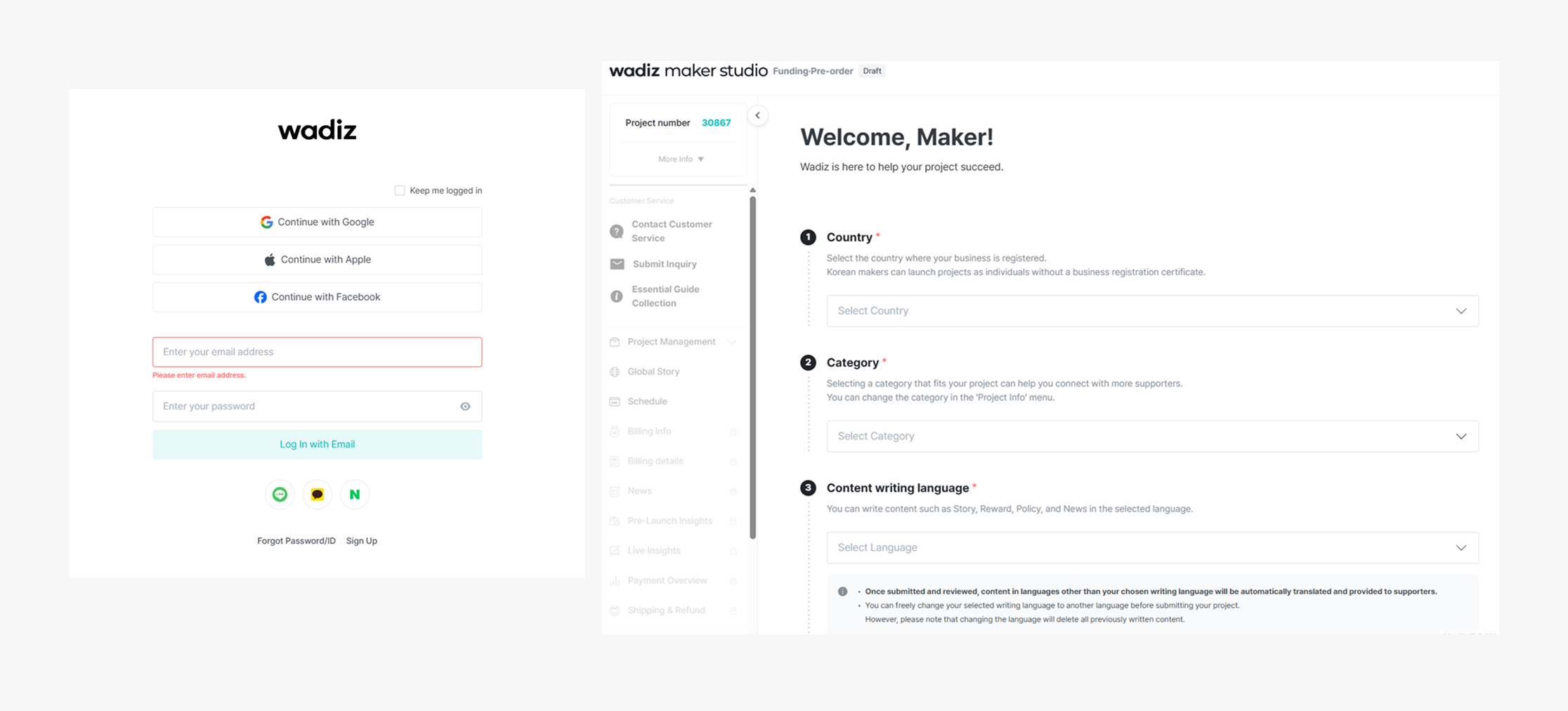
Step 2. Build Your Project Page
Enter basic information : Set funding goal, Business information & license
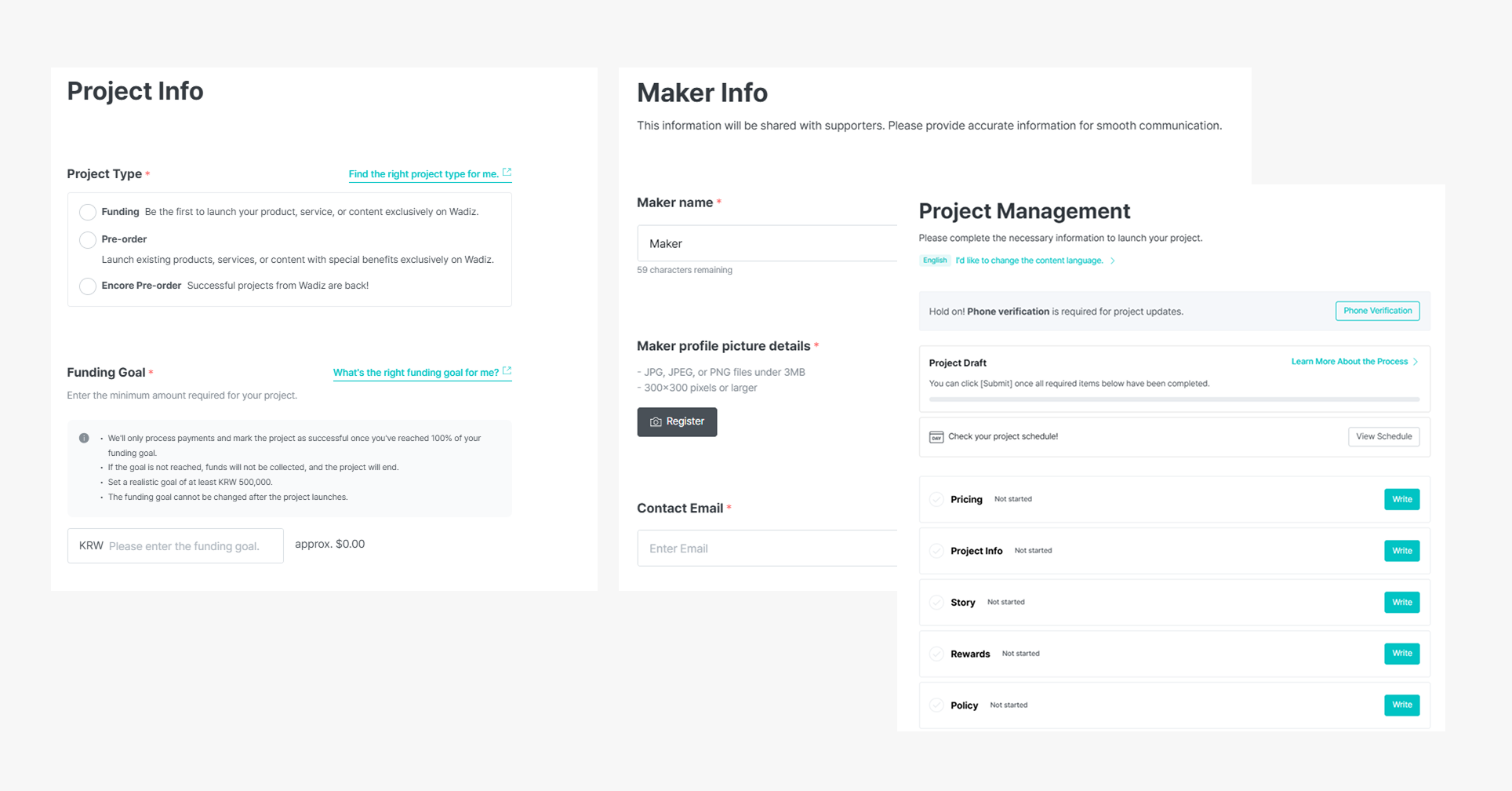
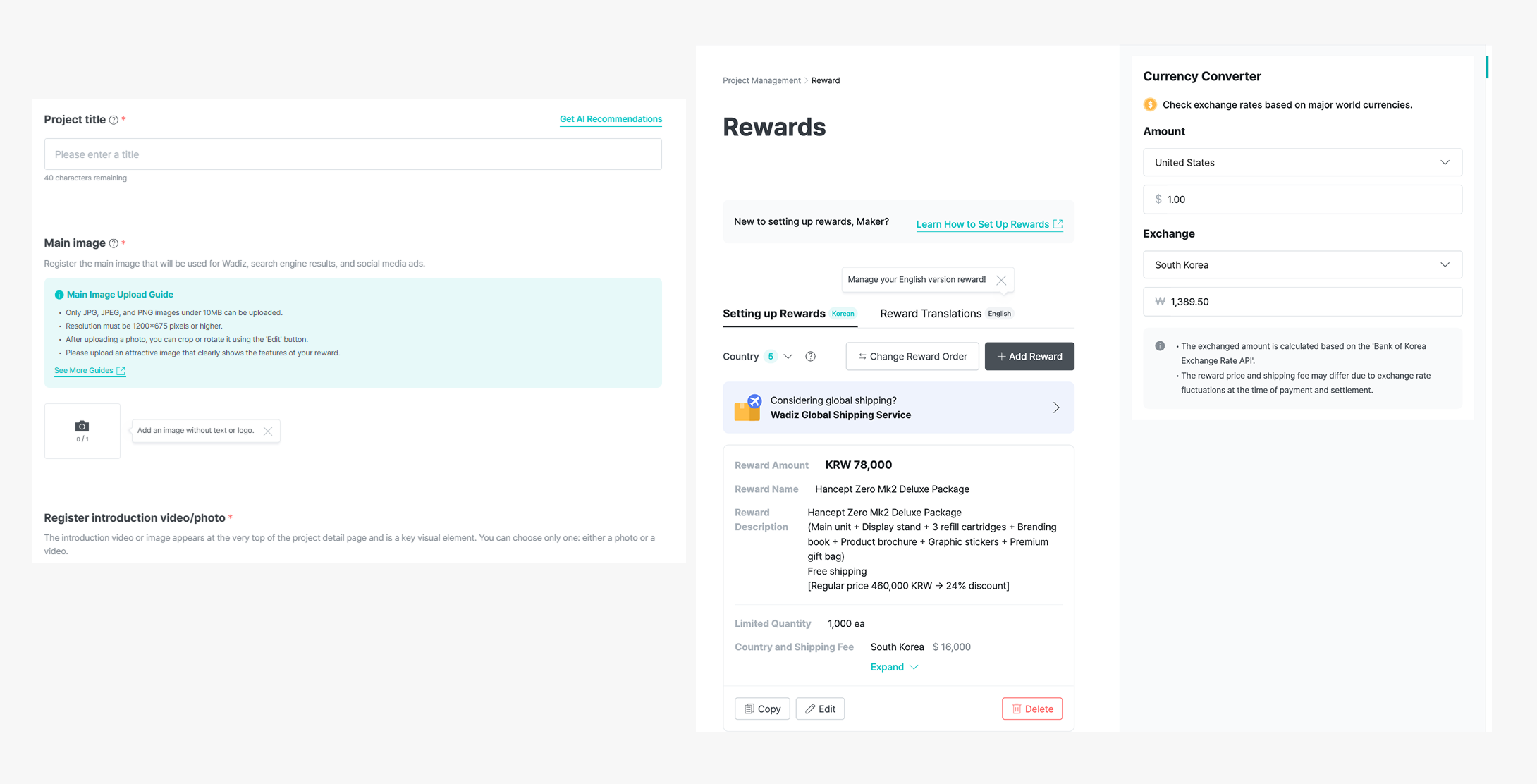
Step 3. Complete Project details and Story content
(1) Upload product images and videos
(2) Write your story & reward options
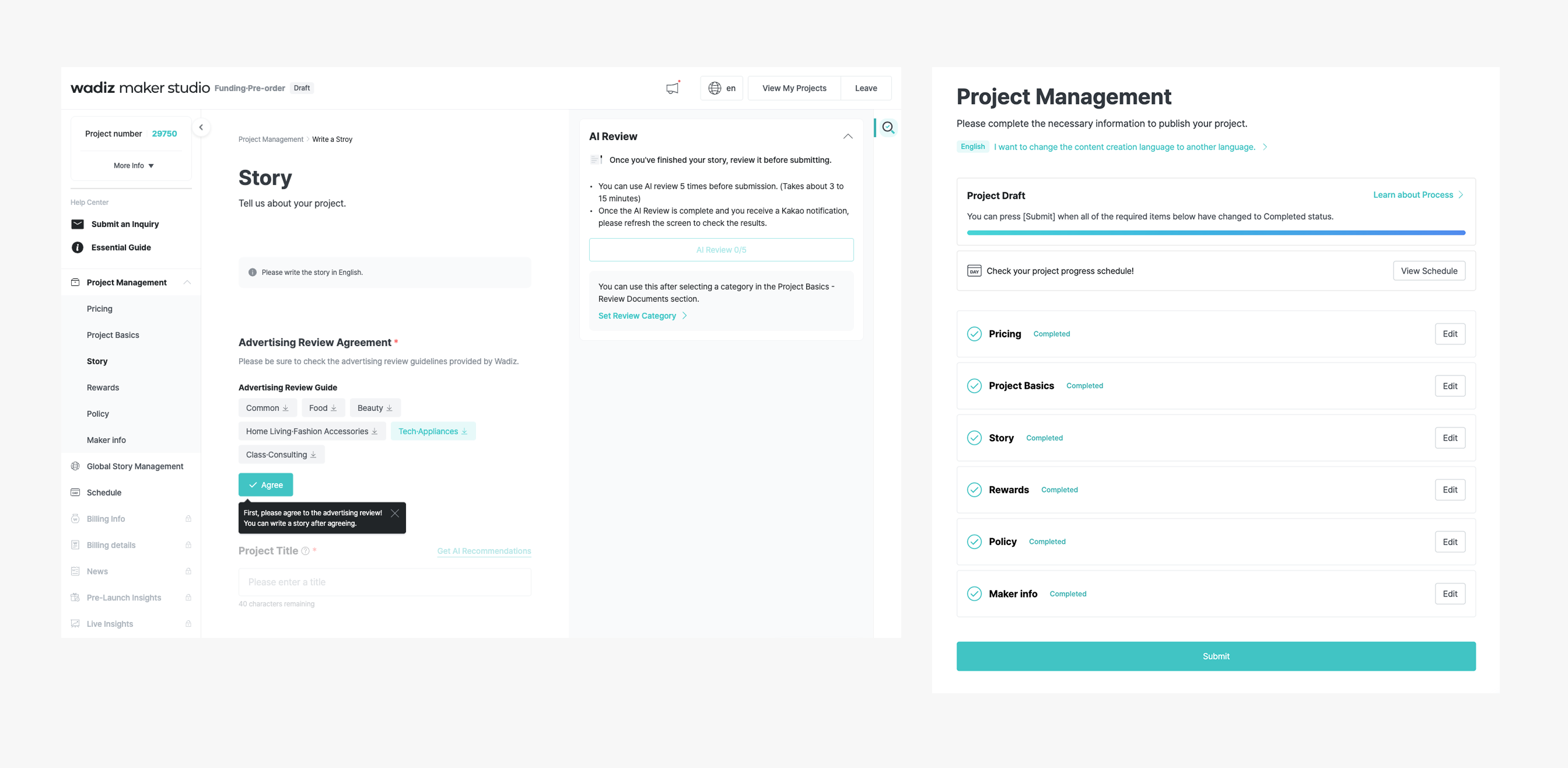
Step 4. Submit for Review
(1) Fill in project info and story, then run WAi self-check before submission
(2) Click “Submit” once everything is ready
Need help?
365 Days for Quick answers, ask WAi
➡️ Your Always - On Wadiz AI Agent