Funding & Pre-order
How do I set up the project schedule?
After final approval, you can set the project opening date, project duration, and reward distribution period directly.
- After your project receives final approval, you can set everything at once in the [Schedule] menu.
- For projects with a scheduled opening, you can publish immediately at your desired time, or schedule the project public date.
- For projects running without a scheduled opening, you can select your desired date to schedule the project publication.
- Do you have a specific project opening date in mind? Please submit with plenty of time, considering the review period after project submission.
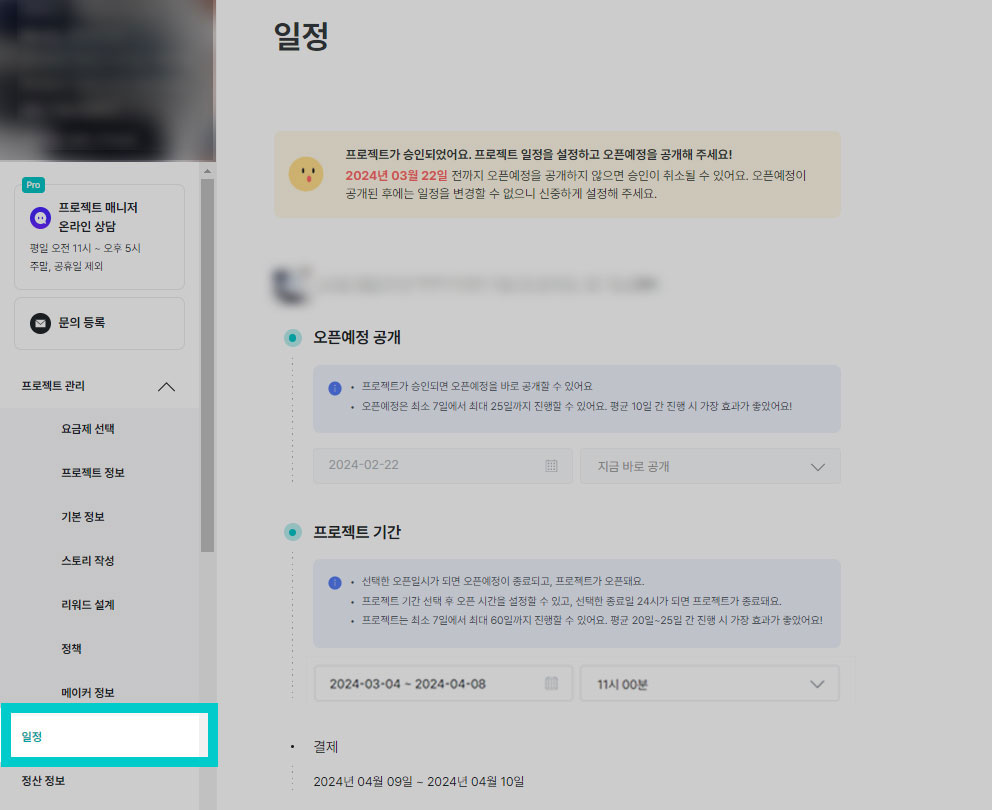 |
1) Scheduled Opening Publication
- Scheduled openings can run for a minimum of 7 days to a maximum of 25 days.
- Once the scheduled opening project is published, you cannot change the schedule. Please design the schedule carefully.
- Please access the [Schedule] menu on the day you want to publish the scheduled opening.
- Design the project duration and reward distribution period, and clicking [Save] will immediately publish the scheduled opening.
- The scheduled opening is set to [Publish Now].
- When the project is published, the scheduled opening will automatically end.
2) Project Duration
- This project can run for a minimum of 7 days to a maximum of 60 days.
- After scheduling the project publication, you can change the schedule until 24 hours before the publication date. Once the publication date arrives, schedule changes become difficult.
- Select the project start and end dates in the [Schedule] menu.
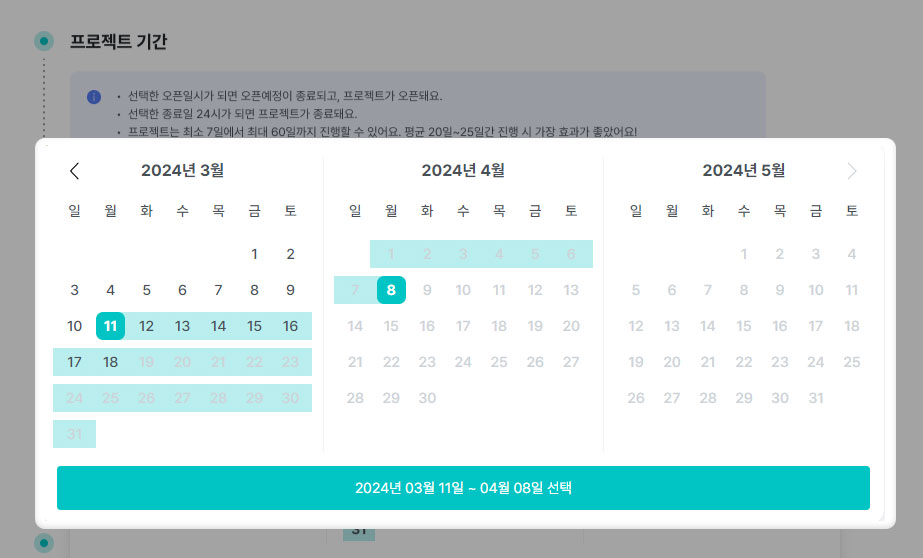 |
3) Settlement Date
- The settlement date is automatically assigned based on the project end date.
- When 100% or more of the target amount is achieved, the project proceeds for 2 days starting the day after the project ends.
4) Reward Distribution Period
- Set the reward distribution period for each reward designed in the [Schedule] menu.
- During the settlement period, you cannot view supporter shipping information. Starting the day after all payments are completed, you can download supporter shipping information and distribute rewards.
- If you fail to distribute within the promised period, refund requests may be submitted. Please make sure to distribute rewards and complete the distribution processing within the promised timeframe.
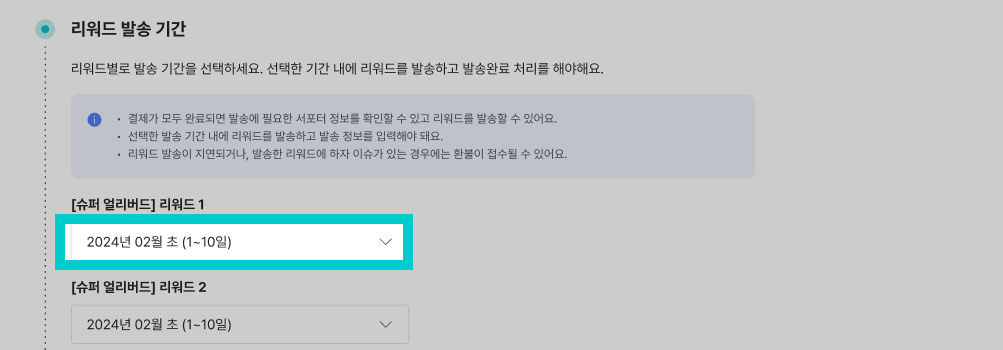 |
| Reward Distribution Period Design TIP 1) Consider the quantity you can ship per day and set it conservatively. 2) For agricultural products or fresh foods, wouldn't it be fresher to ship after weekends·holidays are over? 3) For intangible services, please write usage dates and other details as thoroughly as possible so supporters don't get confused. |