Other
Can I send notifications to my followers?
If you have 50 or more followers, you can send one app push per month from the Maker Page.
- When a project is published or news/surveys are uploaded to your Maker Page, you can send notifications to your followers through the 3 paths below.
- If you have 50 or more Maker followers, you can send one app push per month. Follow the guide below to get started.
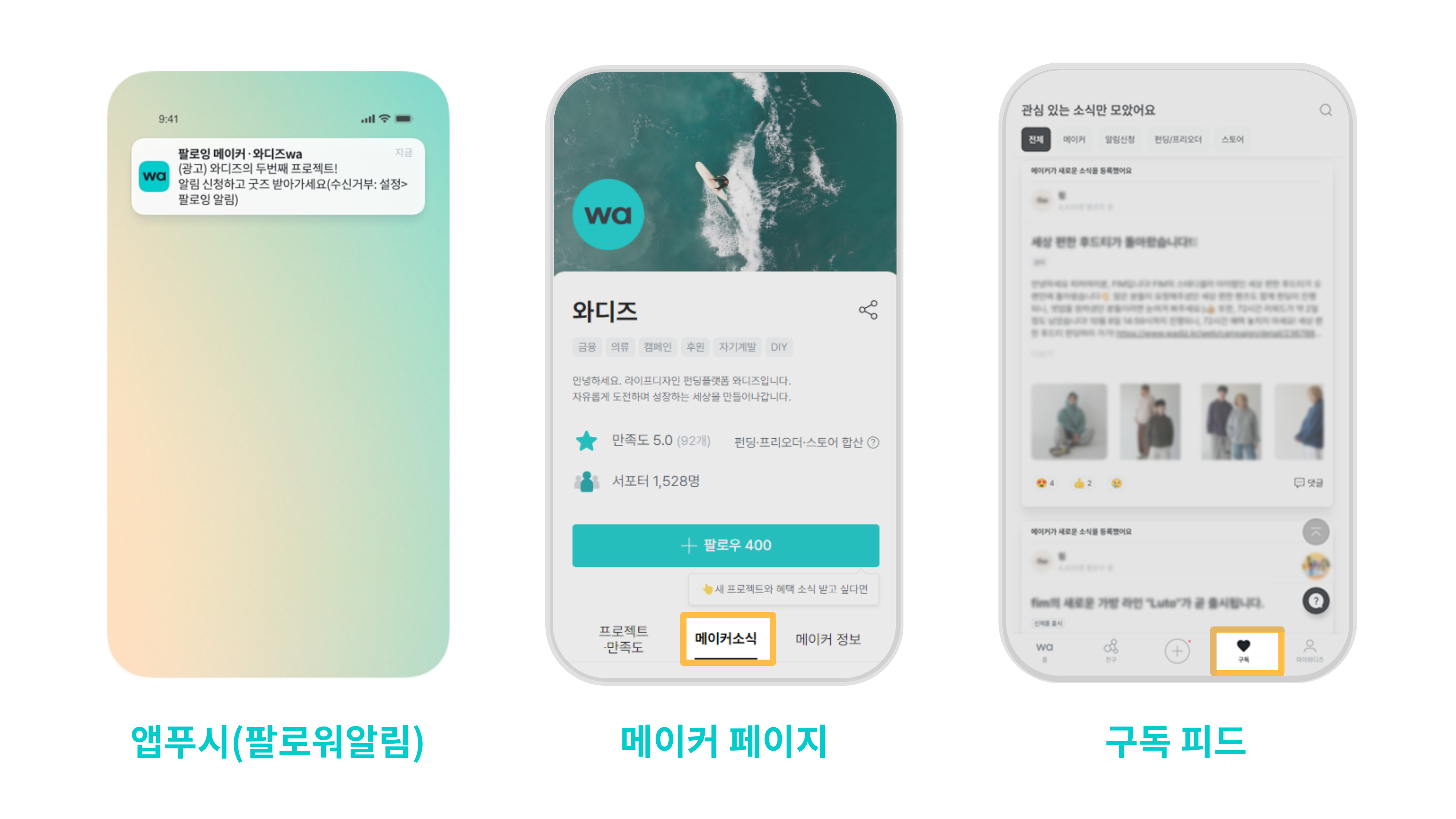
1. How to Write News
1) Log in to Wadiz. (Same for PC and mobile)
- [Maker Home] to go to your Maker Home.
- Click the gear icon (Maker Page) next to your maker name in the top right to go to your Maker Page home.
- Click [Write Maker News] to write your news.
2) Click [Write Maker News] and you will see an input window where you can write your post.
- Select a category that matches the nature of your news
- Enter your content and click the [Post] button.
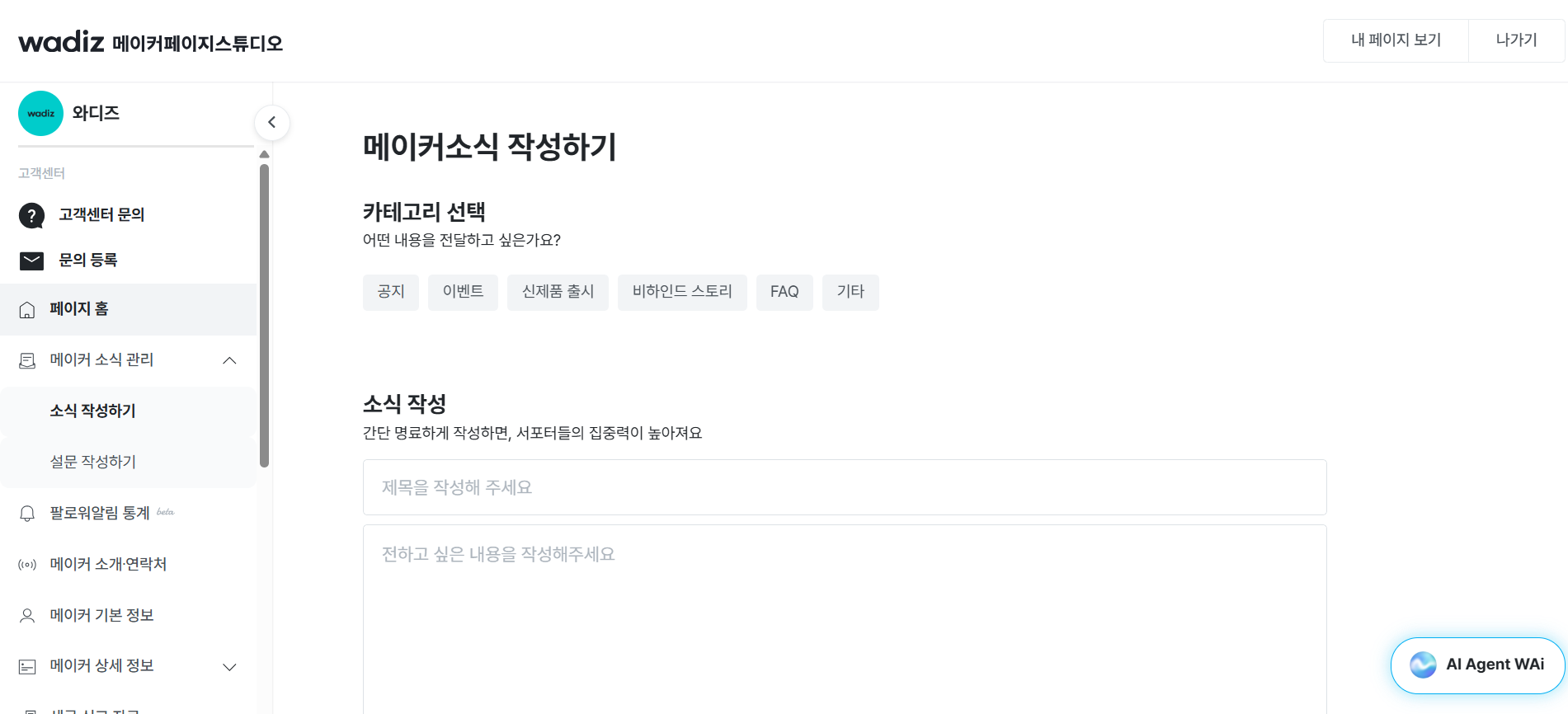
2. Category Selection
- Select a category that matches your distribution purpose. The notification recipient will vary depending on the category.
|
News Category
|
Category
|
Event Benefit Push Receive ON Followers
|
Receive Maker News ON Followers
|
|---|---|---|---|
|
Notices, FAQ
|
Informational + Promotional
|
O
|
O
|
|
Events, New Product Launches, Behind-the-Scenes, and More
|
Promotional
|
X
|
O
|
- If you send notifications that do not match the purpose of distribution, you may be held responsible for violation of privacy laws. Please be aware.
| Informational Examples | Promotional Examples |
|---|---|
| Informational distribution can only send essential guidance to supporters. It is available when the information is for the benefit of supporters. - Content that helps supporters easily use the product/service (e.g., product user manual, installation guide) - Changes related to the project (e.g., product configuration changes) - Guidance for providing event prizes (e.g., winner announcement) - Safety-related matters for supporters (e.g., recall notice) - Security guidance (e.g., impersonation notice, security update) - Product/service warranty information |
If it falls under the following, please select a different category. - All information not classified as essential guidance - Event participation promotion - Promotion of projects or new products from Funding/Pre-order, and Store - Discount event notices - Product development process |
3. App Push Distribution
1) You can use the monthly app push feature starting from 50 or more followers.
- Even with fewer than 50 followers, you can write news/surveys. However, without app push distribution, the news will be posted only to the feed.
- If you have used the monthly push notification provided once a month, you can only 'post' news until the 1st of next month.
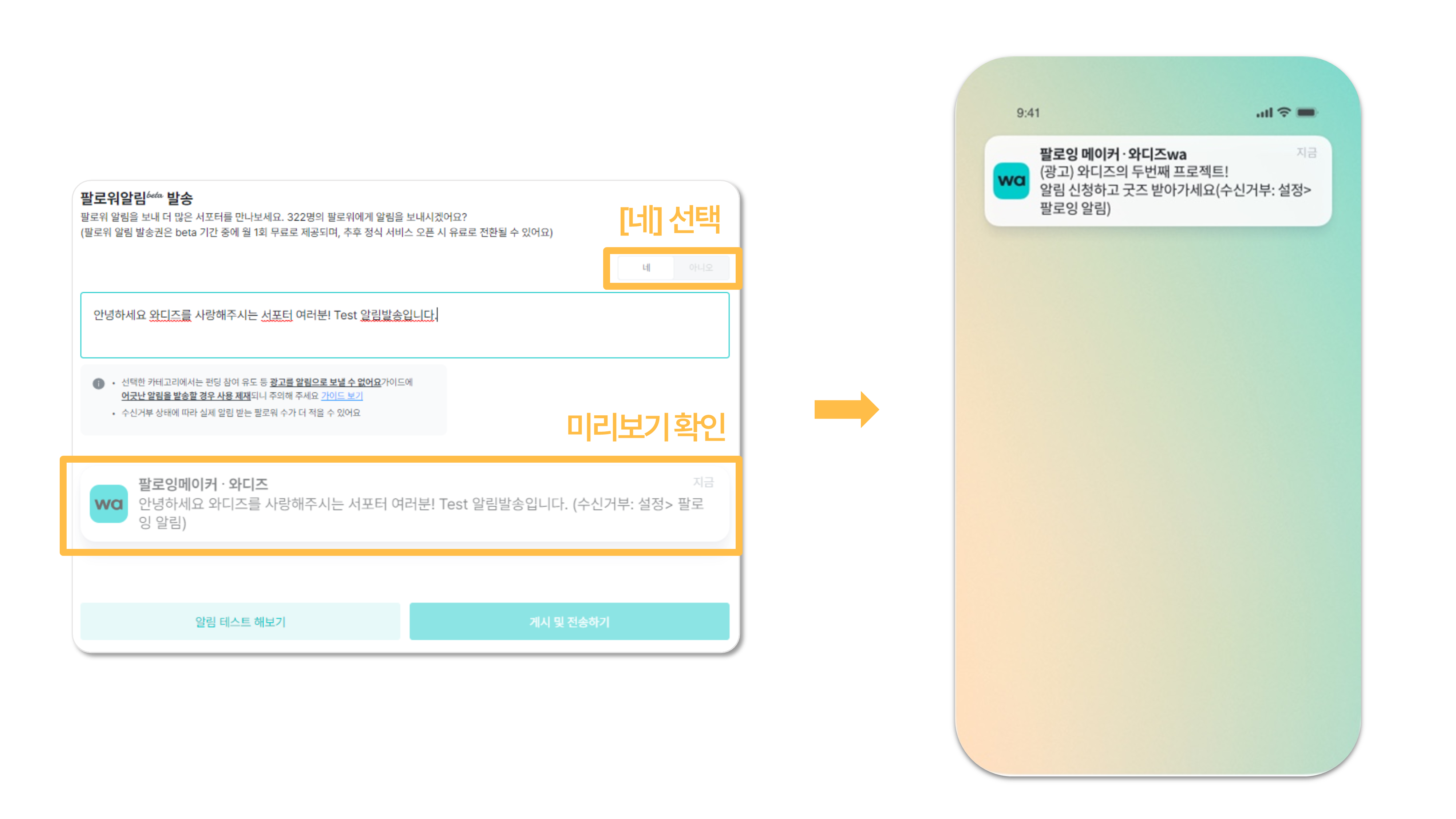
2) After writing news/surveys, check [Send Follower Notification] and post.
- The app push will be sent at the same time as the news is posted.
- Before sending the app push, you can test the notification.
-
Related Guide