Can I reserve and schedule the project announcement or pre-opening announcement in advance?
Changes starting December 19, 2024!
✔️ Now you can reserve and schedule the pre-opening announcement in advance.
✔️ The number of projects that can be opened per day is limited.
- If the maximum number of reservable slots is full, please select a different date.
✔️ We recommend the best time to open your project.
- Try opening during off-peak hours to increase supporter attention.
✔️ The timing of pre-opening notification will change to 1 hour before project announcement.
- Supporters who requested open notifications for my project will receive a total of 2 notifications (1 hour before announcement, and at announcement time).
*Projects that were scheduled for pre-opening/opening before December 19, 2024 will proceed with the pre-opening/opening at the specified time as is.
You can reserve and schedule the pre-opening announcement!
📝 How to reserve a pre-opening announcement
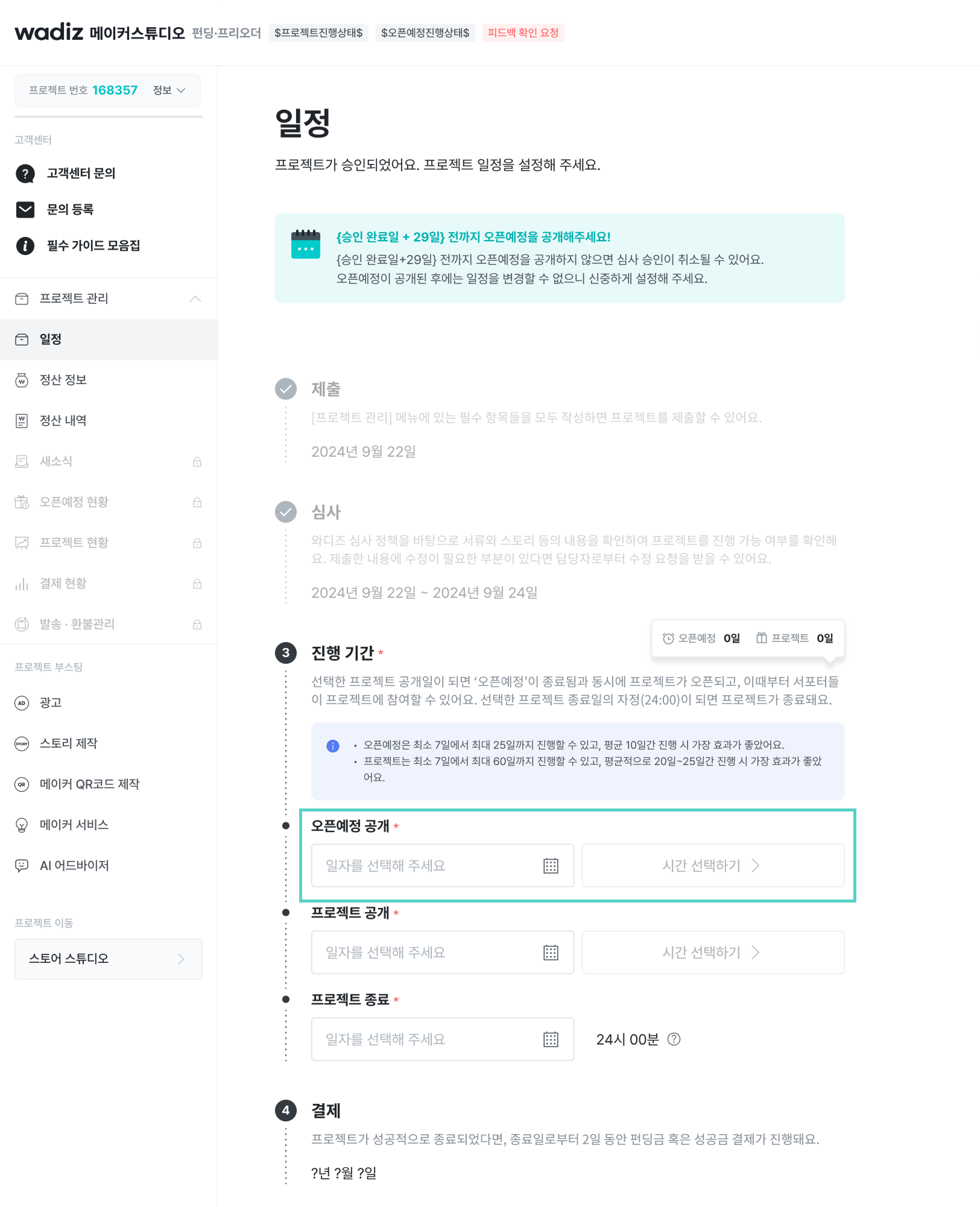
- Once your project is approved, you can set the project schedule.
- Access [Maker Studio] and click the [Schedule] tab.
- Select the pre-opening announcement, project announcement, and project end date/time in the operation period. \n
- You can choose to announce the pre-opening now or set a specific time to announce it.
- The reserved time can be modified until midnight (23:59:59) the day before the pre-opening announcement.
*When the selected project announcement date arrives, the 'pre-opening' ends automatically and the project is announced.
*Once the project is announced, supporters can participate in the project, and when midnight (24:00) of the selected end date arrives, the project ends.
Announce your project at the most effective time!
📝 Reserving project opening slots
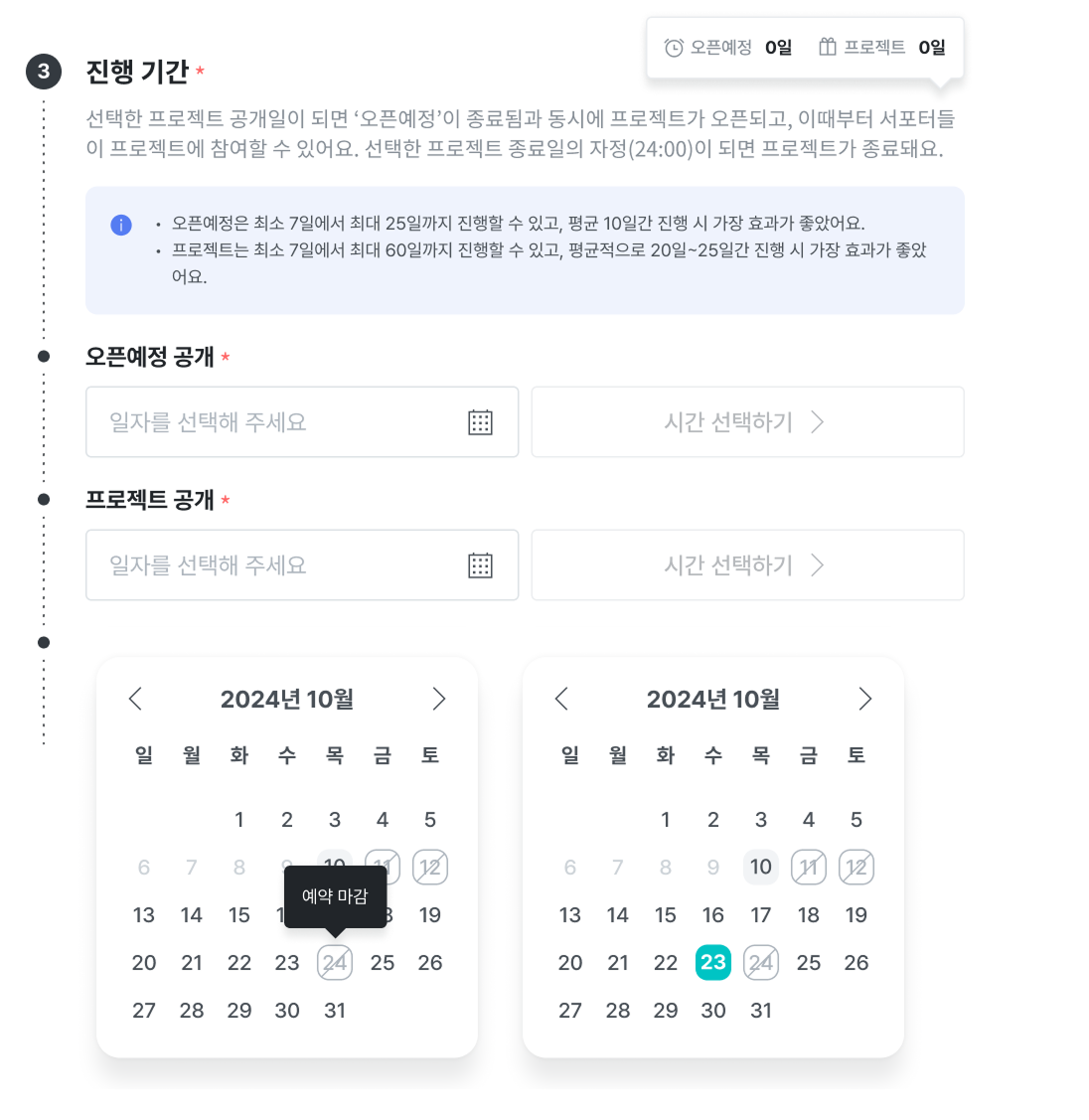
- Wadiz limits the number of projects that can be opened per day.
- If you want to open your project on your desired date, please make a reservation in advance.
- If the maximum number of reservable slots is full, please select a different date.
❗Project opening guidelines
- If you conducted a pre-opening, the announcement date can be modified until midnight (23:59:59) the day before the pre-opening announcement.
- If you open the project without a pre-opening, the announcement date can be modified until midnight (23:59:59) the day before the project announcement.
- If you conduct a pre-opening, the project will be announced automatically when the pre-opening ends.
- Supporters who requested open notifications for my project will receive a total of 2 notifications. \n
- One notification is sent 1 hour before project announcement, and one at project announcement.
📝 Check recommended opening time
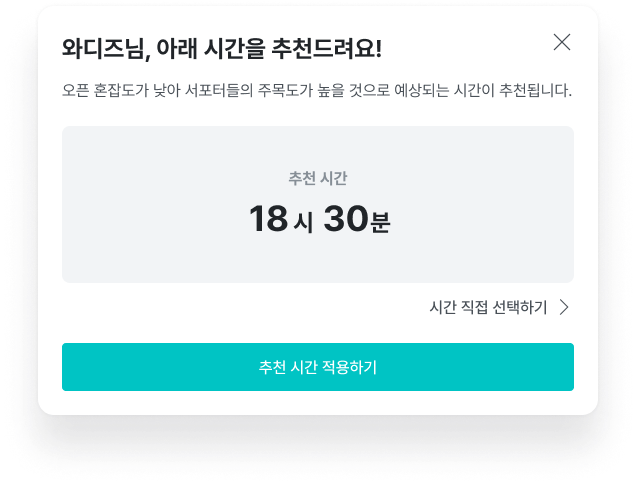
- When selecting a schedule, Maker Studio will recommend the best announcement time.
- The recommended announcement time is when project congestion is low and supporter attention is expected to be high.
- You can also select your preferred time outside the recommended hours. However, for successful project operation, we recommend announcing at the recommended time.
- The announcement time can be set in 30-minute intervals between 9 AM and 8 PM.
Please refer to the relevant usage guide for other details.