Funding & Pre-order
How should the reward shipping period be set?
Please set it generously with more time than the expected schedule to prevent shipping delays.
- As you progress with your project, you may experience delays from your planned dates, and your timeline may be disrupted.
- If you fail to keep the promised shipping date set in advance, you not only lose the trust of your supporters, but also risk refund requests due to shipping delays.
1) What is the reward shipping period?
- You can set it in the [Schedule] menu of Maker Studio. It informs supporters of your expected reward shipping date.
- If rewards are not processed for shipment by the last day of the set shipping period, supporters can request a refund citing shipping delay as the reason.
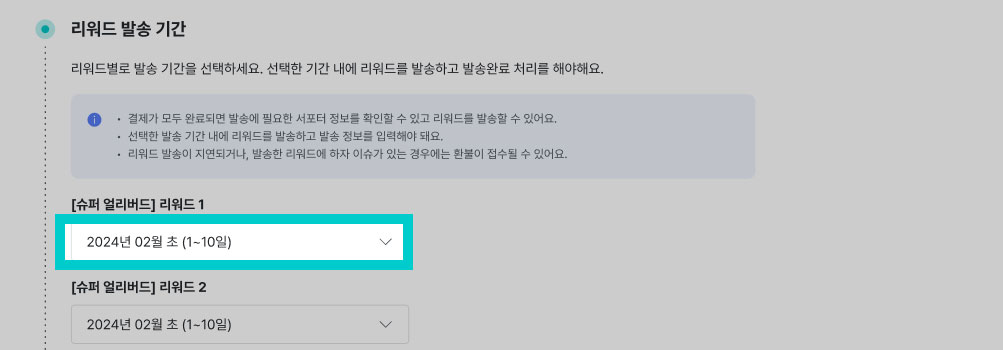
2) How do I set it when rewards are shipped sequentially?
- When shipping rewards sequentially, please set the shipping period as generously as possible based on the quantity you can ship per day.
- You must choose a reward shipping period that fits the timeframe needed to complete the last reward shipment.
3) Are there shipping dates to avoid?
- If your reward is agricultural/seafood/fresh food, please avoid shipping rewards right before weekends/holidays.
- Rewards may be stored in the logistics warehouse for extended periods, causing quality deterioration.
- Since degraded reward quality can cause supporter complaints and refund requests, please try to start shipping after weekends/holidays whenever possible.
4) How do I set the shipping schedule for intangible services?
- If your reward is an intangible service, the project timeline may vary depending on the service type and the available service period.
- Please write your schedule carefully to match the nature of the reward you are preparing.