How to verify my business with Stripe.
Last Updated: July 21, 2026
Manufacturers whose business registration address listed in their project information is located outside of Korea and China will be paid via Stripe Connect.
To receive settlement payments, you must complete Stripe Business Verification (KYC). You must be verified as a business operator before you can launch a project.
✅ How to Complete Stripe Business Verification
You can complete Stripe business verification by following these steps in Maker Studio.
1. Log in to Maker Studio.
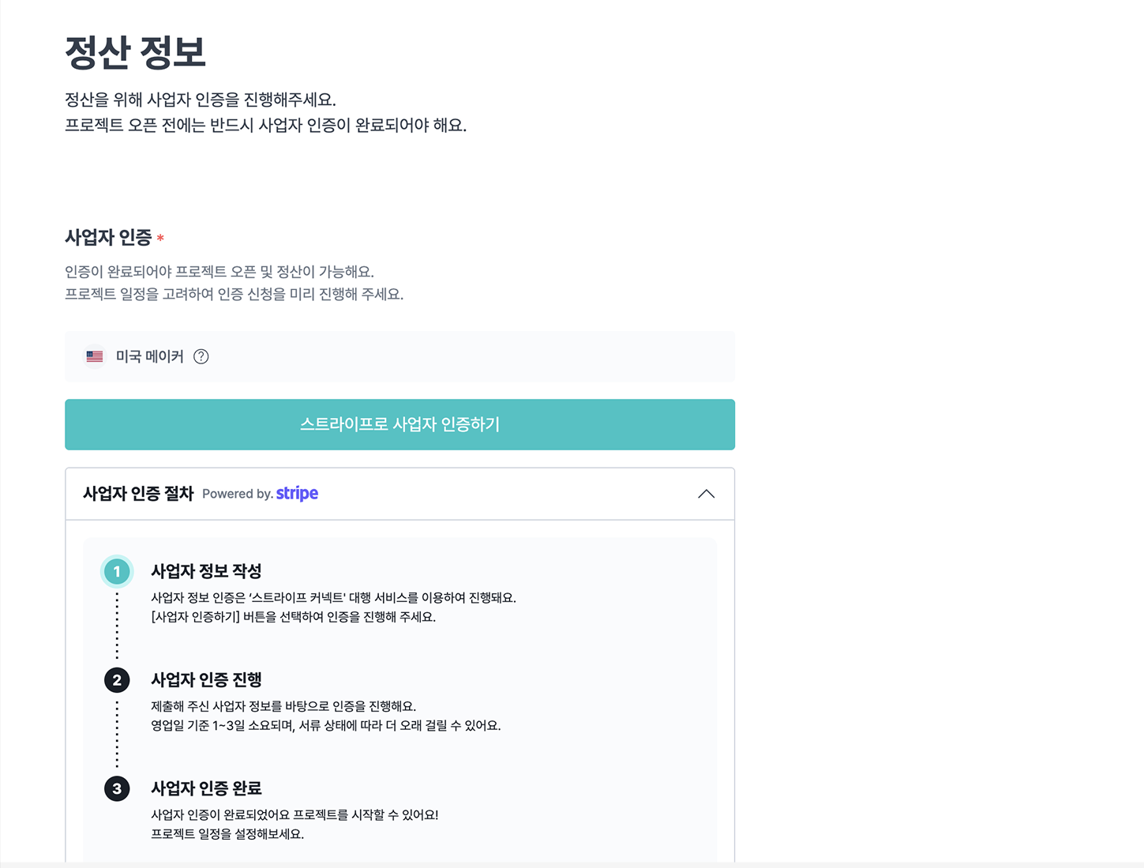
2. Go to Settlement → Settlement Information.
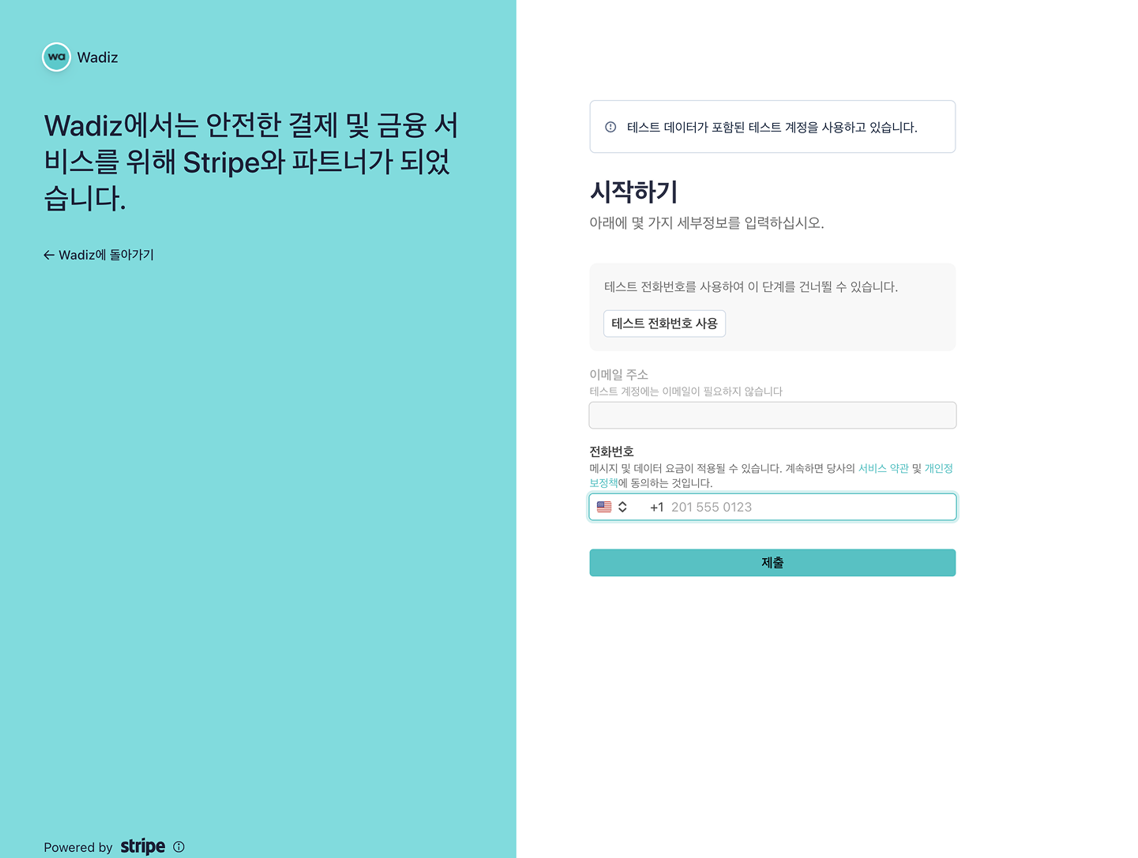
3. Select the [Verify Stripe Business] button to go to the Stripe verification screen.
4. Enter your business information and any other required details on the Stripe screen, then complete the verification.
5. Verification is reviewed based on the submitted business information and typically takes 1–3 business days, though it may take longer depending on the information or documents provided.
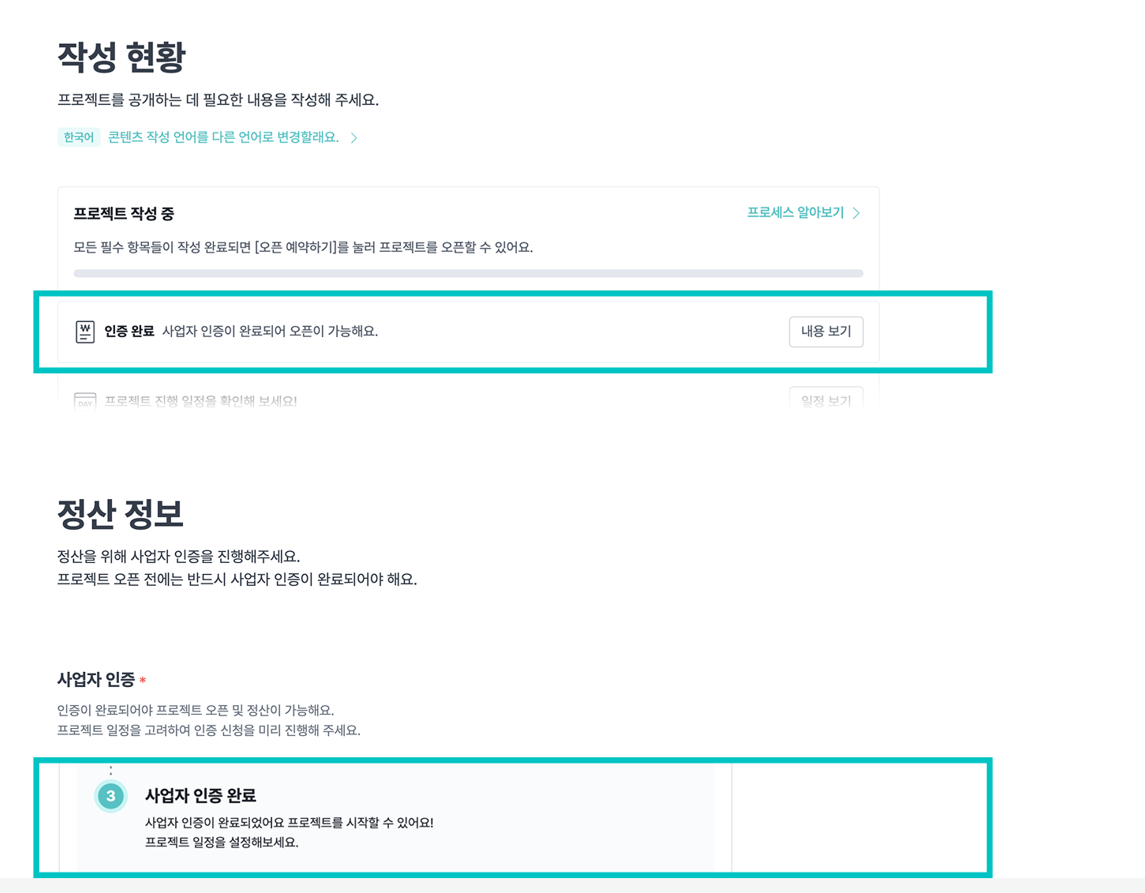
6. Once verification is complete, you can open your project and proceed with settlement.
⚠ Precautions
- You can only launch a project and receive settlement once Stripe business verification is complete.
- Verification typically takes 1–3 business days, and may take longer depending on the information or documents provided.
- If you change your business registration country while creating a project, your in-progress Stripe verification will be reset, and you will need to complete it again.
- If you have any questions about Stripe business verification, please contact Stripe Support directly.
Just Start on Wadiz.
Your step-by-step guide from preparation to funding success—available now at the Wadiz Maker Center.
Get 30% off your first Wadiz campaign fee