Wadiz Funding Success Guide | How to Run Ads from Launching Soon to Campaign Closure
Step-by-step guide from launching soon to campaign close
How to Run Targeted, Display, and Push Ads
Wadiz’s Targeted Ads, Display Ads, and Push Ads are advertising products that serve different purposes at each stage of a project, from the launching soon phase through to the closing date. This article is a Maker Center guide that summarizes the differences between these three ad types and how to manage them at each stage.
This guide is helpful for
- There are so many types of wadiz ads that I don’t know where to start.
- I want to plan my advertising schedule from the time I am launching soon through the end of the funding campaign.
- I want to easily understand the differences between targeted, display, and push ads.
- I want to spread out my ad spend over time—using it when results are needed—rather than spending it all at once.
Funding campaigns aren’t a one-and-done affair. During the launching soon phase, you need to introduce your project for the first time and gather people who want to be notified. Immediately after launch, you need to convert eager supporters into paying customers; during the middle of the campaign, you need to keep attracting new prospects; and just before the campaign ends, you need to provide a final reason for hesitant supporters to participate. That’s why successful projects don’t rely on just one type of ad—they assign specific roles to each ad and manage them accordingly.
The supporters (customers) and data gathered through these ads are not only key to a successful funding campaign but also provide an opportunity to identify your brand’s core target audience, copy, and image. They will become vital assets that help you achieve your first business milestones beyond the success of the funding campaign itself. Take this opportunity to turn your ads into your greatest assets!
wadiz Ad Types at a Glance
- Targeted Ads: Consistently attract new potential customers from outside the platform
- Display Ads: Help users discover your project within wadiz
- Push Ads: Directly deliver messages at key moments
Differences Between the Three Ad Types at a Glance
| Ad Types | Target | Key Role | Operation Method |
| Targeted Advertising | New and Similar External Audiences | Continuous New User Acquisition | Ongoing operation for a set period |
| Display Ads | wadiz Real-Time Users | Encourage discovery on key pages | Focus on specific dates |
| Push Notifications | Users who have consented to receive marketing communications and highly engaged users | Prompt immediate action | Send once at a critical moment |
1. wadiz’s 3 Ad Types
① Targeted Ads: Ads that continuously find new people who might be interested in your project
These ads use wadiz’s visit, notification sign-up, and payment behavior data on Facebook and Instagram to reach people who are highly likely to engage with your project. You can expand your reach beyond current wadiz users to include new, external prospects. 97% of projects that raised 50 million won or more ran Targeted Ads.
Try this in the following situations
- When not many people know about your brand yet
- When you want to steadily build a list of people signed up for notifications about launching soon
- When you want to maintain a steady flow of traffic throughout the entire period, from the launching soon phase to the campaign deadline
② Display Ads: Ads that help supporters browsing wadiz discover your project
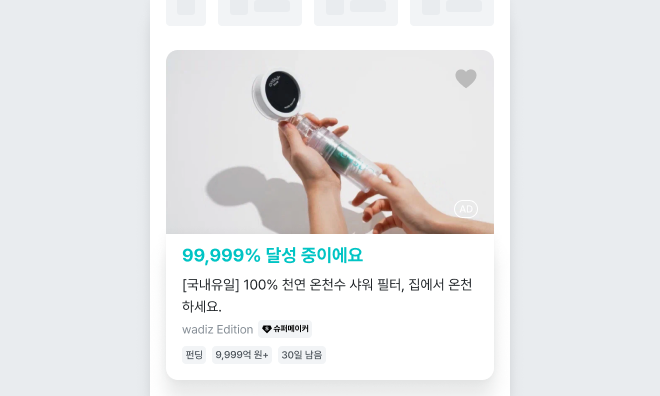
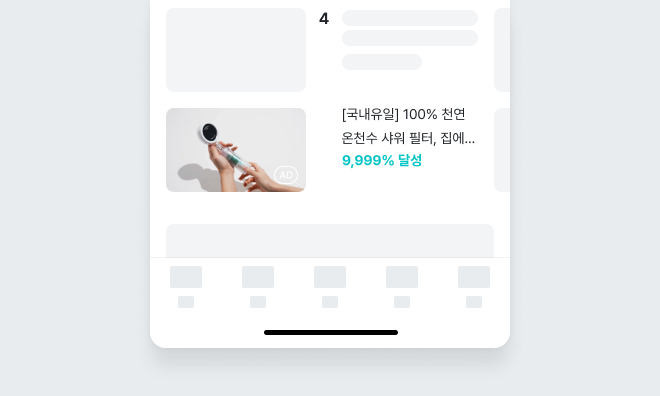
These ads appear as banners or project cards to supporters using the wadiz app or website. They are displayed in sections such as Main Content, Multi-Content, Packages that are launching soon, Funding Packages, Multi-Board, and the app’s main pop-up.
Try using this when
- When you want to promote your project to people browsing wadiz
- When you want to concentrate exposure on specific dates, such as right before launch or on launch day
- When you want to quickly boost the number of people signing up for alerts for launching soon
- When you want to attract new interest midway through the project
③ Push Ads: Ads that directly convey the appeal of your project
This service sends promotional messages to supporters who have agreed to receive marketing communications via the wadiz app or KakaoTalk channel. App push notifications display your project in notifications and the notification center, while KakaoTalk push notifications use images and text to convey detailed information about your project and its benefits.
Try using this in the following situations
- When you want to quickly announce your launch date
- When you want to convert long-awaited prospects into paying customers on launch day
- When you want to reignite interest during a lull in project participation
- When you want to personally announce the closing date and final benefits
2. Advertising Performance
Based on projects that concluded between January 2025 and June 2026, we analyzed ad performance by categorizing projects according to their funding amounts.
- Group A: Projects with a fundraising goal of less than 10 million won
- Group B: Projects with a fundraising goal of 10 million to 30 million won
The data revealed that Group B—projects that raised between 10 million and 30 million won—showed an overwhelmingly higher advertising usage rate than Group A, and the majority of these projects ran Meta ads.
Additionally, when examining the effectiveness of ad combinations, we observed a trend where the more diverse the ad mix—using two or more types of ads—the higher the amount raised.
3. Advertising Management Strategies for Each of the 4 Project Phases
By referring to the recommended screens for each stage, even makers seeing this table for the first time can easily understand it by focusing on just one key objective per stage.
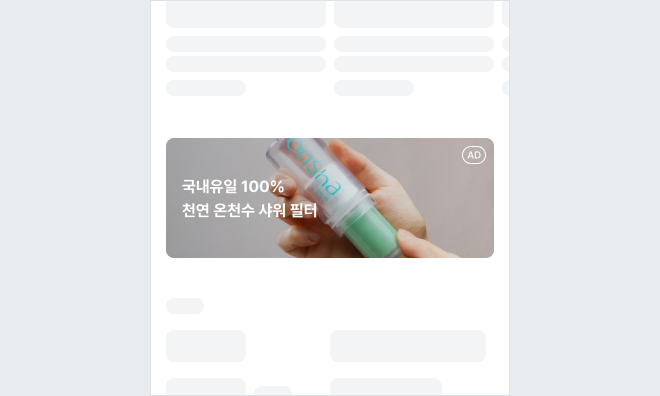
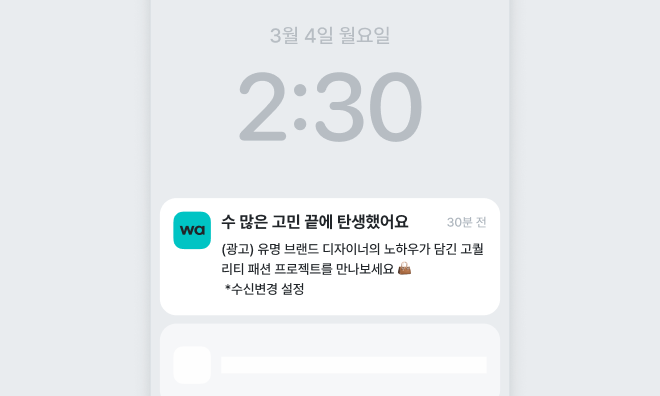
① Launching Soon Phase: Gathering Notification Subscribers
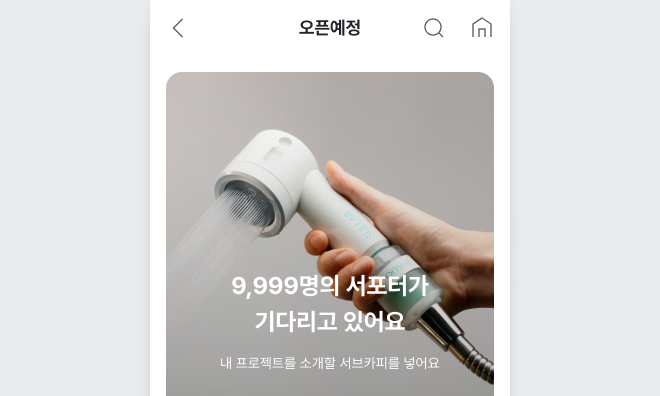
This combination involves consistently attracting new external prospects through targeted ads while ensuring concentrated exposure to active users on wadiz via the package that is launching soon.
|
Goal
|
Recommended Ads
|
|
Basic
|
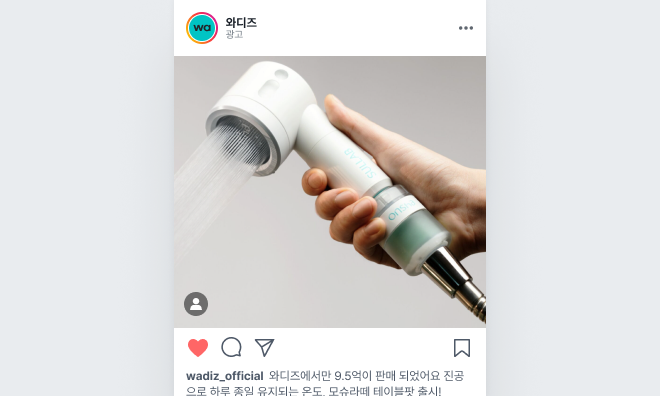 |
|
Notification Sign-up Focus
|
|
|
Increased Exposure
|
|
|
Focus on Interest Targeting
|
|
|
Performance Boost
|
|
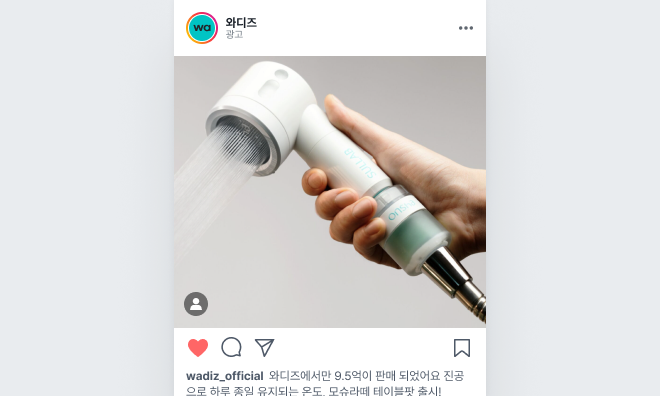
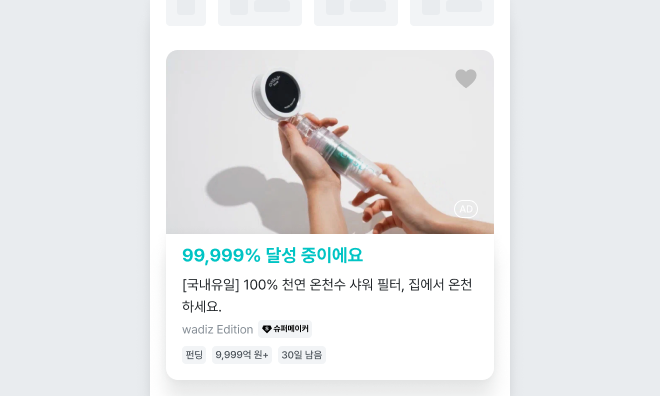
② Early Funding Stage: Build Momentum + Drive First Purchases
If you used the message “Launching Soon” during the launching soon period, you should switch your messaging after launch to “Launching Today,” “Early Bird Special,” or “Benefits Available Now.”
|
Goals
|
Recommended Ads
|
|
Basic
|
|
|
Intensive Exposure on Launch Day
|
|
|
Direct Reminders
|
|
|
Lowering Payment Barriers
|
|
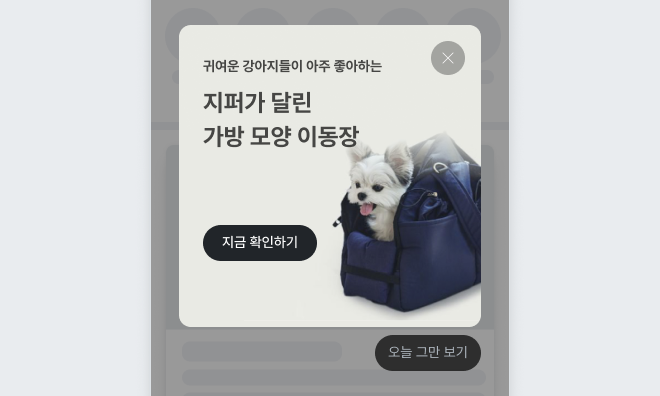
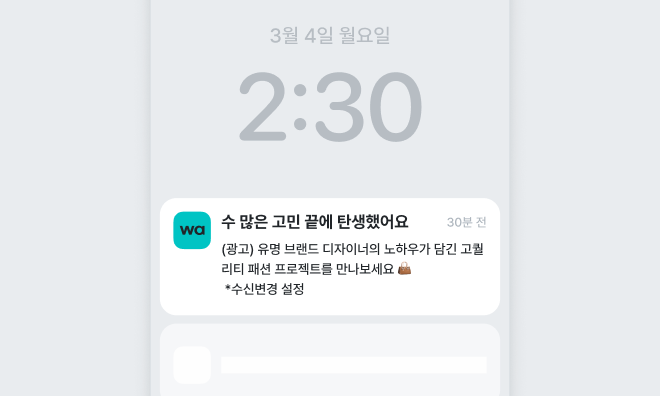
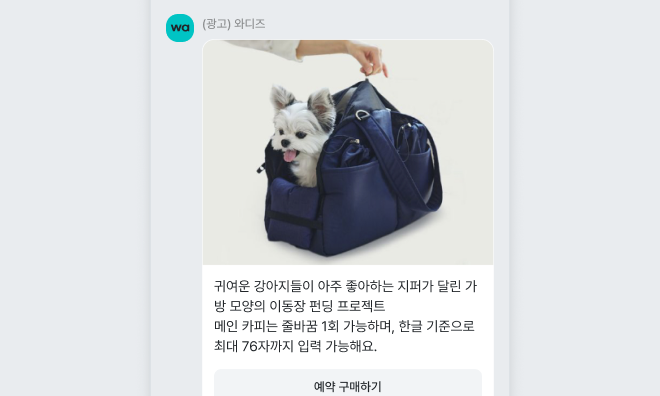
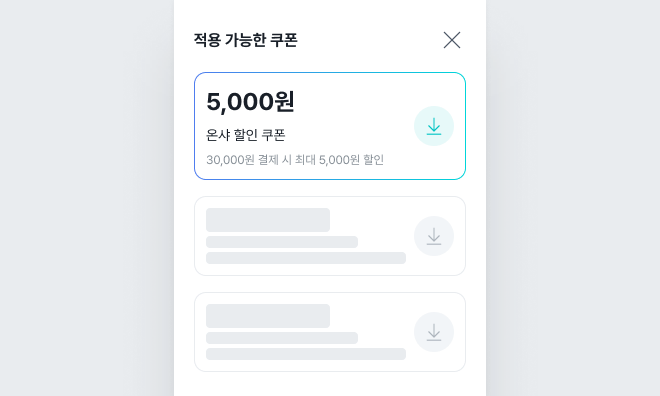
③ Mid-Funding Stage: Continuously Acquiring New Prospects
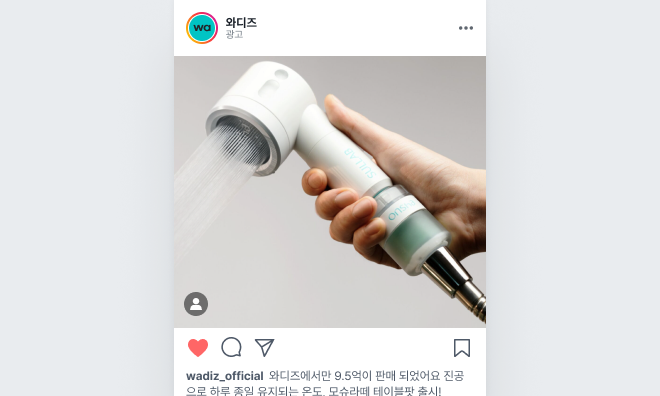
In the attached screenshot, this stage is divided into “Conversion to Purchase” and “Acquiring New Prospects.” For those who have already viewed the project, you should re-engage them with reviews, funding progress, and perks; for first-time visitors, you should introduce the project anew by highlighting its core features and use cases.
|
Goals
|
Promotional Ads
|
|
Basic
|
 |
|
Repeated Exposure
|
|
|
Targeting Additional Touchpoints
|
|
|
Acquiring Additional Targets
|
|
|
Selective Use
|
 |
④ Stage Just Before Funding Ends: Notify Supporters Who Showed Interest but Haven’t Participated of Their Last Chance
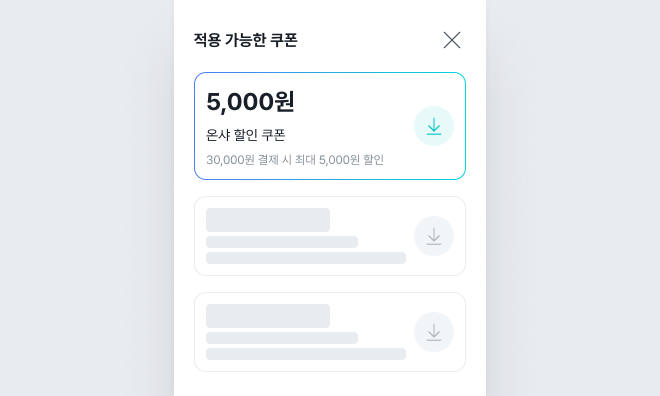
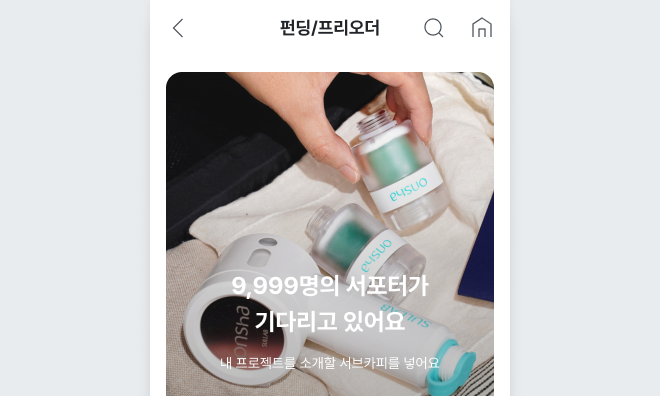
The materials include a case study showing that running a funding package three days before the project ends (D-3) can result in the campaign being displayed with a “Closing Soon” label, and that combining push notifications with coupons can encourage last-minute payments.
| Basic |
|
| Closing Soon Boost |
|
| Internal Exposure on wadiz |
|
| Final Perks |
|
Summary of Recommended Ads by Funding Stage
| Stage | Key Objectives | Basic Advertising | Additional Advertising |
|---|---|---|---|
| launching soon | Sign Up for Notifications | Targeted Ads | Launching Soon Package/App Push Notifications |
| Early Funding Stage | Early Payments & Momentum | Targeted Ads | Main Content, Pop-ups, Push Notifications |
| Mid-Funding Phase | New User Acquisition and Re-engagement | Targeted Ads | Multi-content · KakaoTalk Push Notifications |
| Before Campaign Ends | Final Payment | Target Retargeting | Funding Packages, Push Notifications, Coupons |
4. Frequently Asked Questions
Q. Do I have to use all three types of ads?
A. It’s not mandatory. If your budget is limited, it’s best to first secure external traffic through targeted ads and allocate any additional budget to key moments, such as the package that will be launched soon or push notifications.
Q. When is the best time to start running ads?
A. The guide suggests starting Targeted Ads around D-14, a week before the launch, and concentrating your budget during the week immediately preceding the launch.
Q. Should I continue running targeted ads after the launch?
A. Yes. We recommend shifting the message from encouraging users to sign up for notifications to encouraging them to make a purchase, and setting aside a portion of your budget to use both after the launch and right before the campaign ends.
Q. Can I apply for ad products directly?
A. You can apply for Display and Push ads directly through the Ad Center, while Targeted Ads are set up through the Biz Center. Ads in the Ad Center can be registered by following these steps: campaign setup, product and schedule selection, creative setup, and payment scheduling.
Q. How many days in advance should I apply for an ad?
A. The latest user guide recommends submitting a review request at least 3 business days before your desired run date. Display ads are shown on a daily basis, while push notifications are sent once at a specified time.
Start your funding campaign and enjoy up to 90% off fees
Start with wadiz. Just Start on wadiz.
Everyone’s Start, Everyone’s Funding.