What does "Launching Soon" mean?
Last Updated: July 30, 2026
Launching Soon is responsible for the success amount of payments made during the first 3 days after launch.
01. What is Launching Soon?
- Launching Soon is a feature that lets you preview your project like a trailer before your main project officially launches. You can run a Launching Soon period for a minimum of 7 days and up to 25 days before your main project launches.
- During the “Launching Soon” period, supporters can “sign up for notifications” and receive updates about projects they’re interested in.
02. What are the benefits of using Launching Soon?
First, it boosts your project’s performance.
- The amount raised immediately after a project launches determines the overall performance of the entire project.
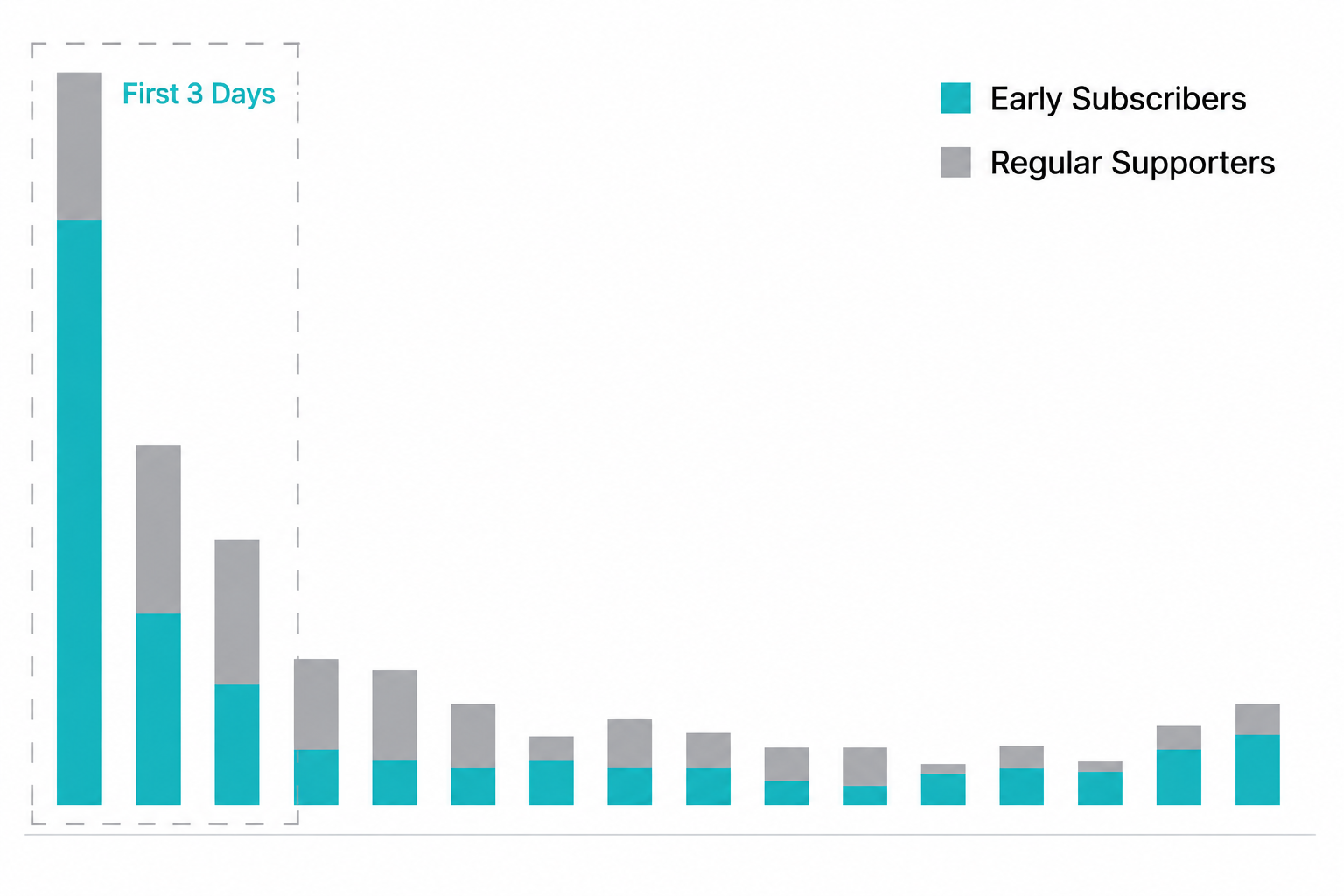
- On average, the amount raised in the first 3 days accounts for about 53% of the total amount raised.
- The “Launching Soon” phase plays a key role in boosting the initial success rate right after a project launches.
- Over 60% of the funds raised in the first 3 days come from supporters who signed up for notifications during the “Launching Soon” period.
Second, it sends supporters a notification when your project goes live.
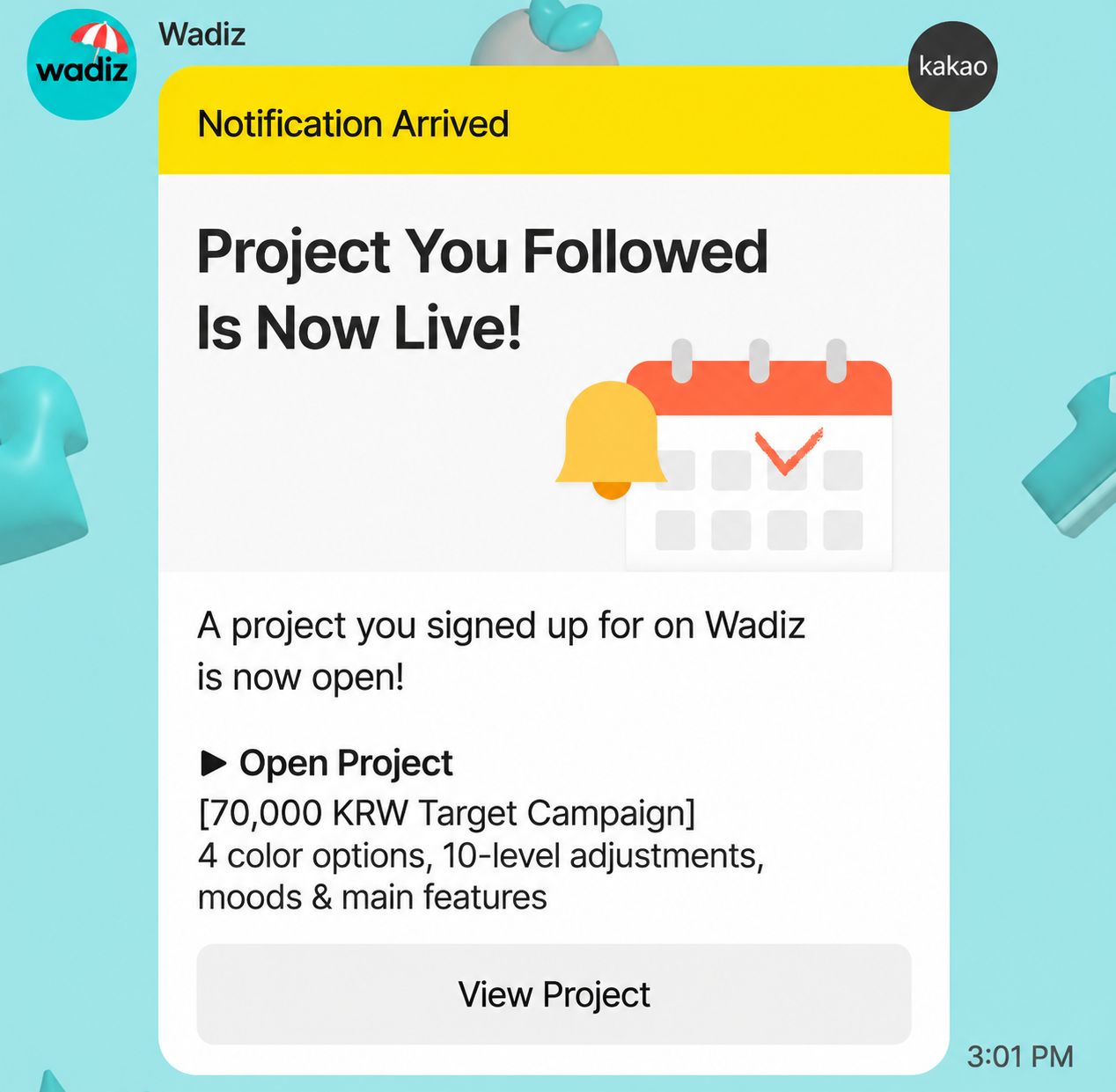
- Supporters who signed up for notifications receive SMS and Kakao alert messages on the day the project launches.
- The alert message, which includes the project link, helps supporters quickly access the project and participate in funding.
Third, it helps you secure additional exposure opportunities for your project.
- “Launching Soon” projects are featured in various sections across the Wadiz site, including the “Early Bird” tab and the “Launching Soon” section.
- During the “Launching Soon” period, you can promote your project through social media or your own online store to attract more people to sign up for notifications.
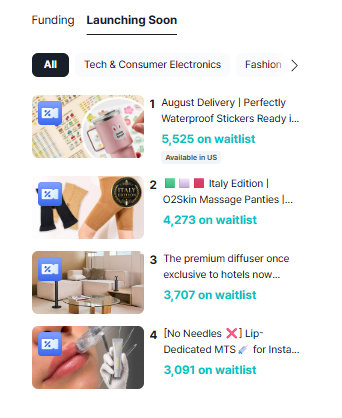
Fourth, you can forecast your project’s performance in advance based on notification sign-up trends.
- You can check daily trends in notification sign-ups through Maker Studio.
- This allows you to estimate how many supporters are interested in your project, gauge your project’s likelihood of success and the marketability of your rewards,
- and design your post-launch promotion plan based on the notification sign-up trend.
03. How do I run a “Launching Soon” period?
- Write your story in the “Launching Soon Story” tab, located at the bottom of the [Maker Studio] > [Write Story] menu.
- You can use a template or import the content you’ve already written for your main story as-is.
- Once your project is finally approved, you can select the date and time your main project will launch. Once you select a schedule, your “Launching Soon” page will automatically go live and remain active until your project’s launch date.
04. Can I use the same story for my “Launching Soon” page as for my main project page?
- Your “Launching Soon” story can be the same as your main project story. However, please remove any “shipping information” that describes the reward delivery schedule.
FAQ (Frequently Asked Questions)
Q. Can I launch the main campaign directly without running a “Launching Soon” (Pre-launch) phase?
A. Yes, you can skip the “Launching Soon” phase and start the main campaign directly. However, especially if this is your first project, we strongly recommend running a “Launching Soon” period. Gathering “Notify Me” sign-ups during the pre-launch helps boost your sales and goal achievement rate on launch day. To maximize your chances of success, we recommend running a “Launching Soon” phase for at least 10 days to collect sign-ups before launching the main campaign.
Q. The “Launching Soon” story tab is showing as disabled! How can I fix this?
A. Uncheck the “I will not run Launching Soon” checkbox located in the upper-right corner of the page to enable the tab.
Just Start on Wadiz.
Your step-by-step guide from preparation to successful funding—available now at the Wadiz Maker Center.