How can I adjust inventory?
You can manage inventory and visibility settings in Maker Studio's [ Project Management > Product Design ] tab.
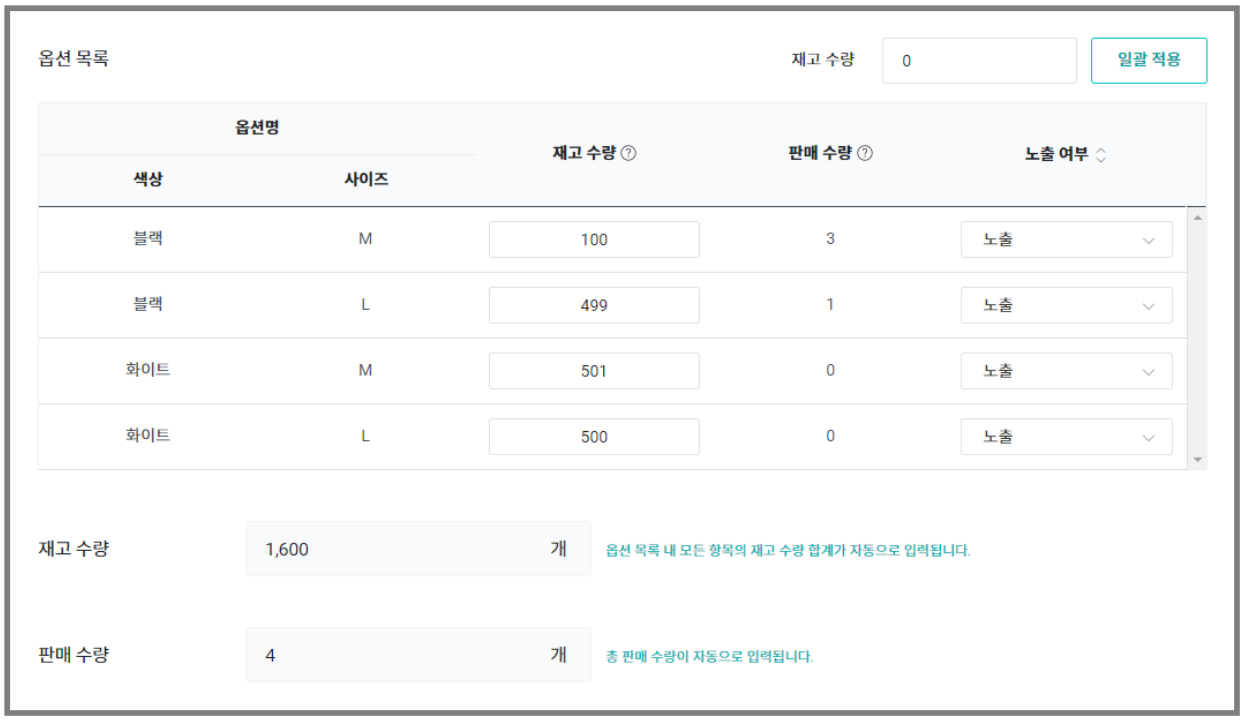
1) Inventory Quantity
You can freely change the inventory quantity in the Product Design tab even after the sale has opened.
If the inventory quantity is 0, it will automatically appear as [Out of Stock] to supporters.
If the inventory quantity is 10 or less, it will automatically appear as [Almost Out of Stock] to supporters.
If there are 2 or more options within the product, it will automatically appear as [Almost Out of Stock] to supporters based on the quantity of each option.
2) Sales Quantity
You can check the sales quantity in the options list after the sale has opened.
By checking the sales quantity, you can see how much of that product has been sold for completed paid orders.
Even if a refund has been processed, the sales quantity does not decrease.