Funding & Pre-order
What is Pre-Launch?
Gather 'notification subscribers' before your project opens and boost your initial funding.
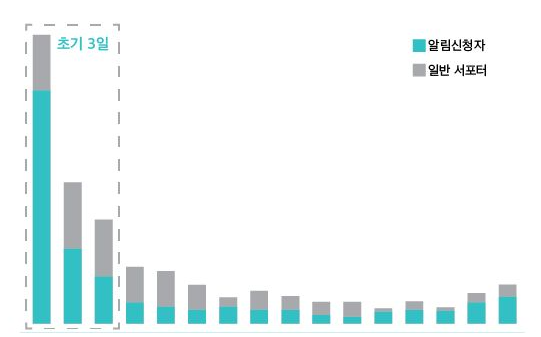
Pre-Launch accounts for the first 3 days of successful funding payments, which represent 47% of the total project funding amount.
[Table of Contents]
- What is Pre-Launch?
- What are the benefits of using Pre-Launch?
- How do I apply for Pre-Launch?
- Can I write the Pre-Launch story and project story identically?
1. What is Pre-Launch?
- Pre-Launch is a feature that previews your project like a trailer before launching your official project. Before the official project opens, you can run a Pre-Launch period from a minimum of 7 days to a maximum of 25 days.
- During the Pre-Launch period, supporters can ‘sign up for notifications’ and receive updates about projects they're interested in.
2. What are the benefits of using Pre-Launch?
First, it boosts your project's performance.
- The funding received immediately after project launch determines the overall performance of your project.
- On average, the funding received in the first 3 days accounts for approximately 53% of total successful funding.
- On average, the funding received in the first 3 days accounts for approximately 53% of total successful funding.
- Pre-Launch plays an important role in boosting initial funding performance right after project launch.
- More than 60% of the funding received in the first 3 days was achieved through participation from Pre-Launch notification subscribers.
Second, it sends project launch notification messages to supporters.
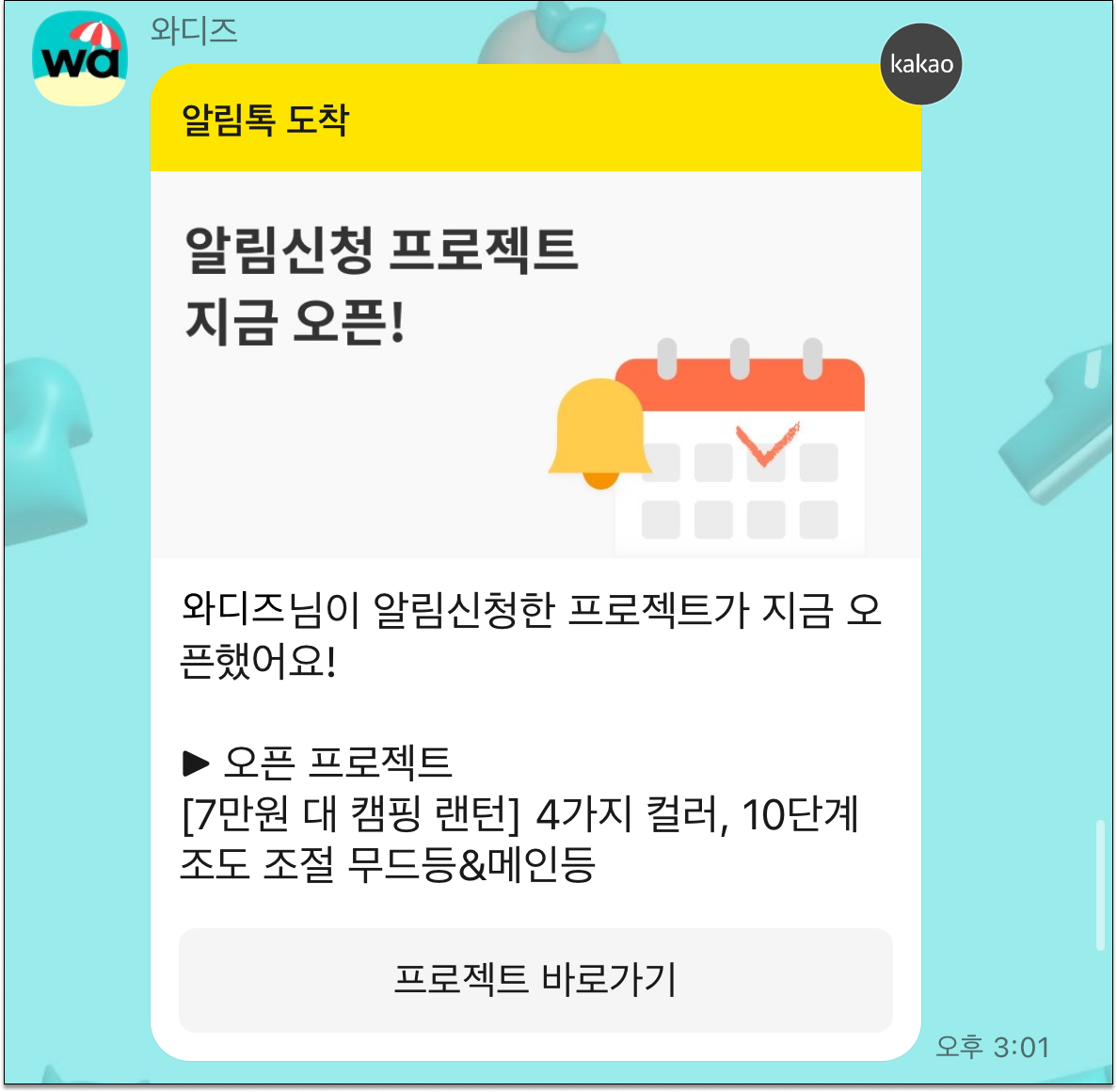
- Supporters who signed up for notifications receive project launch updates via SMS and notification messages on the day the project is launched.
- The notification message with a project link helps supporters quickly access and participate in the project funding.
Third, you can secure exposure opportunities for your project.
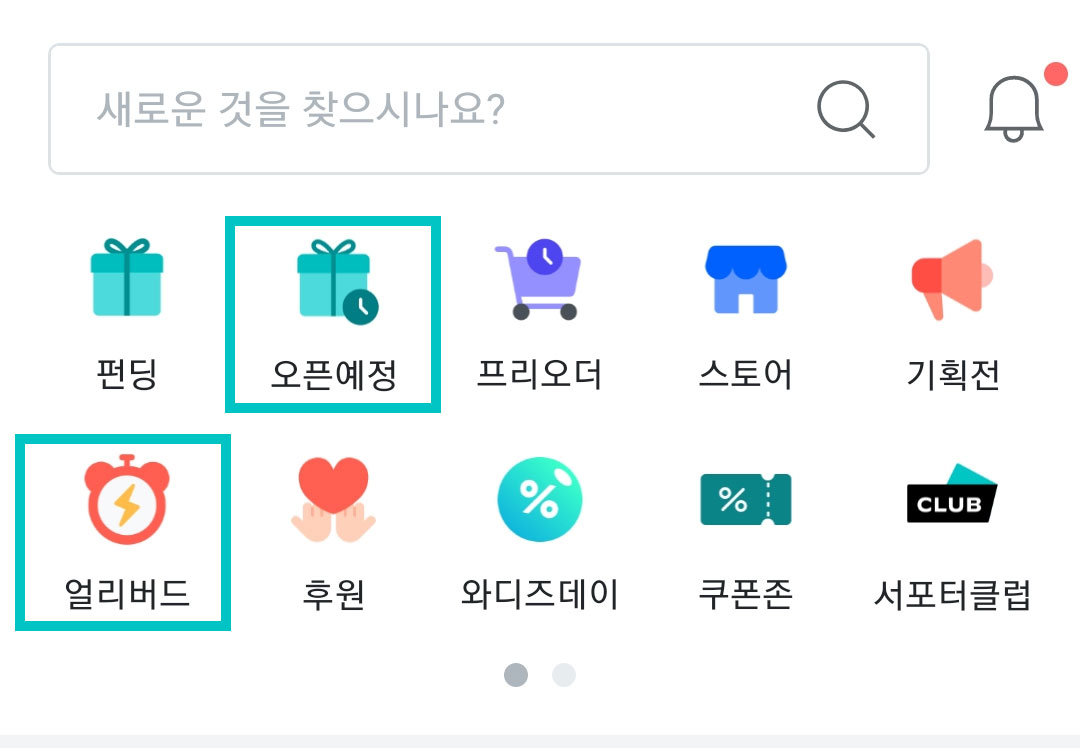
- Within the Wadiz site, Pre-Launch projects are exposed in various places such as the Early Bird tab and Pre-Launch section.
- During the Pre-Launch period, you can promote your project through social media and your own mall and gather notification subscribers.
Fourth, through notification signup status, you can predict project performance in advance.
- You can check daily notification signup trends through the Maker Studio.
- How many supporters are interested in your project, the potential for project success, and the marketability of rewards can be predicted.
- Based on notification signup trends, you can design a promotion plan for after your project launches.
- Write in the Pre-Launch story tab at the bottom of the [Maker Studio] > [Story Writing] menu.
- You can use a template or load the content you've written in your story as is.
- Once your project receives final approval, you can select your official project launch date and time. After selecting a schedule, Pre-Launch is automatically published and proceeds until your project launch date.
Q. The Pre-Launch story writing tab is disabled!
A. Click the 'I will not proceed with Pre-Launch' checkbox in the upper right corner to cancel it.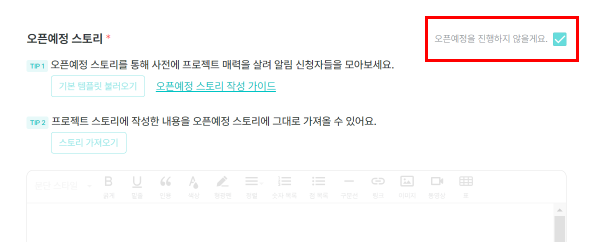
4. Can I write the Pre-Launch story and project story identically?
- The Pre-Launch story can be the same as your project story. However, please remove the 'Shipping Information' section that includes reward delivery schedules.
- For detailed tips on writing Pre-Launch story, please check ▶Does your Pre-Launch page have these 5 things? TIPS to increase notification signups (Go to link).