Store
Is there a way to check store orders in real time?
If you want to check store orders in real time, try using the 'Store Maker Widget.'
1) How to install the Store Maker Widget in just 3 minutes
- First, please update the Wadiz app to the latest version.
- Depending on which phone type you useiPhone (iOS)/Android, the detailed installation method varies. Please check the information below.
2) When using iPhone (iOS), installing the Store Maker Widget
① Press and hold the Wadiz app icon to go to home screen editing. |  |
| ③ Search for 'Wadiz' on the widget configuration screen that is activated. |  |
| ④ When the Store Maker Widget expands, click the + Add Widget button. |  |
| ⑤ Once you complete login, you can check the number of orders in real time. | 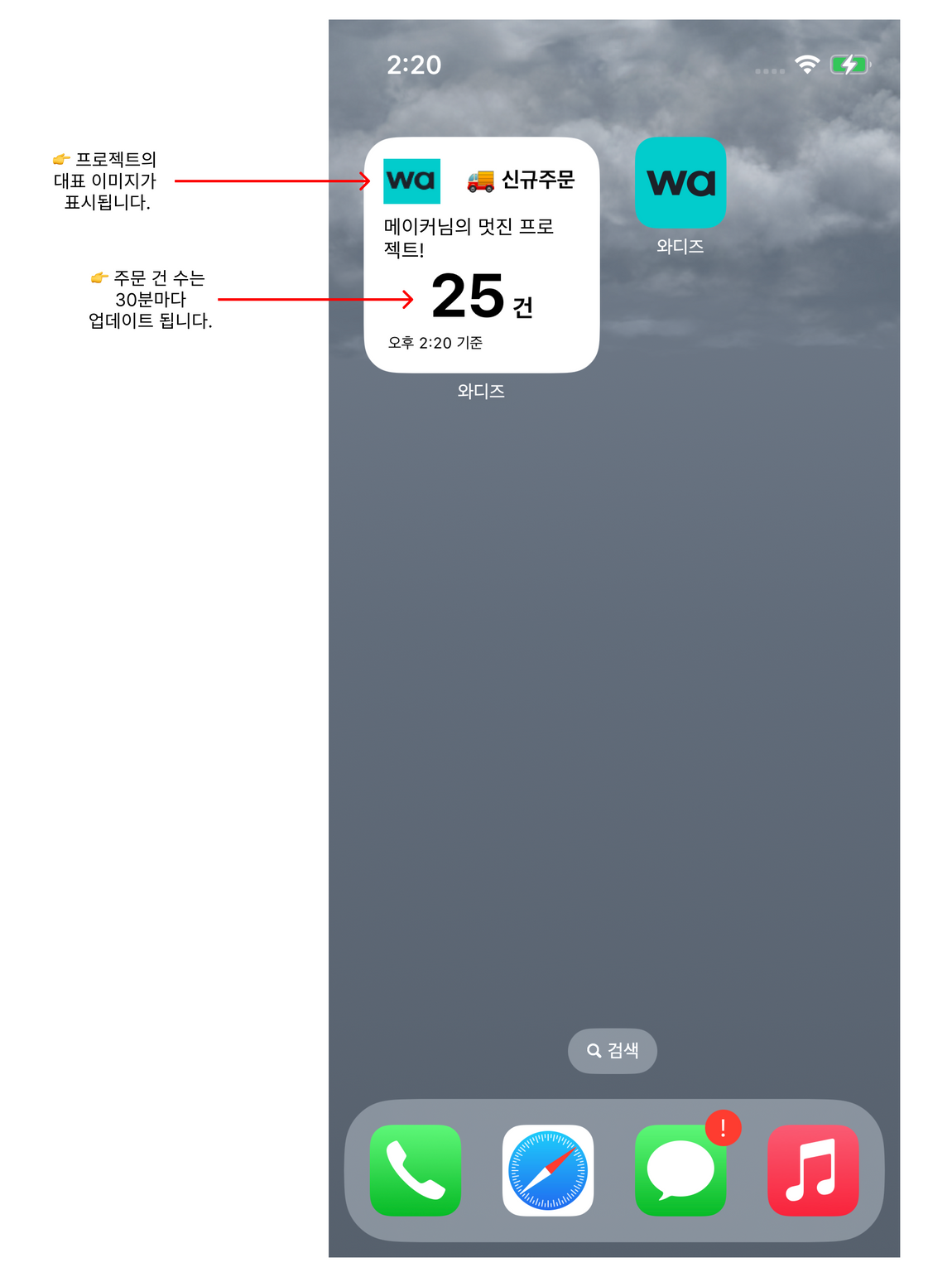 |
iPhone (iOS) Maker TIP
| |
3) Installing the Maker Widget when using Android
| ① Press and hold the home screen, then tap the Widget button at the bottom. | 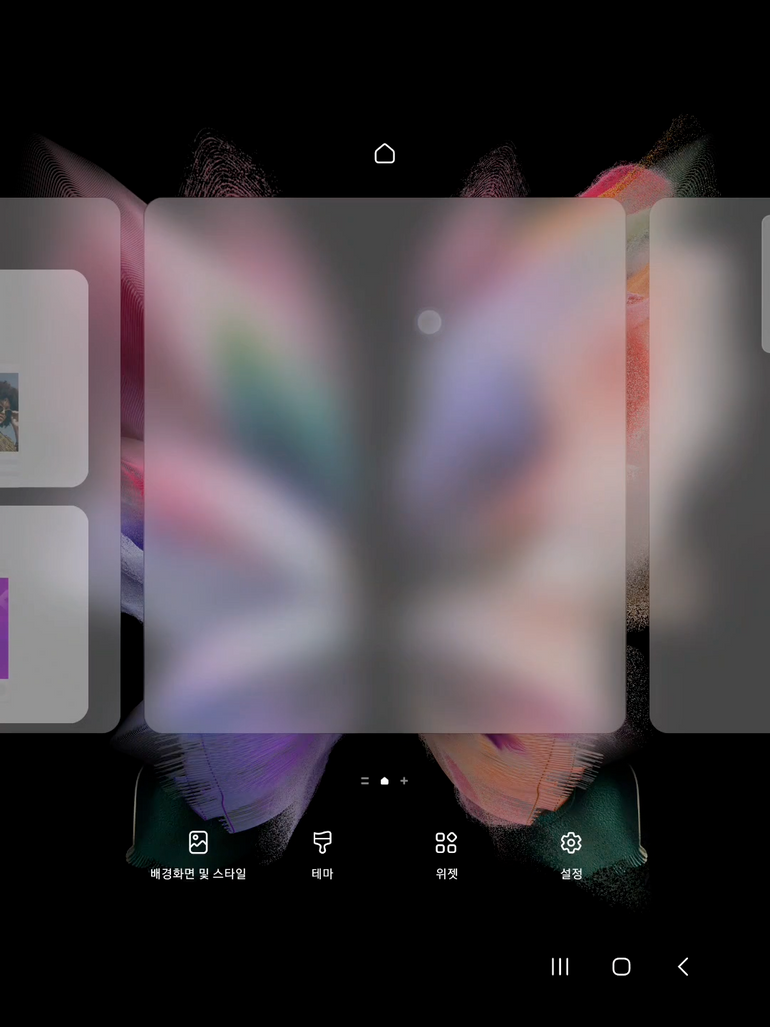 |
| ② From the Wadiz app widget list, add the 'Store Product Order Count' widget. | 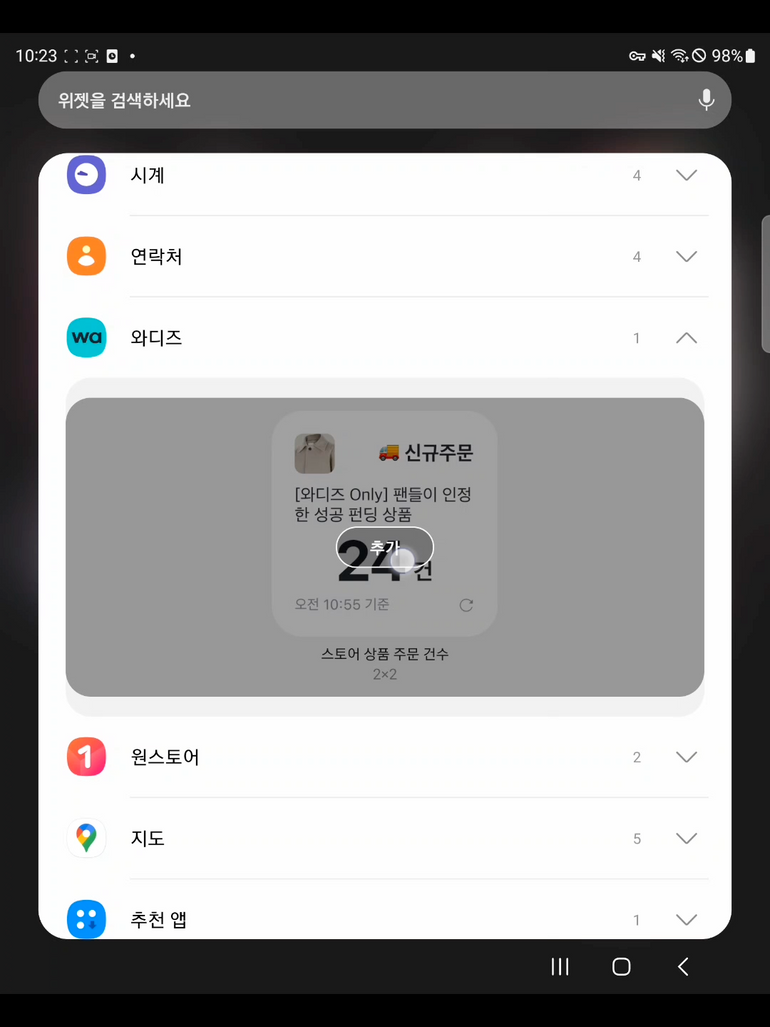 |
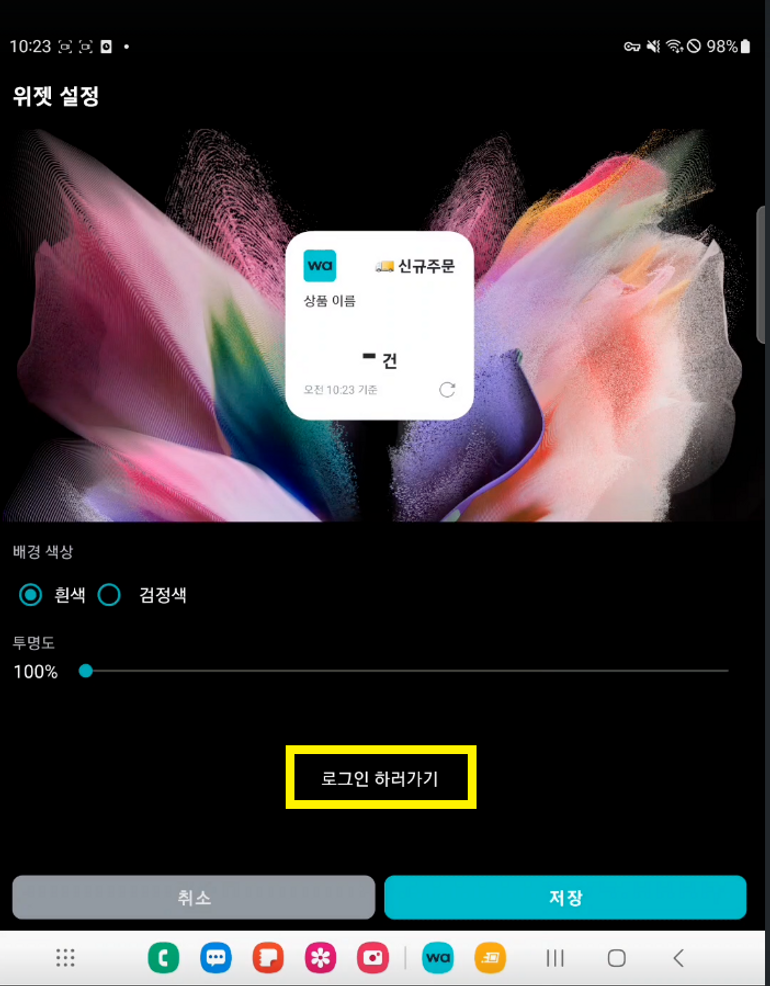 | |
| ④ Select the background color, transparency, and the store product to display in the widget, then tap 'Save' in the bottom right, | 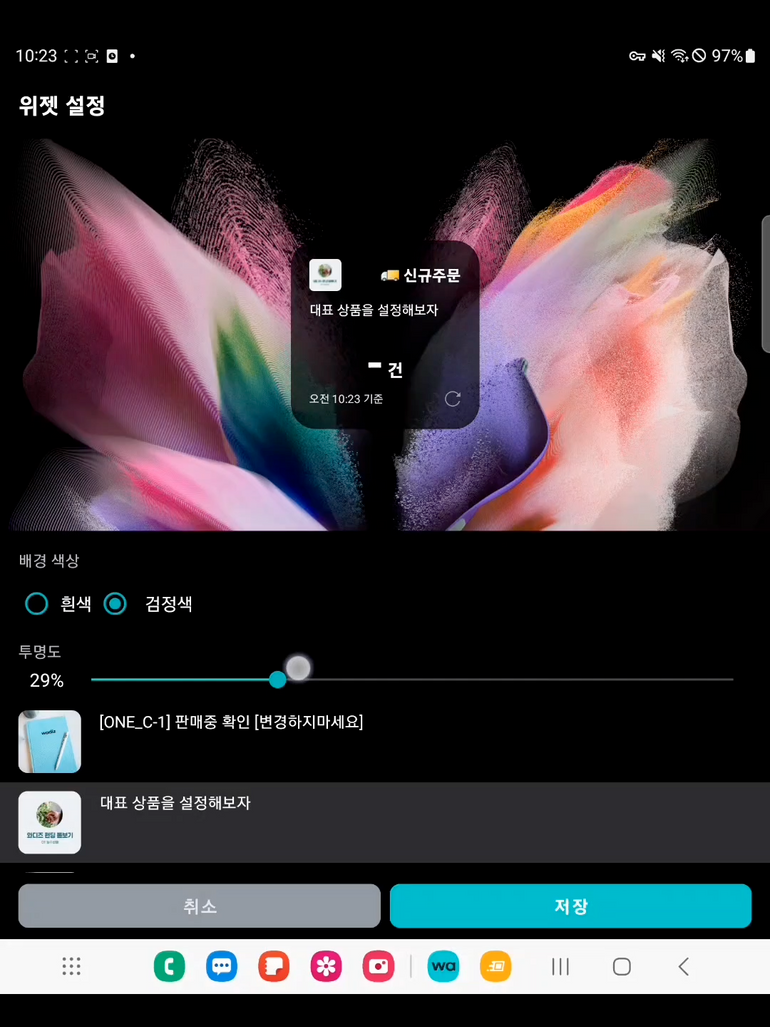 |
Android Maker TIP
| |