What is a Maker Store Page?
It's a space where you can directly promote your store projects and communicate with followers.
We'll guide you on how to use it in detail below.
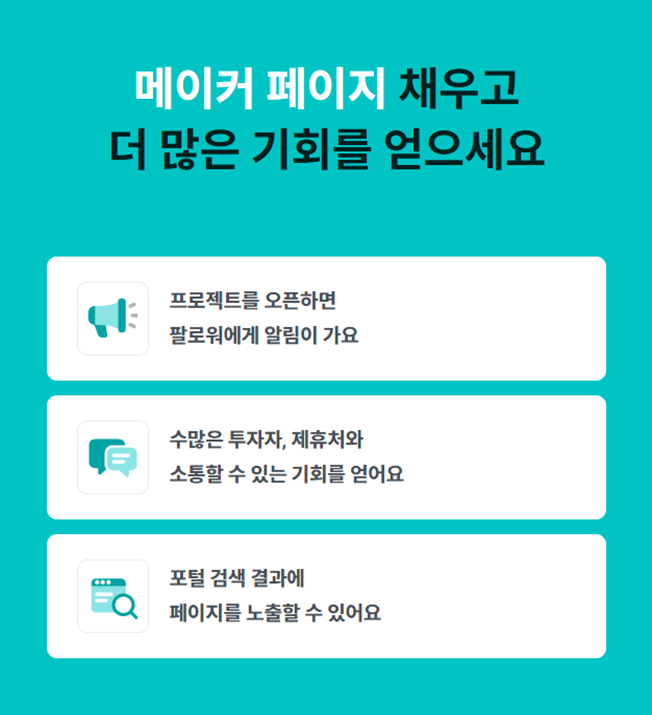
Create and utilize a Maker Page
1) A Maker Page is created in this order.
- [Register Maker Page] Please click.
- Enter company information and register an administrator.
- Freely edit the generated Maker Page.
2) In these cases, you can use it like this.
- Store Grand Opening Promotion: Try sending an app push announcing your store opening.
- Promotion Participation Guide: Write News with the promotion period, how to participate, and benefits.
3) Benefits for Makers who create a Maker Page
- Free app push to followers once per month
- Freely set the message and photo you want to appeal
- Upload up to 5 photos that you couldn't fit in the story
Finish in 3 minutes: How to write news and send app push
1) How to write news
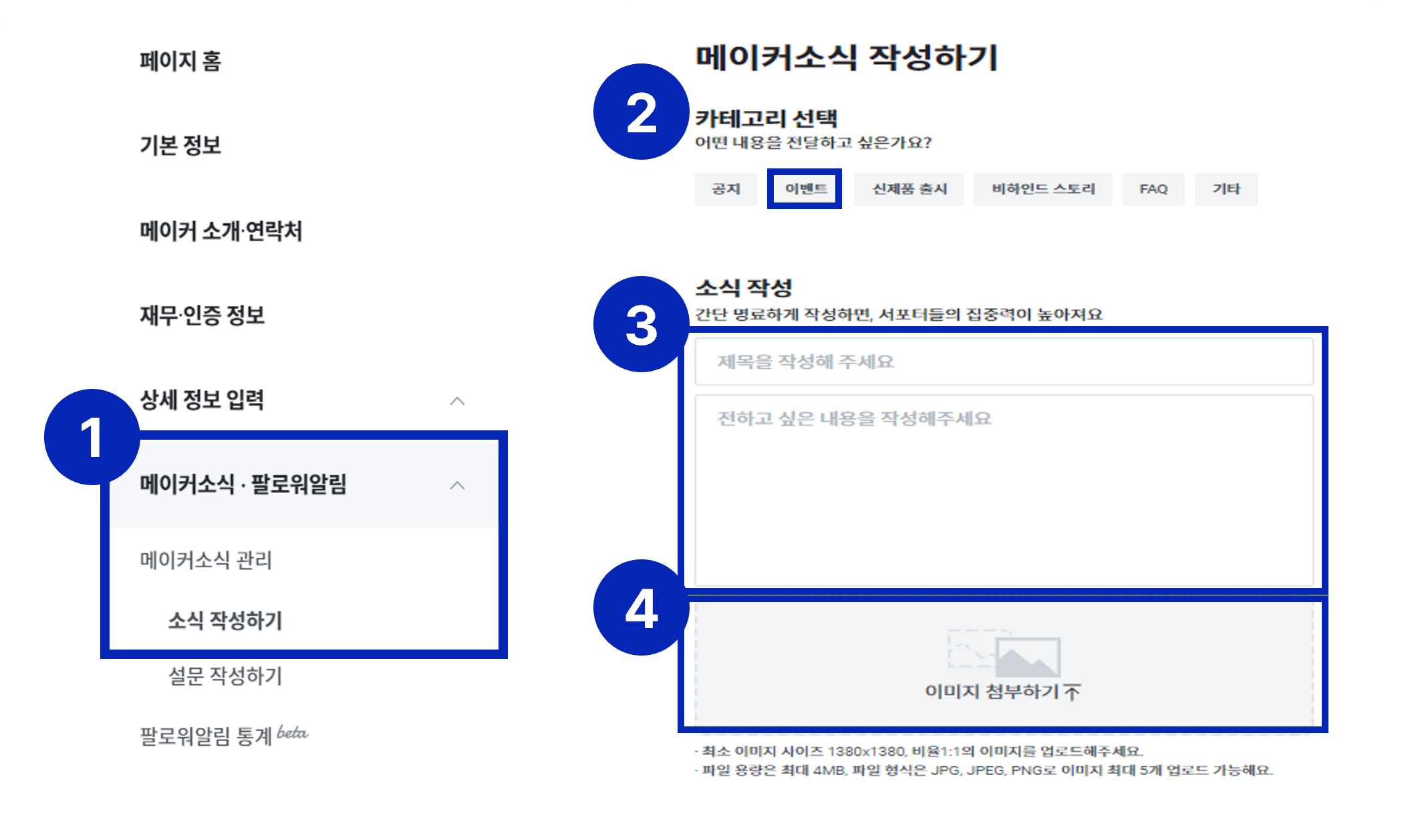
① Go to Maker Page → Maker News·Follower Notifications → Manage Maker News → [Write News].
② Select category → Select Event.
③ Write the title and content you want to share in the news writing section.
④ Add the image you want to attach.
2) How to send app push
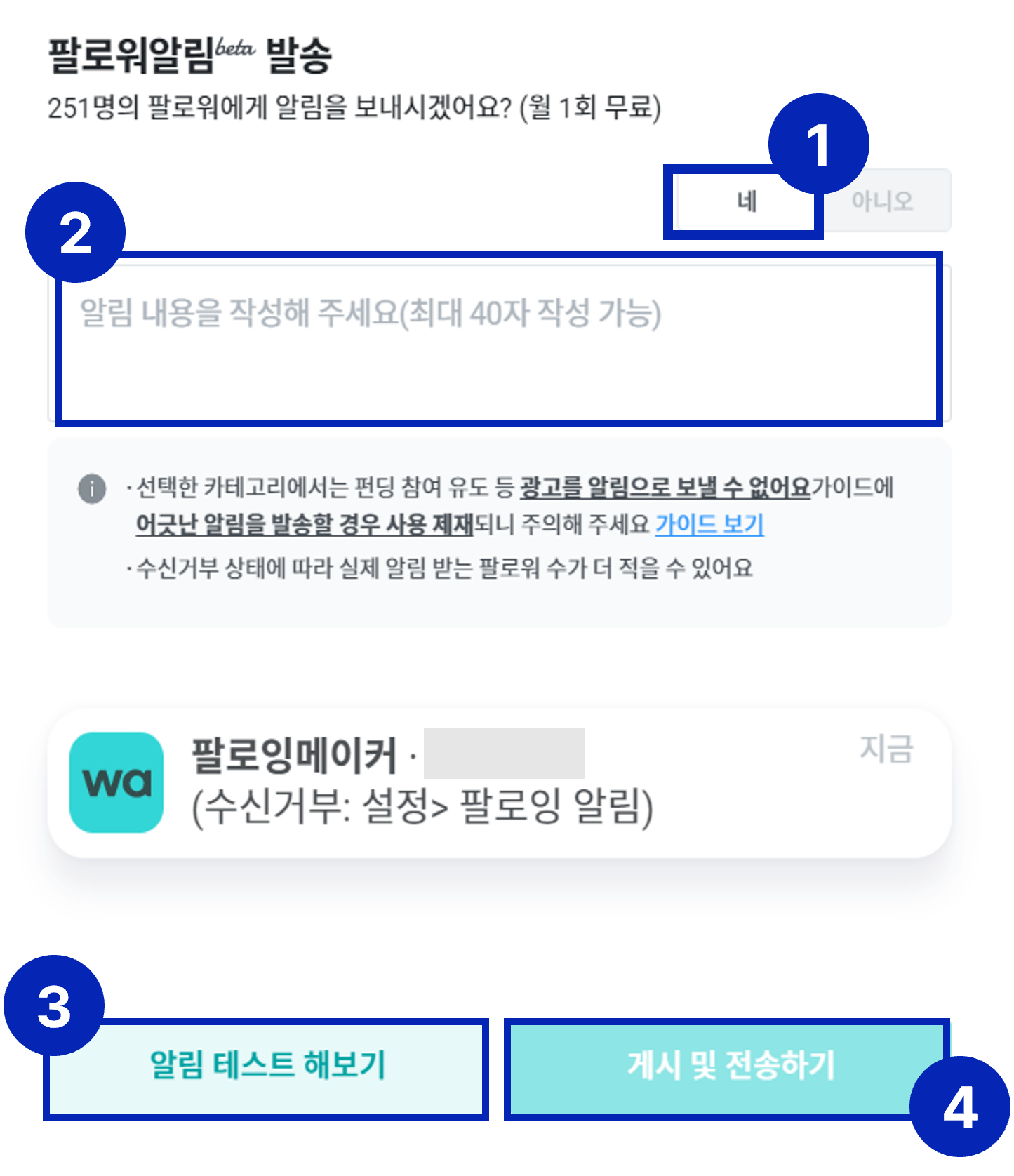
① Click [Yes] to "Will you send notifications to oo followers? (Free once per month)".
② Write the content you want to share in 40 characters.
③ Click [Test Notification] to run a test.
④ Click [Post and Send] and the notification will be sent to followers.
Frequently Asked Questions
| Q1. Why won't the image upload? |
| A1. You need to upload JPG, JPEG, or PNG files that are 4MB or less, 1380x1380 size or larger, and in a 1:1 ratio. Please note that you can upload up to 5 images at a time. |
| Q2. I don't have an image file that meets the specs. Should I just upload text without a photo? |
| A2. If you adjust the image size here (click), you should be able to upload the image. |
| Q3. I have less than 50 followers and want to promote to more people. Is there another promotion method besides app push? |
| A3. Please post on your official SNS accounts (KakaoTalk, Instagram, Facebook). If you insert the Wadiz Store project link in the post, more people will be able to find your project. |
If you have any questions, please contactteam.store@wadiz.kr.