Advertising & Partners
How do I register a campaign at Biz Center?
1) How to Register a Campaign
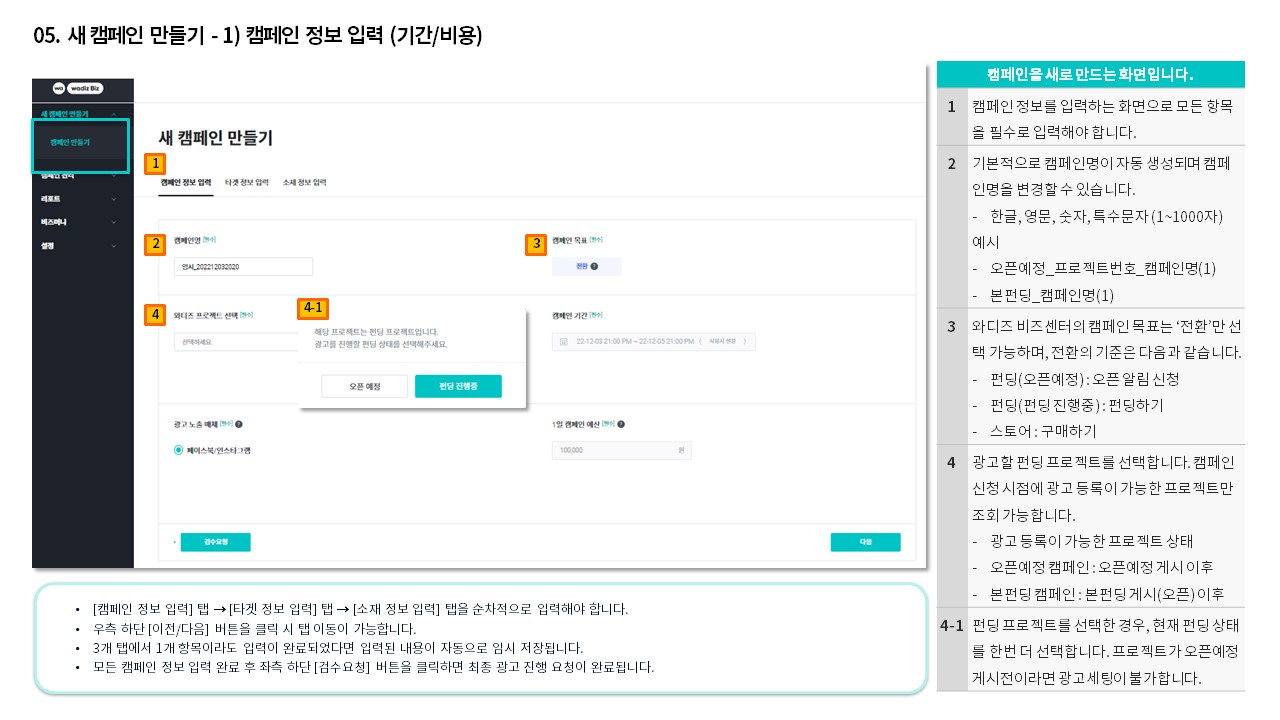
Left menu [Create New Campaign] - [Create Campaign] allows you to register new advertisements.
The advertisement registration process proceeds through entering [Campaign Information > Target Information > Material Information]. After entering all information, click the review request button to pay the required deposit for the campaign using Biz Money.
2) Review Process After Campaign Registration
- After entering all information, please click the 'Review Request' button at the bottom of the [Material Information Entry] section.
- Wadiz and Meta conduct first and second reviews to determine if the material can be used for advertising. (Maximum 5 business days required)
- Once the first review is completed, your advertisement will be uploaded to the ad media (Wadiz SNS account).
- After the second material review is conducted at the ad media, the approved material goes live.
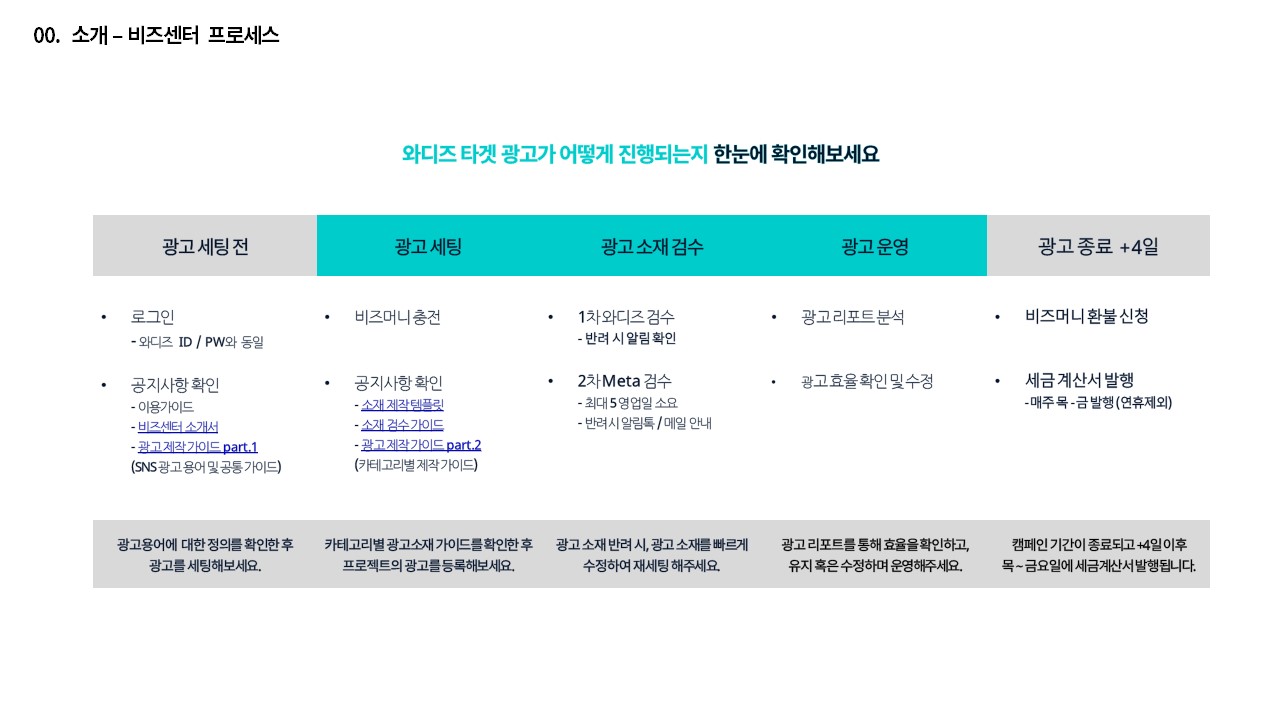
Note: Campaign settings are not available during the review process. Please note that upcoming and funding campaigns can only be registered after their respective upcoming and funding projects are made public.

|
||
|

|
|

|

|
|

|
||
|
|
||