Is there such a thing as free marketing? Search tags are free.
Don't forget this!
- Using the “Search Tags” feature helps ensure your maker’s project gets good visibility within wadiz.
- It’s best to use simple tags that are highly relevant to your project.
- You can use data services from search engines to find keywords that people are searching for frequently these days.
- Note that certain terms—such as “wadiz,” “funding,” and special characters—cannot be registered as search tags.
Search Tags: A Way for Anyone to Market for Free!
“Search” is an area where you can see results with just a little effort—without any separate advertising or marketing costs. wadiz offers a “Search Tags” feature so that any maker can appear in search results. I’ll show you how to make the most of this feature to market your project for free, so follow along!
1. What Are Search Tags?
If you’ve ever launched a funding project, you’ve probably seen the six menus in Maker Studio. The last item on the Basic Information tab is “Search Tags.” It ensures that your project appears in search results when the words entered in the search bar match the words in your project’s “Search Tags.” Therefore, search tags are a set of words that determine whether a project appears in search results.
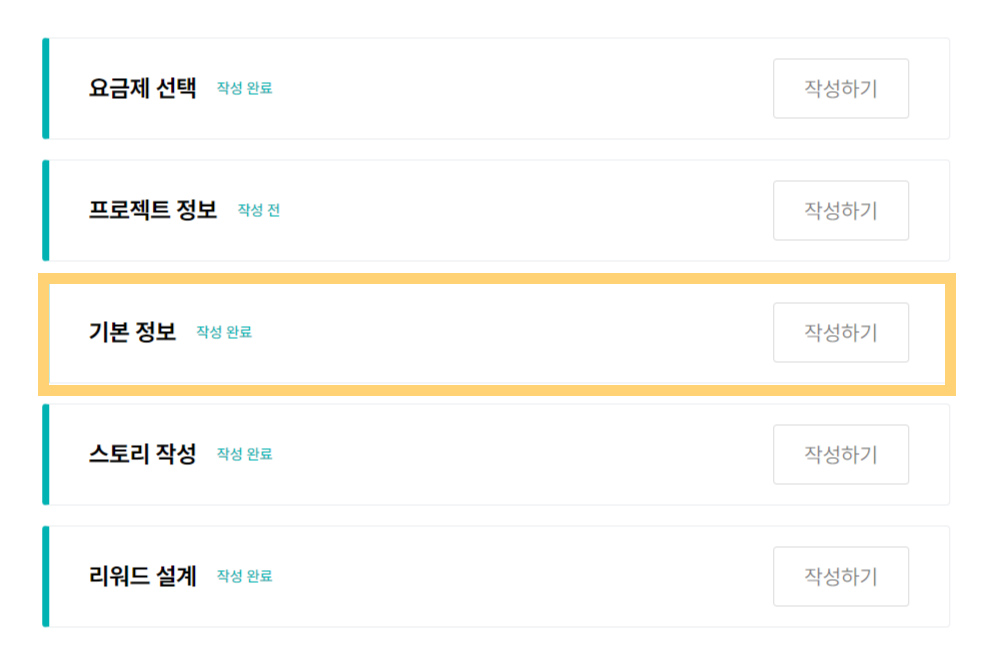
 Here’s what search tags look like
2. The Importance of Search Tags
As you can see, search tags serve to connect your project with supporters. Depending on which search terms people enter and how they use them, this determines how many supporters your project will be exposed to.
So, how are search tags used?
- On the wadiz platform,
your project will appear in search results when users search for words that include the search tags you’ve set for your project. Even if a word isn’t included in your title or maker name, setting it as a search tag can help your project appear in search results.
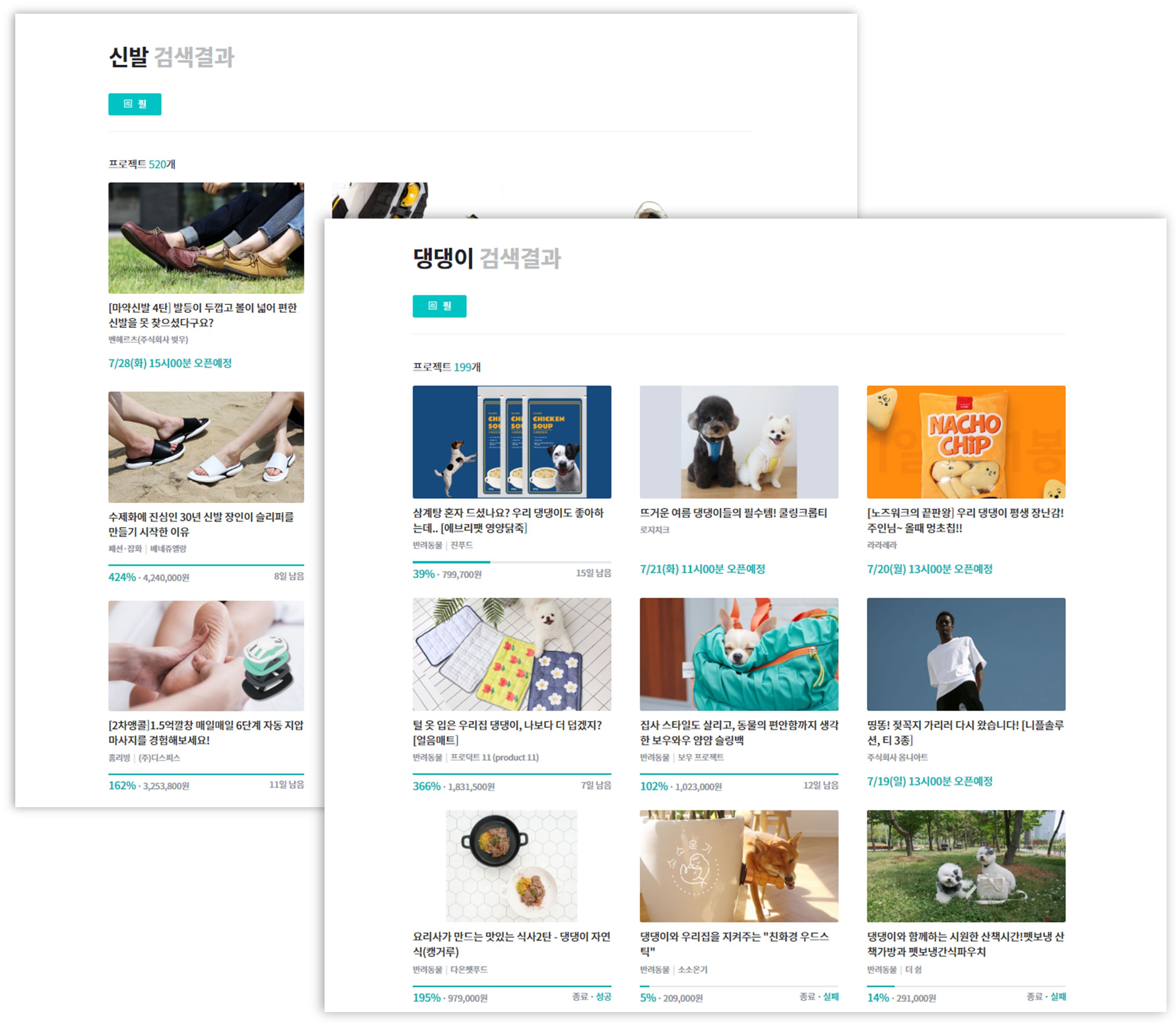 wadiz Main Home Search Results
By using search tags this way, your maker's project can appear at the top of search results on wadiz. So, what words should you include in your tags to attract the interest of many supporters and get them to click?
3. Selecting Search Tags
Let’s assume you’re running a project that offers fruit juice as a reward. I’ll explain three factors to consider when selecting search tags.

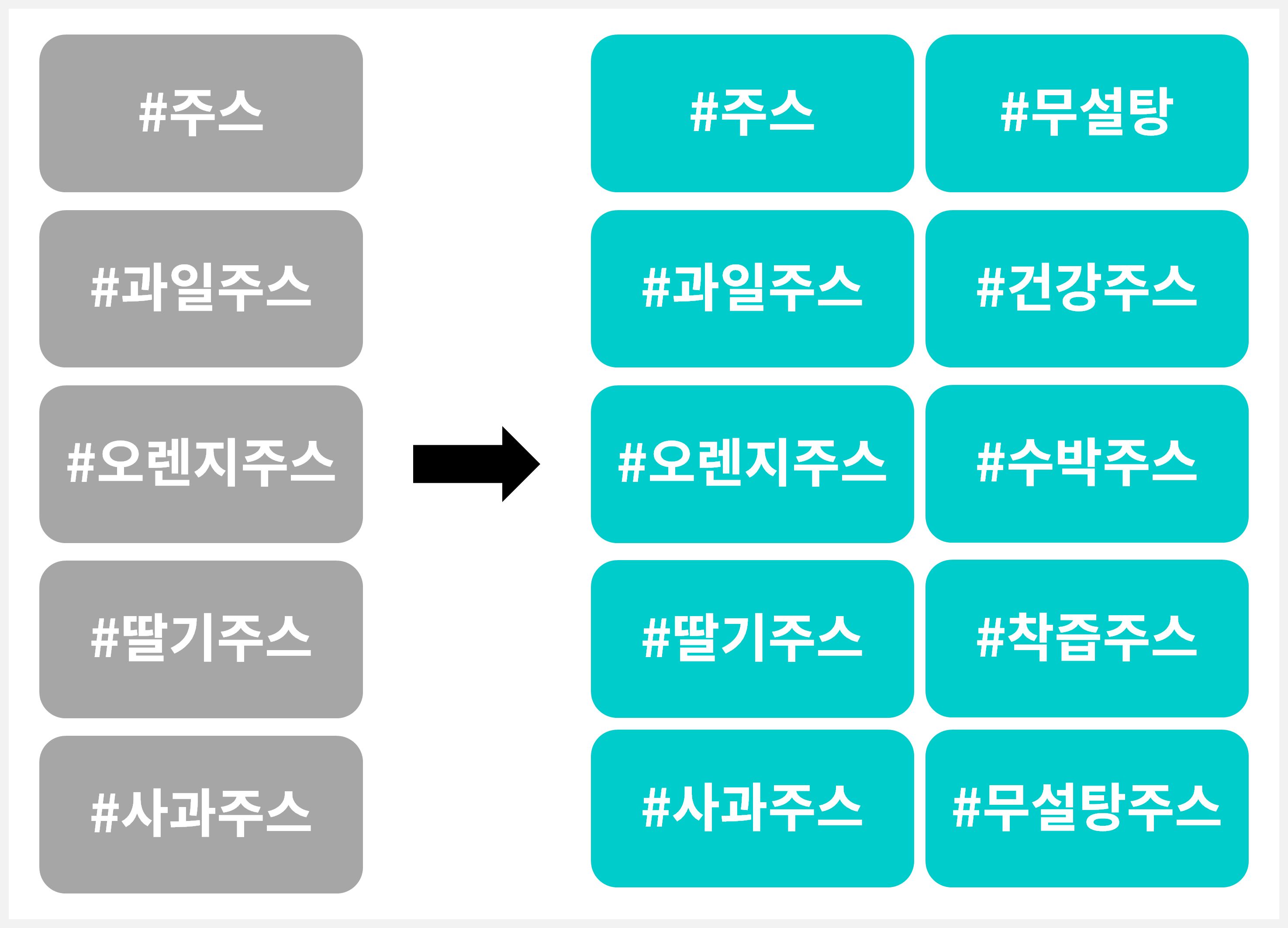
1) Register all 10
Just as word spreads much faster when five people talk about something than three, and ten people than five, your project will have more opportunities for exposure if you register 10 tags rather than 5.
Therefore, please register all 10—the maximum number allowed—so that supporters who are eagerly searching for your project can find it.
2) Keep it simple
Supporters search using simple, intuitive words. To give you an idea of what keywords are actually being used, here are the terms currently at the top of wadiz’s search rankings.
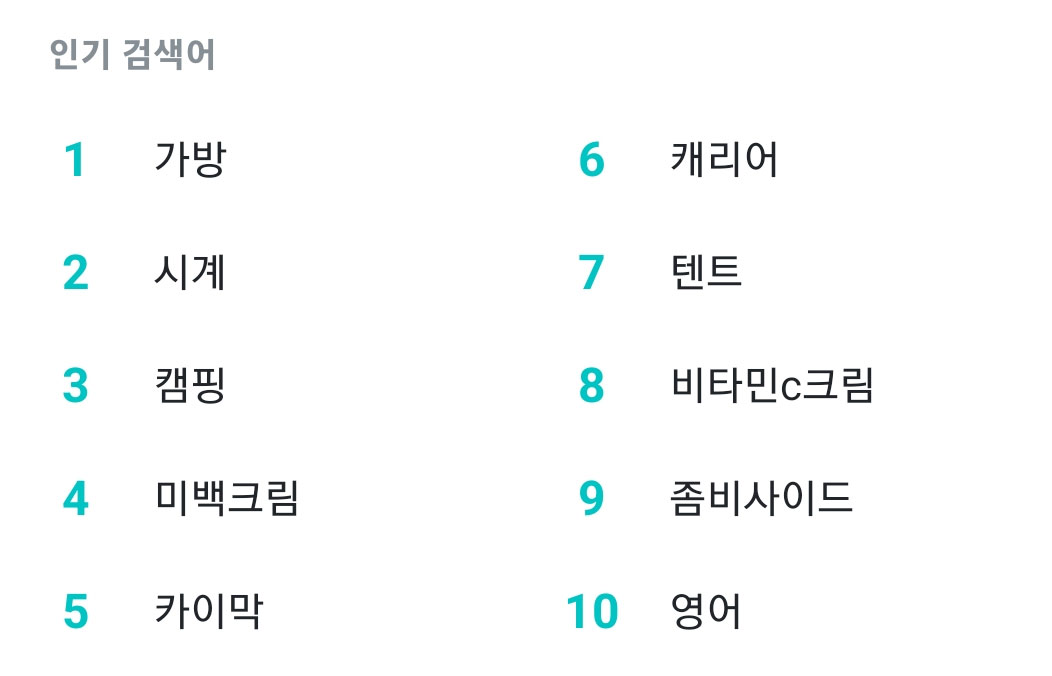 Popular wadiz Search Terms as of January 19, 2023
Do you get the idea? As you can see at a glance, they’re all simple words. Please set your search tags to be as intuitive as possible.
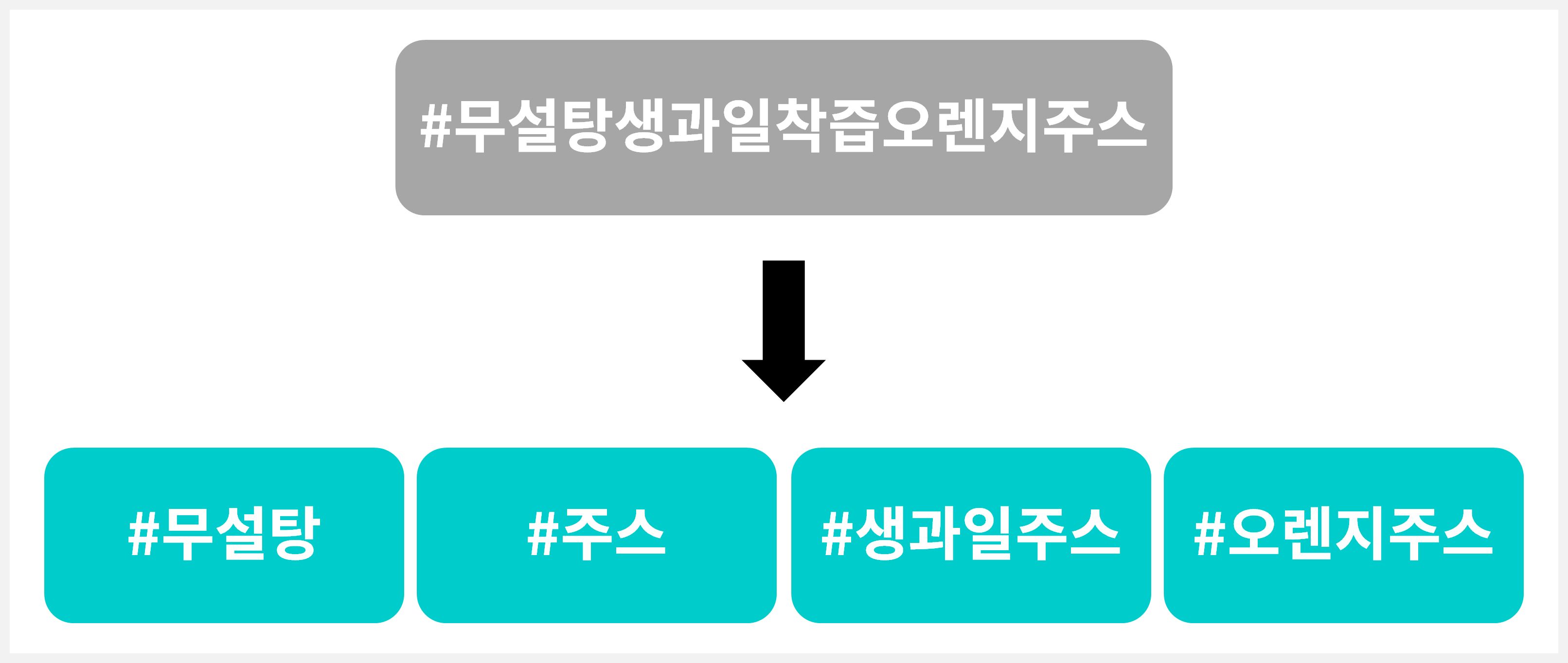
3) Use Highly Relevant Keywords
We’ve all had the frustrating experience of getting irrelevant search results on Instagram or search engines, right? Like when you’re clearly searching for restaurants in Pangyo but get results for Seongsu-dong instead.
Just because it’s recommended to include many keywords doesn’t mean you should randomly add words unrelated to your project. If the search terms aren’t relevant to your project, people might actually ignore it.
Let’s say you searched for the “Juice” project, but the two projects below appeared instead.
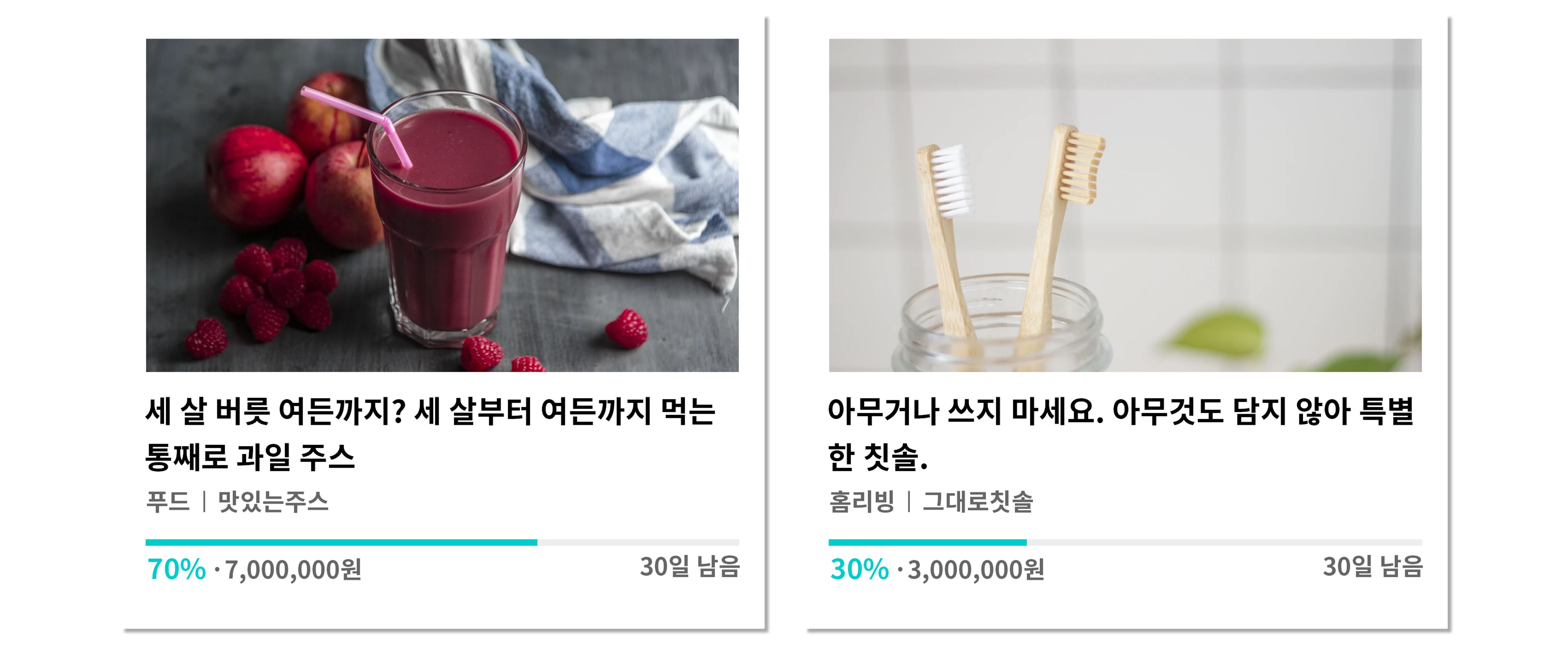
While the one on the left catches your eye, didn’t the one on the right make you think, “Why is this here…?” Therefore, when setting your search terms, focus on words that are highly relevant to Rewards.
To summarize: it’s best to keep your search terms simple and highly relevant—use about 10 keywords!
※ Wait a minute—tags like these won’t work.
① Tags consisting only of consonants or vowels won’t appear in wadiz searches.
② You cannot use trademarks owned by others.
③ Terms unrelated to Rewards—such as “wadiz,” “Encore,” or special characters—or expressions that are difficult to register due to advertising review restrictions cannot be registered.
4. Understanding Trends
You’ve got a good grasp of how to select tags that match your project’s unique characteristics, right? But you might be wondering: “How can I catch the attention of supporters who were already interested in my project?” In other words, I’ll share some tips on setting tags that supporters are likely to search for.
Before I explain, there are popular search terms on wadiz that remain consistent year-round. One of them is “bags.” By comparing the search volume of the terms I’m about to introduce with that of “bags,”
let’s take a look at the trends in wadiz search terms for the first half of 2020.
- #camping #tent
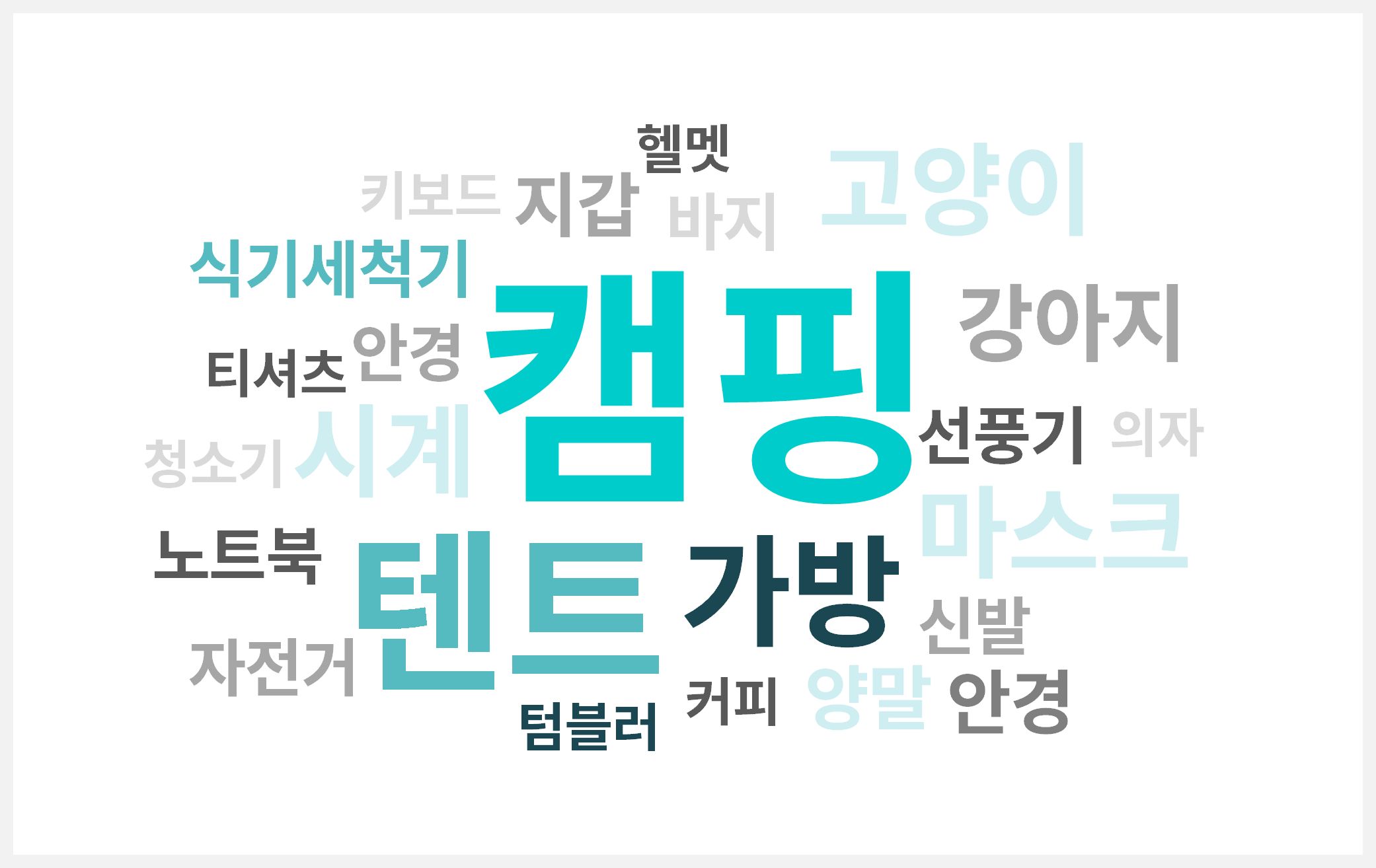 [June 13, 2020 – July 3, 2020] wadiz Search Keywords
With the peak vacation season in July and August approaching, “camping” and “tents” are showing high search volumes. In a typical year, many supporters would be planning domestic and international trips, but given the circumstances in 2020, camping has taken hold as the trend instead of travel.
- #Mask
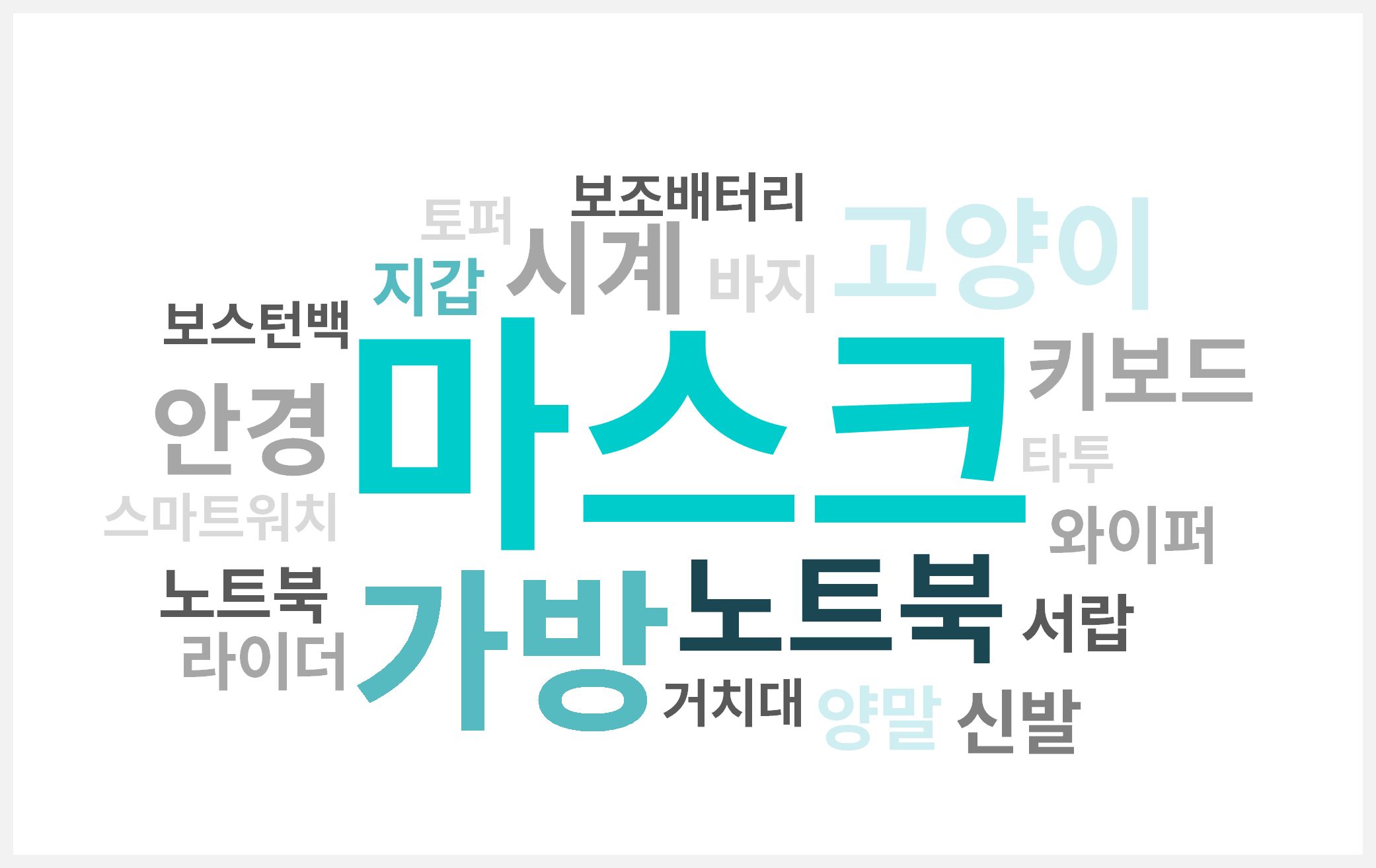 [Feb. 21, 2020–Mar. 12, 2020] wadiz Search Keywords
February 2020 marked the period when the COVID-19 pandemic began to escalate in earnest, and on wadiz, “masks” accounted for an overwhelmingly high percentage of searches. While search terms typically rise gradually over time, this one suddenly took the top spot—a unique pattern. Due to the mask shortage, “masks” remained the number one search term for quite some time.
As you might have guessed from the camping and mask trends, wadiz search trends closely mirror broader social trends. If you find it difficult to keep up with wadiz trends every time, you can look for alternatives outside of wadiz. One way is to use the data services provided by search portals. A prime example is Naver Data Laband Google Trends.
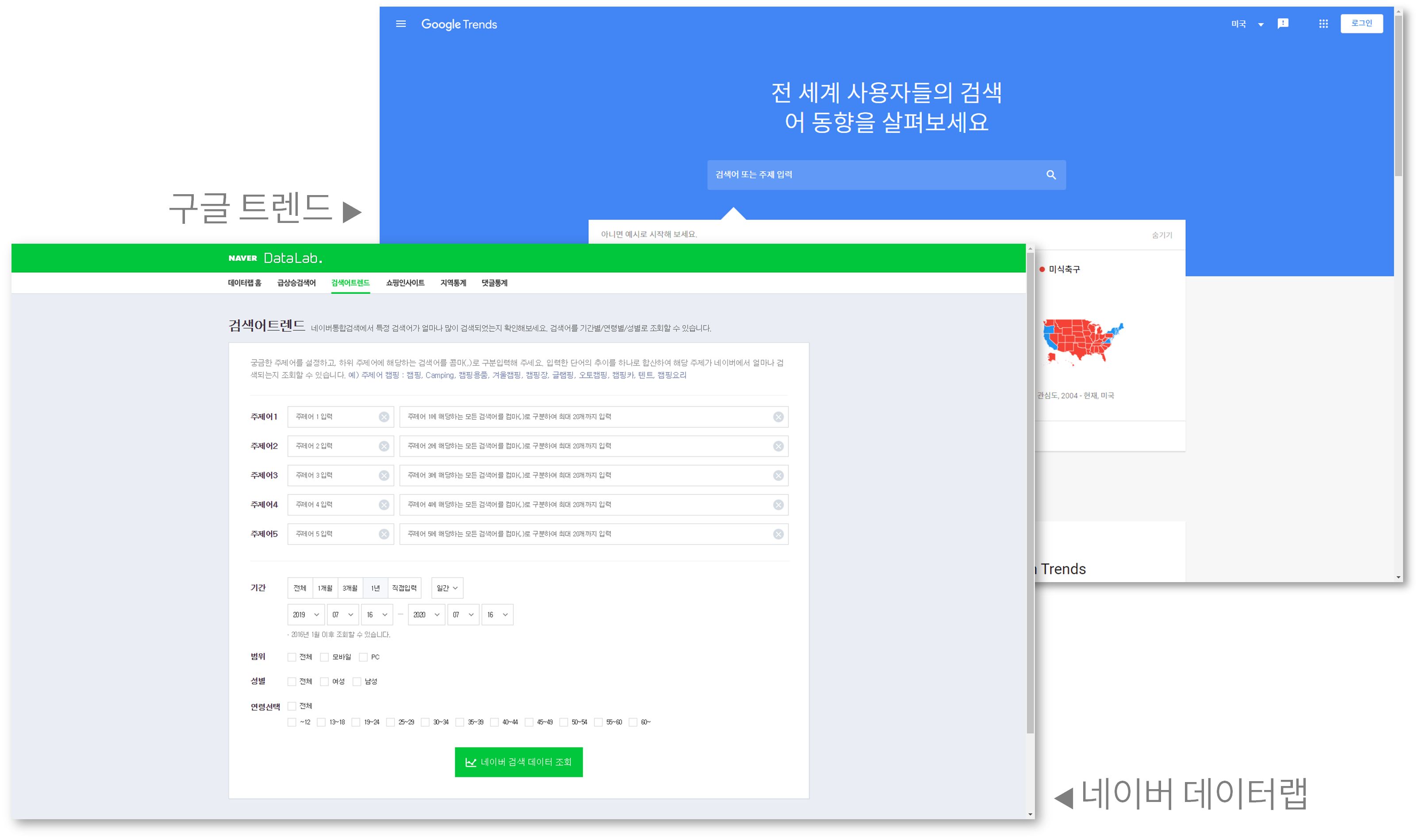
In June 2020, when camping trends were prominent on wadiz, the search trends for “camping” on search portalsappeared as shown below. Can you see that the search volume is about three times higher than during the same period last year?
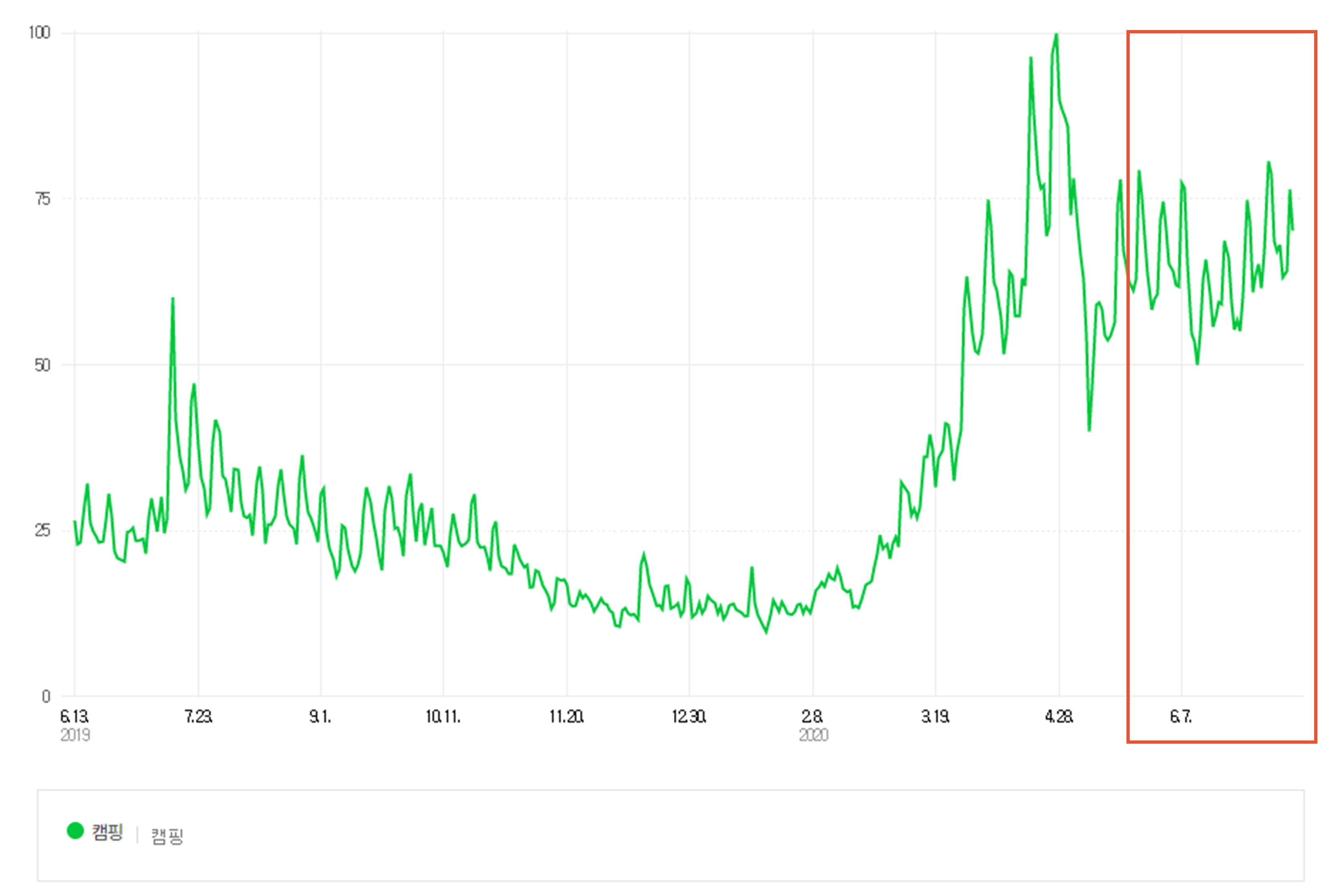 [June 13, 2019–July 3, 2020] Naver Search Trends
Let’s take a look at. You can see a noticeable spike in February and March, when searches for “masks” on wadiz skyrocketed.
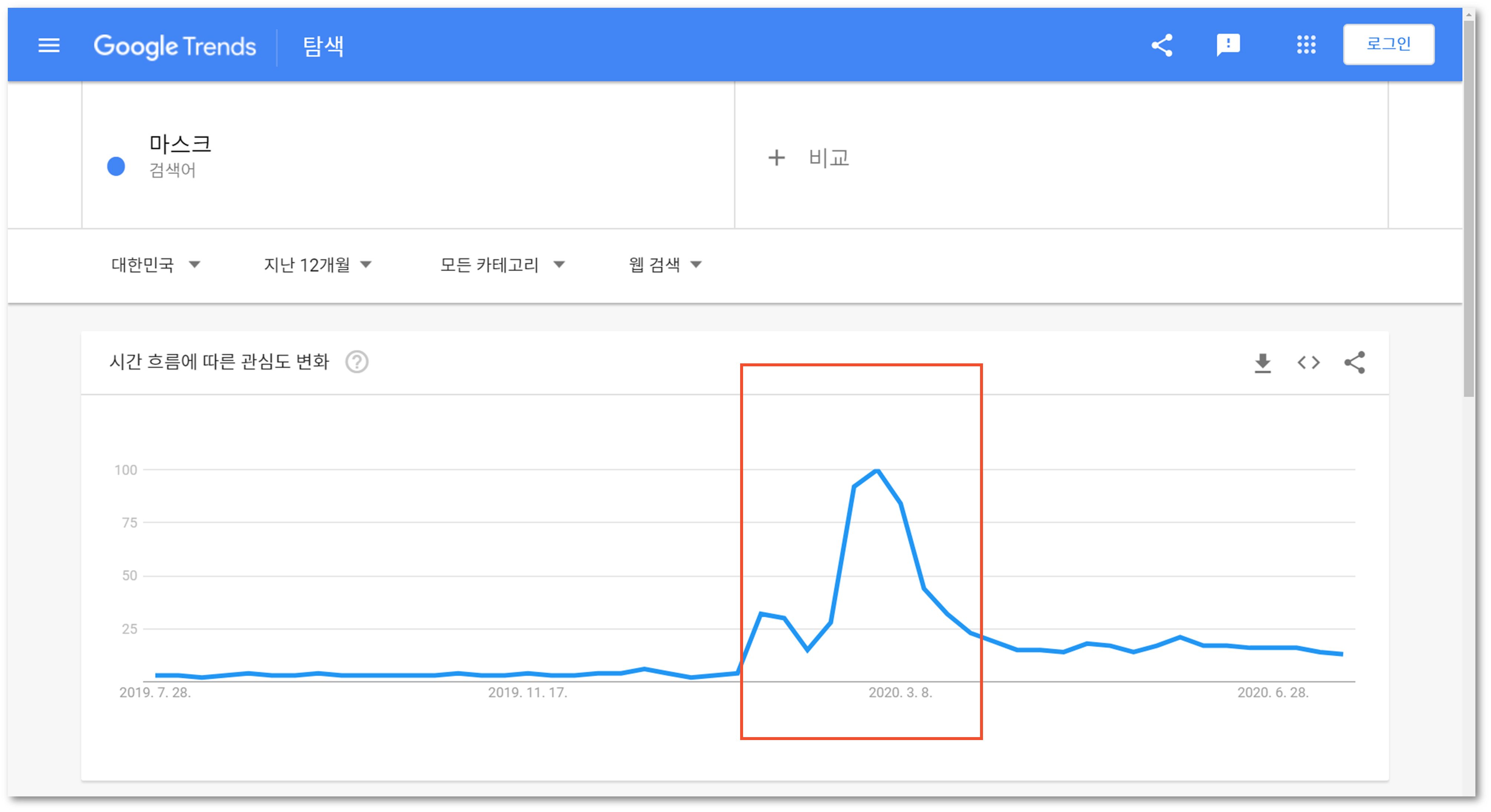 [July 20, 2019 – July 20, 2020] Google Search Trends
By utilizing search portals like this, you can get ideas for keywords your supporters are likely to search for.If you’re having trouble choosing keywords ,be sure to check this out!
Isn’t this a pretty good deal for free marketing?
So far, we’ve explored how to use search tags to increase your project’s visibility across various platforms. While the marketing impact might not be dramatic, it’s a great way to reach even one more person at no cost and with minimal effort. The “Search Tags” section is located at the very bottom of the Basic Information tab—you won’t overlook it from now on, right?