Story Writing Guidelines
How to choose a "featured image" for my project's invitation that resonates with supporters
Be sure to bring this!
- You can choose a featured image to invite supporters to your project.
- You can view real examples of outstanding cover images organized by category.
- You’ll learn the guidelines for adding text to your cover image.
Featured Image Guide (Click to open in a new window)
| General Guidelines for Featured Images |
|---|
| Featured Images by Category: Examples |
|---|
The cover image is an invitation to attract supporters to your project.
If your carefully crafted project is a party venue showcasing your Rewards, then the project’s cover image acts as an invitation to gather “guests”—your supporters—to that party.

- Once an invitation that clearly describes the fun activities at the party has brought in enough guests,
just as new guests will find their way to the party on their own, saying, “I heard that party is really famous!” - just as the Rewards app, which clearly describes what fun activities will take place at the party, brings in plenty of guests, and what role it playsnot only attracts supporters,
and serves as the starting point for a virtuous cycle where those supporters, in turn, attract new supporters.
2. Check out the various situations where your cover image can serve as an invitation.
- When your project is featured on the wadiz app or website,
- when a supporter shares a Pledge of support card on KakaoTalk or social media,
- when a supporter shares a link to your project on other social media platforms
- When ads are run on social media
Check how your featured image appears on KakaoTalk, one of the easiest ways to share your project.
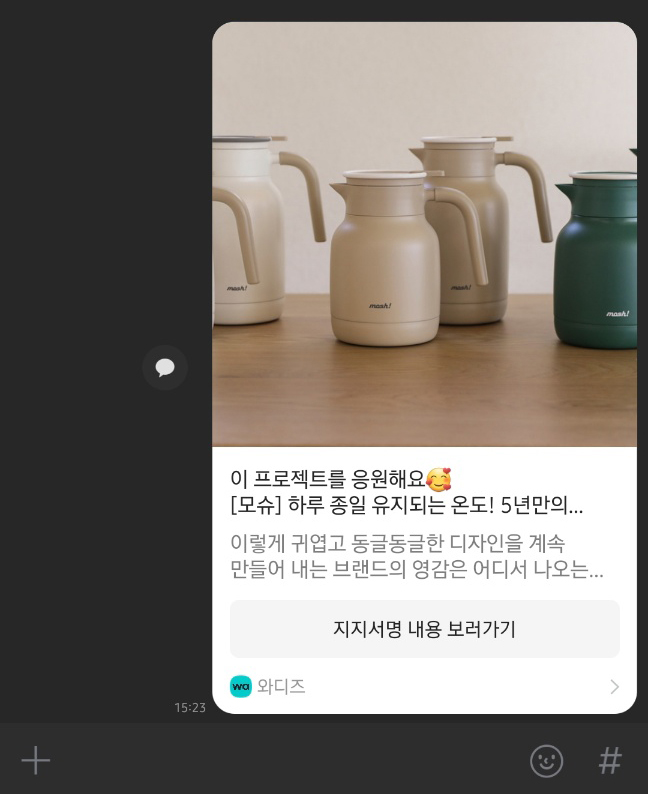 | 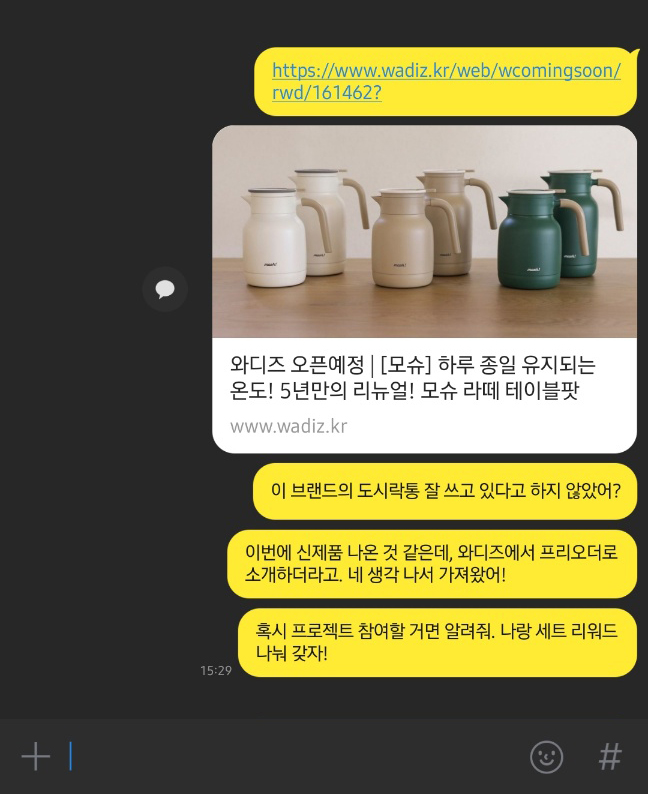 |
| When a pledge of support card is shared | When the project link is shared |