[Start with wadiz] The Control Tower for Business Success: ‘Wadiz Maker Home’ Strategy Guide
This content is
Episode 1 of the <wadiz OS>
series
Don't forget to bring this!
- Just follow the steps and you’ll be live in no time!: Simply follow the daily guides tailored to your project’s progress, and you’ll be able to launch your funding campaign in no time.
- WAi’s Success Strategy: 10x Revenue Growth: WAi, wadiz’s AI partner that has helped successful projects increase revenue tenfold, provides a customized success strategy for your project.
- From Data Analysis to CX, All in One Place: Manage your project’s daily data updates and respond to supporter inquiries—all from a single maker home.
The Control Tower for Business Success,
Wadiz Maker Home has been completely revamped!

Feeling overwhelmed about where to start with your funding campaign?
How do I launch my project?
Won’t it be hard to communicate with supporters?
And you have to create ad materials too...
Don’t worry!
From preparing to launch your project—to operations and promotion —tocustomer service and settlement,
you can handle it all on wadiz Maker Home—thenewly launched control tower for business success.
Proven to have increased sales for successful projects by 10 times*
on wadiz’s maker home—where you can always access WAi, wadiz’s AI partner for tailored success strategies—
and get your project started as a maker!
*Based on 1,073 successful projects as of February 2026
1. Get Started: WAi’s “NextAction”guidance makes launching yourfunding campaignmuch easier.

The moment you enter Maker Home, WAi—your personalized AI partner for success—is waiting for you.
1) WAi: Your personalized business strategy AI partner, available 24/7
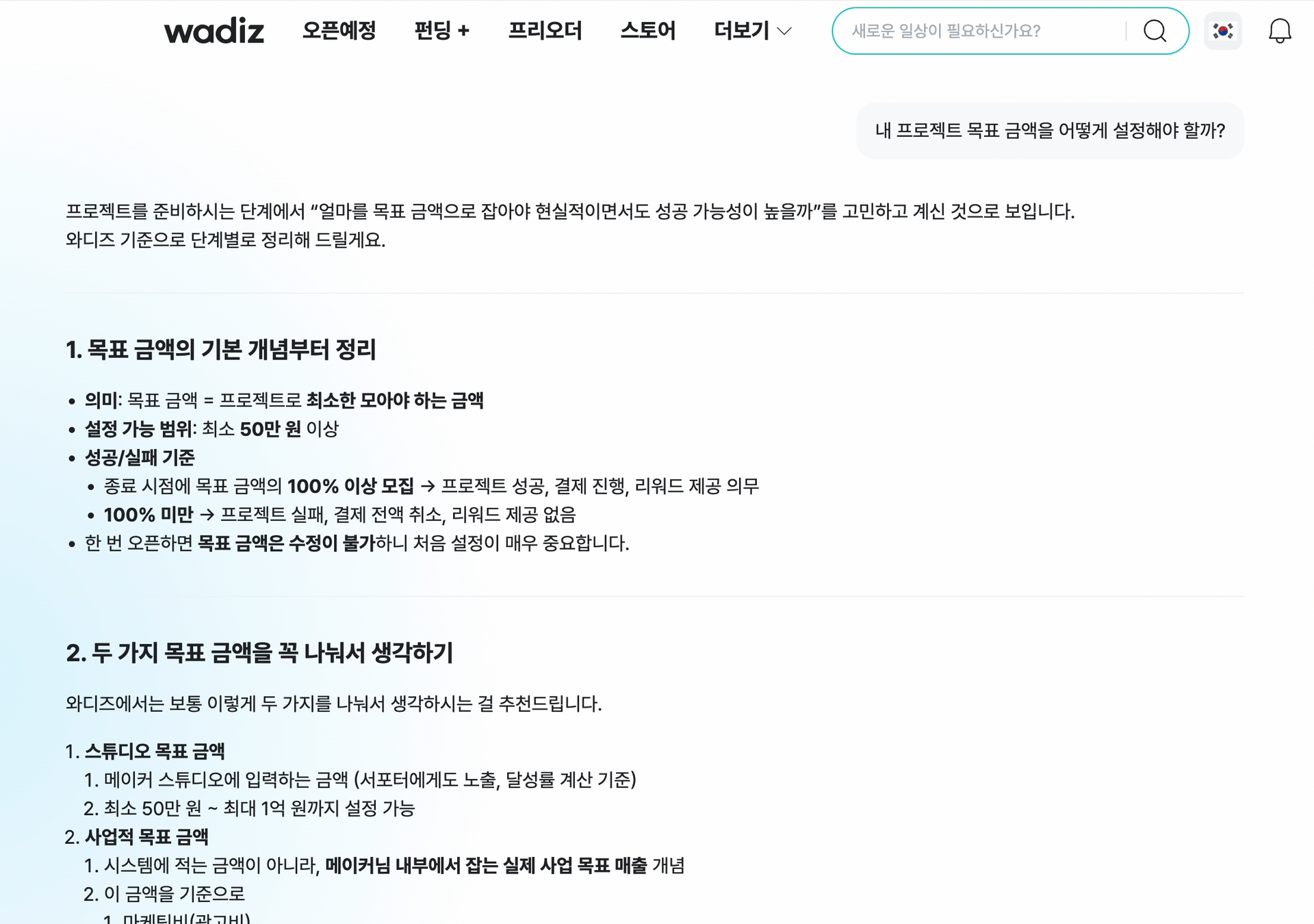 Maker Home > WAi Tab
“How much should I set as my funding goal?”
“How should I structure the Rewards options?”
“What should I include in the opening of my detailed Story?”
The revamped Maker Home lists the tasks you need to complete before launching your funding campaign Your personalized AI partner for success, WAi,will guide you through the tasks you need to complete before launching your campaign!
No need to remember every complicated step— just follow the step-by-step guidance WAi provides, and you’ll be able to launch your project smoothly.
From pre-launch concerns about the project to advice on growing your business!
WAi is available 24/7, 365 days a year, to answer all your questions anytime, anywhere.
Tip. Top 3 most frequently asked prompts from makers preparing their projects
- [Funding Goal] Tell me the typical target funding range for the OOO category and the common funding patterns seen in successful projects.
-[Rewards/Story Structure] Please summarize the common traits of successful projects in my category on wadiz, broken down into “target audience, Rewards structure, pricing strategy, and story tone & style.”
- [Promotion Plan] From the perspective of a maker with a limited budget, create a step-by-step promotional action plan for what to do before the campaign is launching soon, immediately after launch, and right before launch.
2) Optimized for my project 'Today’s Insights'
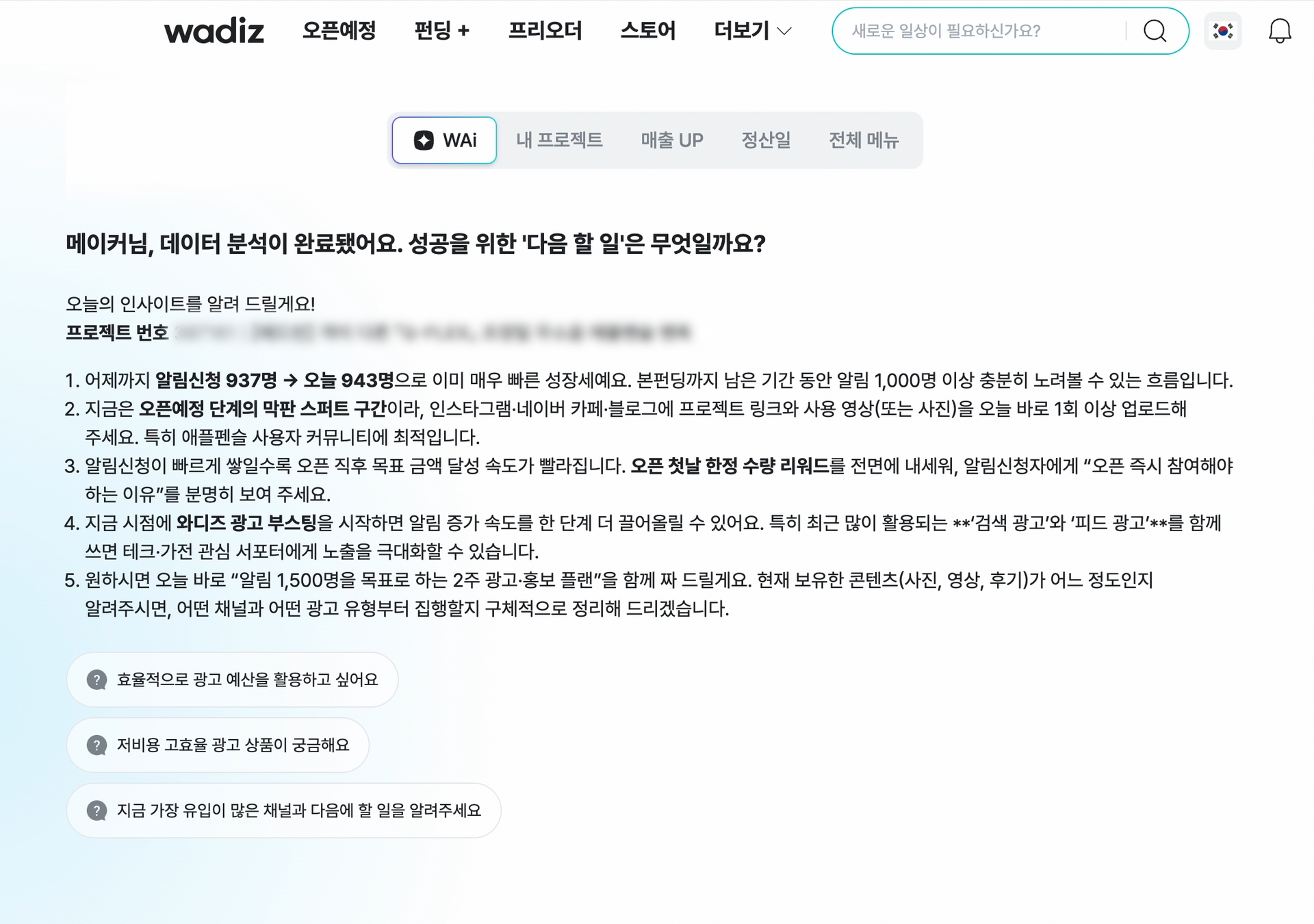 Maker Home > WAi Tab Screen
"What should I be doing right now?"
WAiidentifies your current stage (brainstorming ideas – setting up Rewards – writing a detailed Story) in real time
and provides "Today’s Insight"to help you get started right away.
Today’s Insight isn’t just a list of data.
It pinpoints the actions you need most at your current stage—such as “Choosing a Project Type” or “Utilizing the ‘Launching Soon’ Feature”— to ensure successful funding.
Based on what we’ve learned from tens of thousands of projects, we offer a customized plan tailored to your specific situation—the fastest path to success!
Tip: “Real-time Key Notifications” You Won’t Want to Miss
From announcements to ad performance and special event updates! On the Maker Home page, you can see all the latest information and data you need at a glance.
Don’t worry about missing important updates. We help you respond immediately in real time so you can maintain stable operations.
2. Analysis: We interpret complex data into success strategies and apply them immediately.
Have you collected customer and sales data through funding but struggled to analyze it?
Check out the new maker home and use WAi to discover insights you can apply to your next steps right away!
1) Today’s performance metrics at a glance
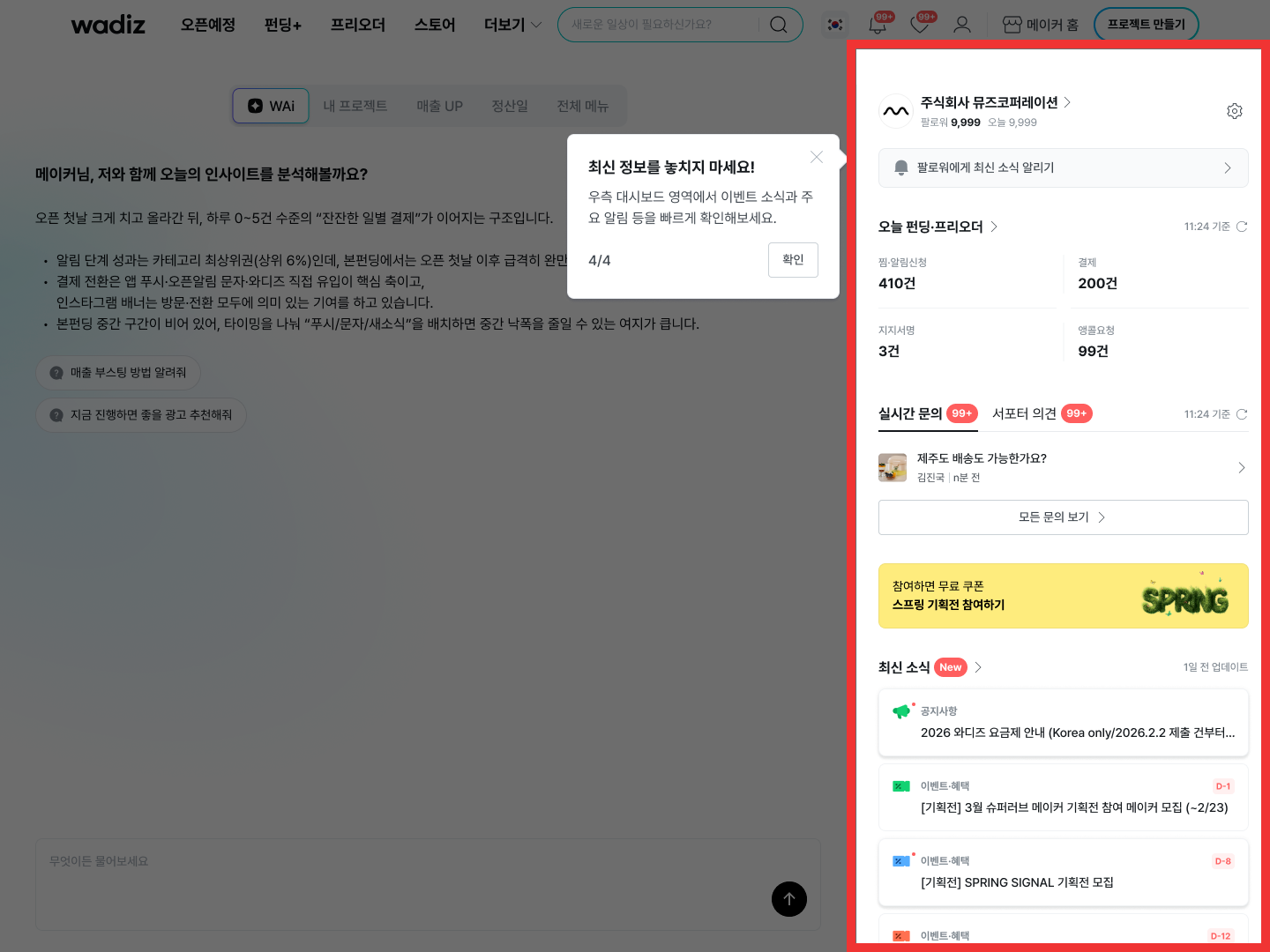 Maker Home > Dashboard
“What activities did today’s project supporters engage in?”
You cansee it all at a glance on theMaker Homedata dashboard—no need to check each item separately.
From the number of notification sign-ups to payments, favorites, Pledges of support,and encore requests, you can monitor the activities of supporters who participated in your project today in real time.
Additionally, the UI for theMy Projects screen has been redesigned for more intuitive management.
You can view all ongoing and completed projects—including funding, pre-orders, and the store—on a single screen, allowing you to manage all your brand’s activities at a glance.
2) WAi: Turning Data into Strategy
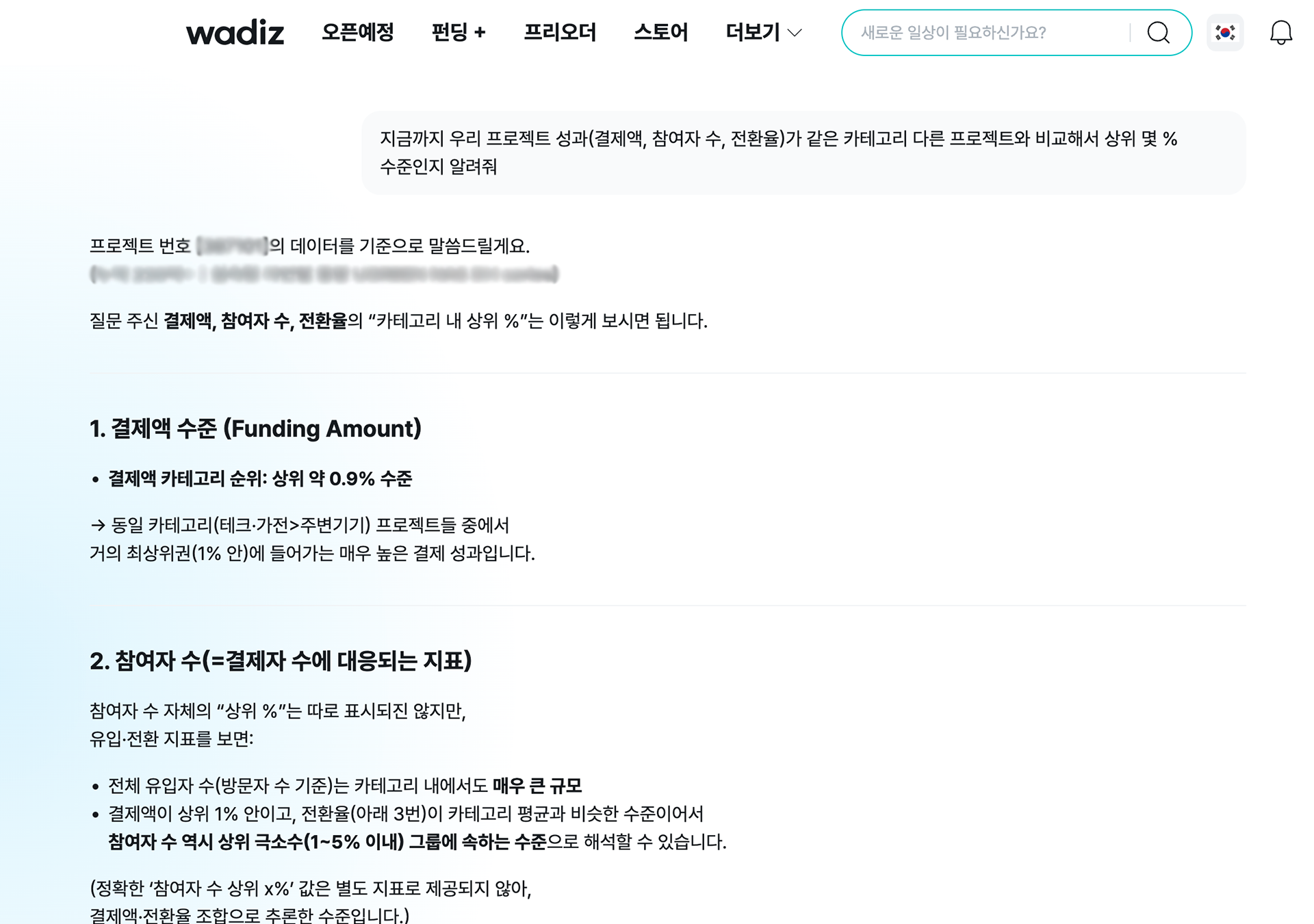 Maker Home > WAi Response Screen
“What are the characteristics of the customers who have participated in my project?”
“I want to host an event to promote my project further—how should I plan it?”
Now turn your data into!
WAi analyzes various data—such as visitor referral sources and participating supporters—for each project
compares it to other successful projects or projects in similar categories, and then provides a customized success strategy to help your project achieve even better results.
From news and events to ad creatives, planning your next steps will become much easier!
Tip: After funding launches, ask WAi these 3 prompts
- Please tell me what percentile our project's performance (payment amount, number of participants, conversion rate) ranks in compared to other projects in the same category.
-When is the best time to run push ads or targeted ads?
- Analyze the number of visitors and the conversion rates for notification sign-ups and payments by traffic source (wadiz internal, search, social media, etc.), and summarize which channels are the most efficient.
3. CX: Build trust with supporters through efficient and thoughtful customer service.
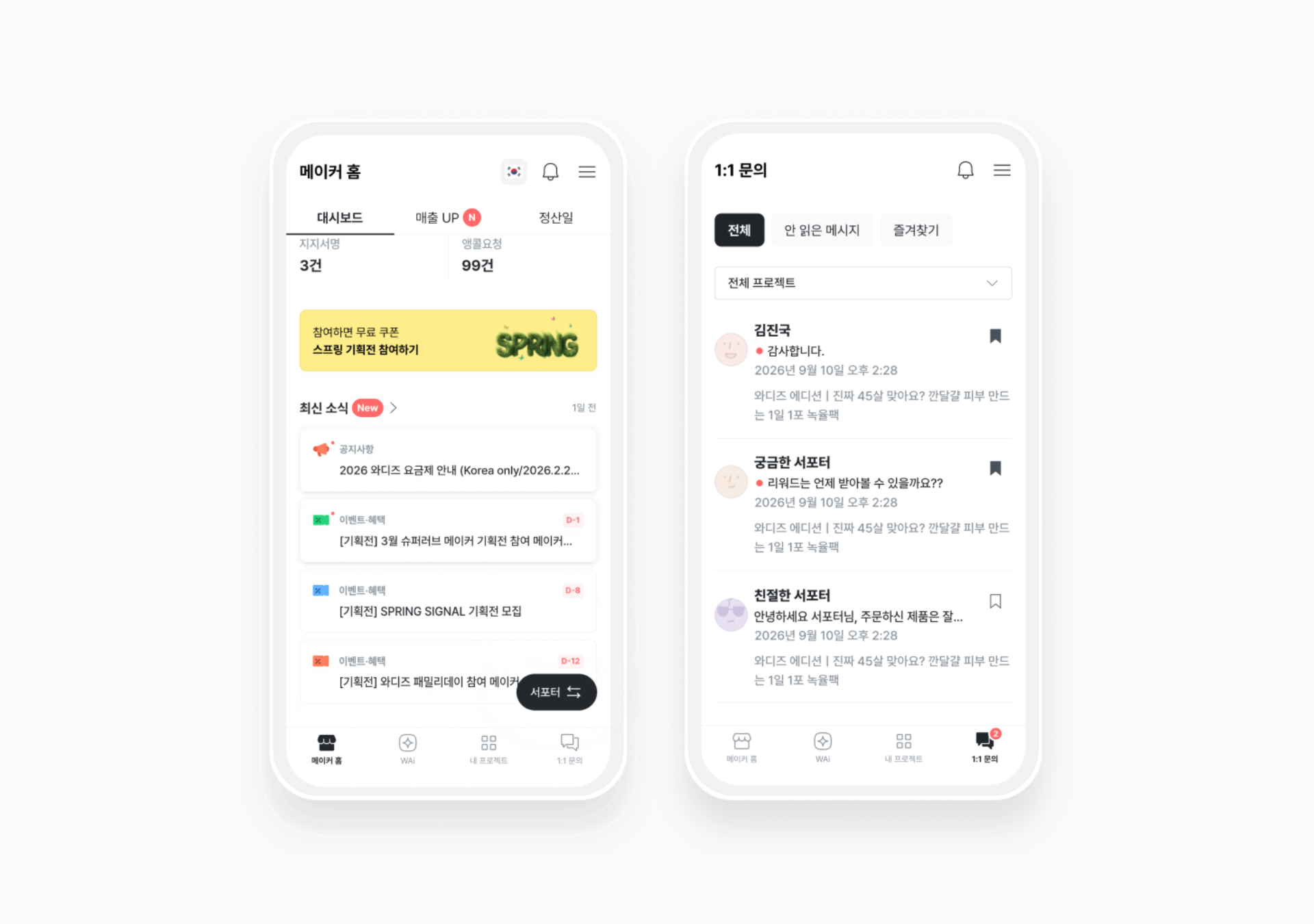 Mobile Maker Home Screen
As I’ve been managing my project through back-and-forth interactions with WAi, its popularity has skyrocketed before I knew it!
The more attention your project gets from supporters, the more customer service inquiries you’ll need to handle.
On the revamped Maker Home, you can manage supporter inquiries even more efficiently.
1) WAi: Your ally in maintaining that crucial “golden time” of trust with supporters
“When will the payment be processed? I’d like to change my payment method.”
“How do I change my shipping address?”
Inquiries related to payments, refunds, and shipping are questions that makers receive particularly often.
For these repetitive and simple questions, WAi instantly recommends the right response!
Since you can respond quickly without having to double-check information or write a new reply each time,
you can leave a positive impression and build trust with your supporters.
2) Communication that never stops, even on the go: “Mobile Maker Home”
The core features of Maker Home are available on mobile too!
In particular, a mobile-exclusive BNBis provided, allowing you to easily and quickly manage key menus with just one hand.
Communicate with your supporters in real time, no matter where you are, and make the most of your project’s golden window of opportunity.
🔍 Frequently Asked Questions (FAQ)
- Q: Can beginner makers with no funding experience get help from WAi?
A: Of course! WAi in Maker Home assesses your current stage and pinpoints exactly what you need to do with “Today’s Insights.” Even if you’re unfamiliar with the complex procedures, anyone can easily launch a project by simply following the guide.
- Q: Is Maker Home available to everyone?
A: Yes! Maker Home is available to any maker launching a funding campaign on wadiz. Create a project now and explore the revamped Maker Home!
- Q: Can I use all the features on the mobile maker home?
A: Absolutely! You can do everything on mobile that you can do on a PC. Manage every step of your project from anywhere. Not only can you check real-time inquiry notifications, but you can also use WAi’s suggested reply feature to easily handle simple, repetitive inquiries even while on the go.
The control tower for business success,
The New wadiz maker home
Wadiz Maker Home not only helps you prepare for and run your funding campaign,
but also analyzes the characteristics of the supporters who cheer for your products and services, as well as the keys to successful funding,
toensure your future business endeavors are also successful.
Get started now on Maker Home, where WAi—your AI partner for personalized success strategies—is always ready to assist !
Tip: Start withwadiz! First Funding Success Promotion
- Benefit:For new makersusing wadizfor the first time, we’re offering a 30% discount on your first funding fee.
- How to Participate: Click [Create Project]to start your project, then simply select [First-Time User]during the service fee step toimmediately apply the 30% feediscount.