[Rewards: Great Shots Even on Your Own] #2. Video
This content is part of
<REWARDS: Take Great Photos on Your Own>
series.
Be sure to bring this!
- One way to enhance the visuals and appeal of your project with just a small investment is through video.
- I’ll explain the difference between videos and GIFs, as well as when and how to use them.
- Be sure to check out the websites where you can create GIFs for free without downloading anything.
Why Are Videos So Important?
Because a single video is more effective than 10 written posts at enhancing understanding of and appeal to your Rewards. Generally, the design and detailed information about Rewards can be conveyed sufficiently through photos and text alone. However, when explaining functional features or illustrating how the Rewards are used, video is far more effective. Video is a crucial element for conveying the appeal that photos alone cannot capture. Since video is so important, here are some tips on how you—who knows the Rewards best—can shoot them yourself without an agency.

1. Two Ways to Present Video: Full-Length Videos and GIFs
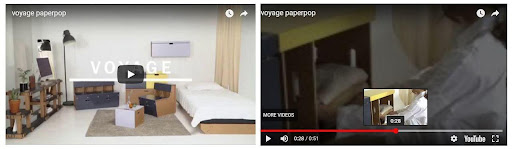 |  |
If you want to introduce a product in detail, use a video
These formats offer the advantage of being able to pause at specific scenes or use voice-overs to introduce the Rewards. As a result, supporters can learn even the most minute details about the Rewards. However, if supporters don’t click the play button, even the best video will be useless.
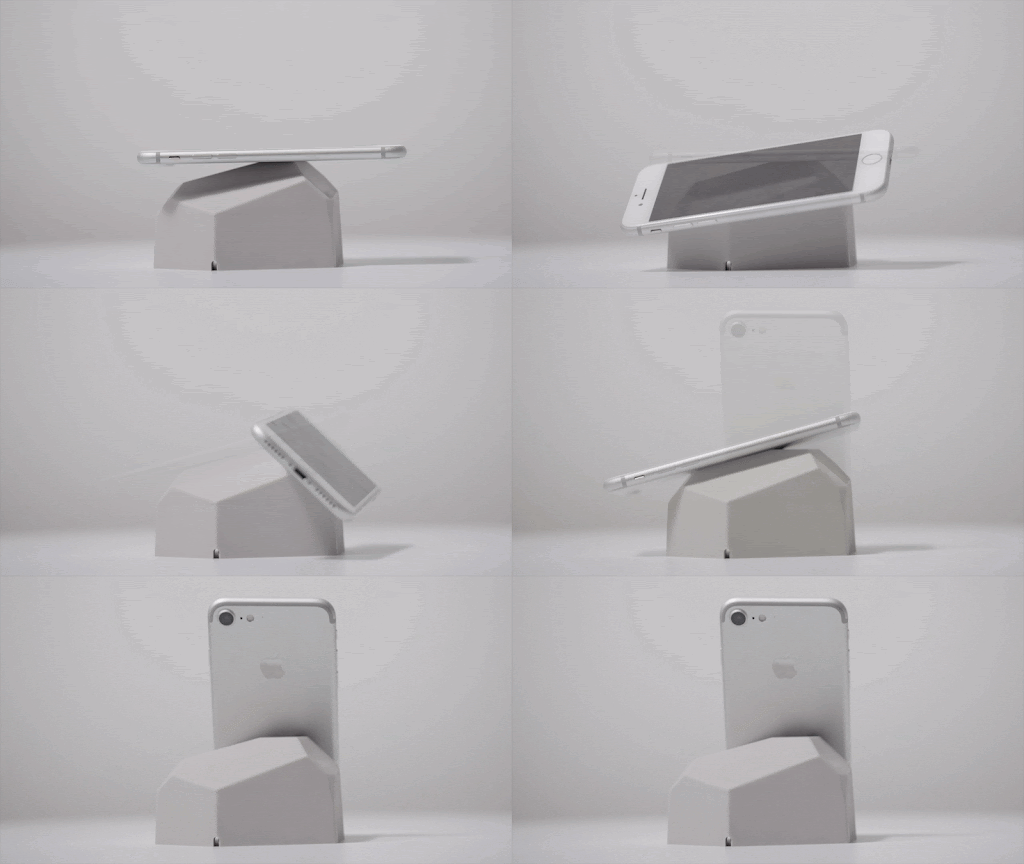
If you want to highlight a specific feature or benefit in a short, impactful way, use a GIF
Since it plays automatically, the advantage is that every supporter who enters the Story will see it without having to press the play button. This method allows you to pinpoint and highlight only the aspects of the Rewards you want to emphasize, making it a useful method within wadiz. However, there are also drawbacks, such as the inability to pause the video or provide audio.
2. What’s the best way to shoot a video for me?
What matters most is impact!
There’s no right answer as to whether you should choose a video or a GIF. As long as supporters are interested in the Rewards and can immerse themselves in the Story, either format works. That said, if it’s too short, the content may feel incomplete, and if it’s too long, it may lose its impact. Carefully consider how you want to introduce the rewards at each stage of your Story, and choose the best method to make a strong impact.
3. Creating Multiple GIFs from a Single Video
You only need to film it once
Since GIFs display multiple images in motion, you can create them by quickly stringing together photos, but you can also break down a long video into smaller segments. If shooting a GIF feels difficult, we recommend recording a long video of a specific scene and then editing it to create a GIF using only the parts you want.
How to Create GIFs for Free Without Downloading
Be sure to take full advantage of websites thatlet you edit videos directly in your browser without any additional software. You can extract specific segments from a long video to create a GIF, and you can also adjust the GIF’s playback speed to be faster or slower. If needed, you can even crop the GIF to ensure only the important parts are visible.
-
[Rewards: Take Great Photos on Your Own] Series
- Photos
- Video