[Service Notice] You can set limited quantities by reward option.
Hello, this is Wadiz.
In Maker Studio, you were able to set limited quantities by reward.
By reward option units, you can now set limited quantities.
Makers who have a fixed amount of inventory available for each option should check the following information.
How to use the service
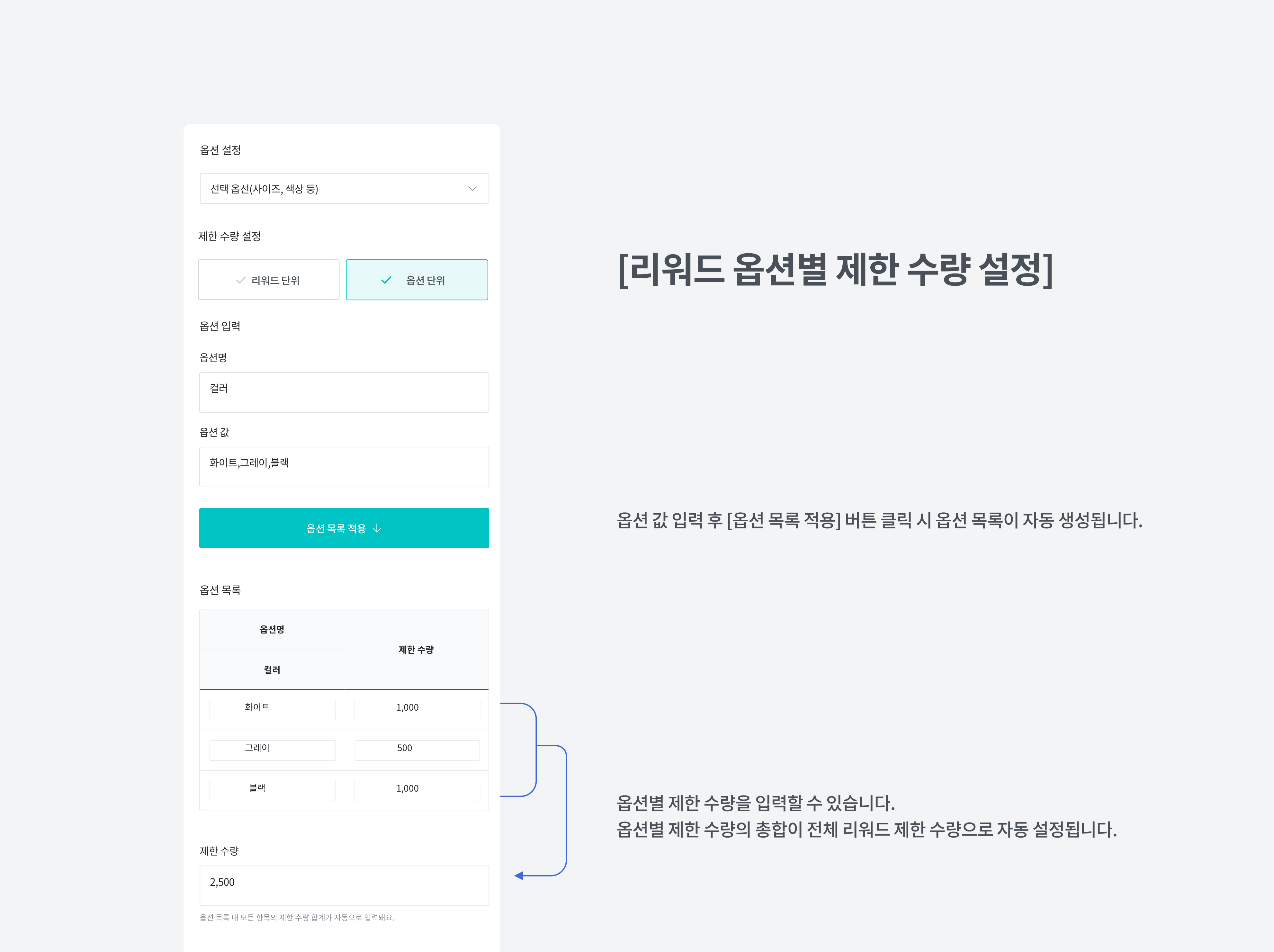
- When adding a reward in Maker Studio, select the selection option and then set the limited quantity as 'Reward Unit' or 'Option Unit'.
- After selecting 'Option Unit', enter the option value and register the limited quantity for each option respectively.
- If you have selected the limited quantity as 'Option Unit', the total of each limited quantity per option will be automatically set as the total reward limit.
When funding or pre-ordering a project with limited quantities per option
- Supporters can check the remaining quantity for each option when selecting a reward.
- Also, when all set limited quantities of options are funded, it will be marked as '(Closed)' and that option can no longer be funded or pre-ordered.
FAQ
- I'm a maker. My project is now open—can I set limited quantities by option?
Projects open to supporters cannot be easily modified. You can set limited quantities by option unit from projects before final approval or newly created projects.
- If there are limited quantities by option unit, can I change options after funding or pre-ordering?
You can change to an option with remaining limited quantity. Option changes can be made in My Wadiz - Funding & Pre-order Participation History.
For more details, please refer to the reward option setting guide.
For related inquiries, please contact Wadiz Help Center Inquiry Registration and Email info@wadiz.kr, or call the customer service center at 1661-9056 (Operating hours: 9:00 AM - 6:00 PM).
Thank you.
Wadiz Team