Store
Can you send orders from multiple stores at once?
Starting December 5, 2024, you can use the unified order management feature to send orders from multiple stores at once.
With this feature, for stores operated under the same business registration number,
you can process orders such as sending, canceling, and refunding even for projects not opened under my account.
📝How to Use the Unified Order Management Feature
1. Access Store MakerStudio
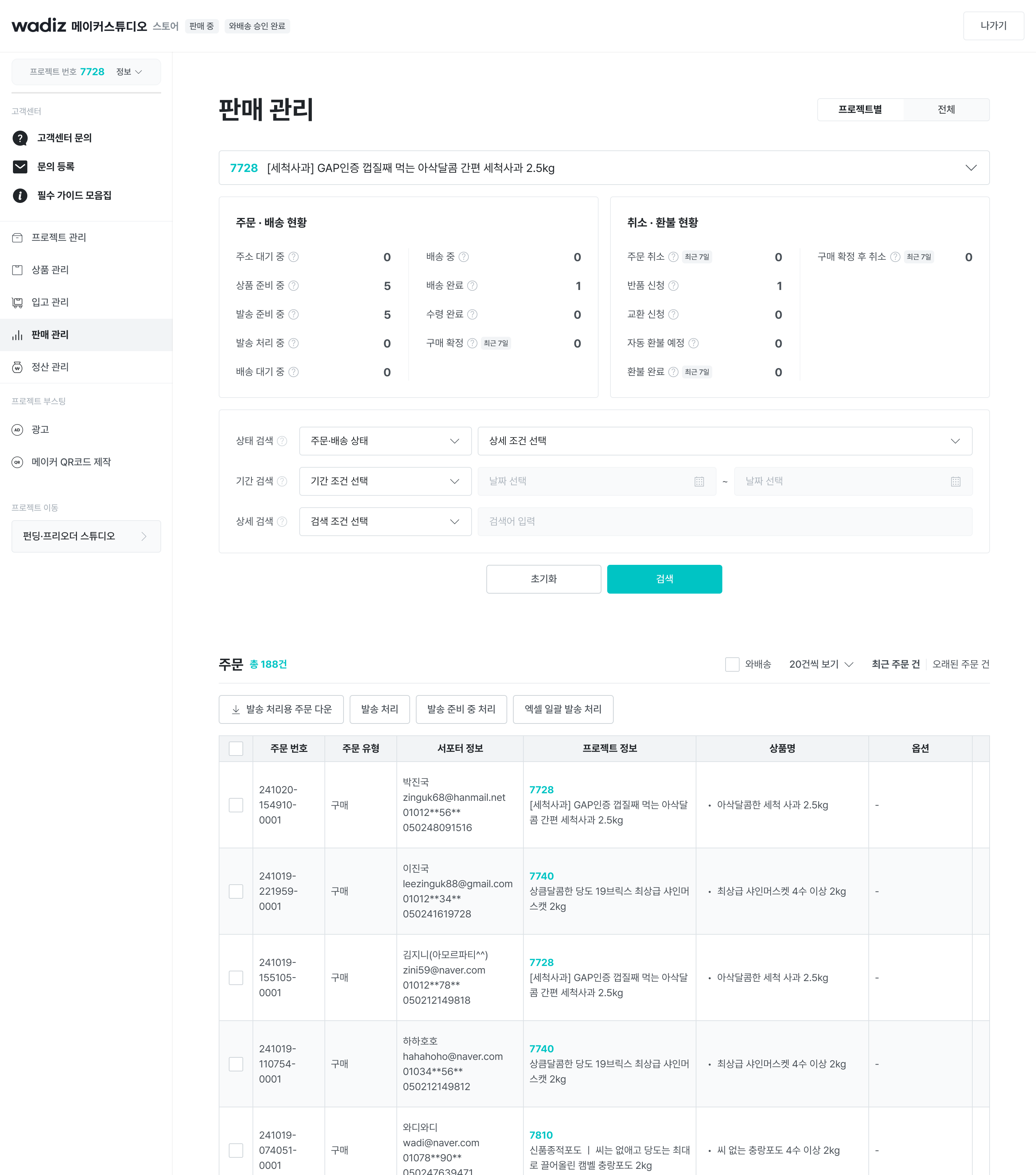
- When you select all, you can view multiple projects at once.
- After accessing Store MakerStudio, click the [Sales Management] menu.
- In addition to managing individual store orders, you can view order history for all stores in operation.
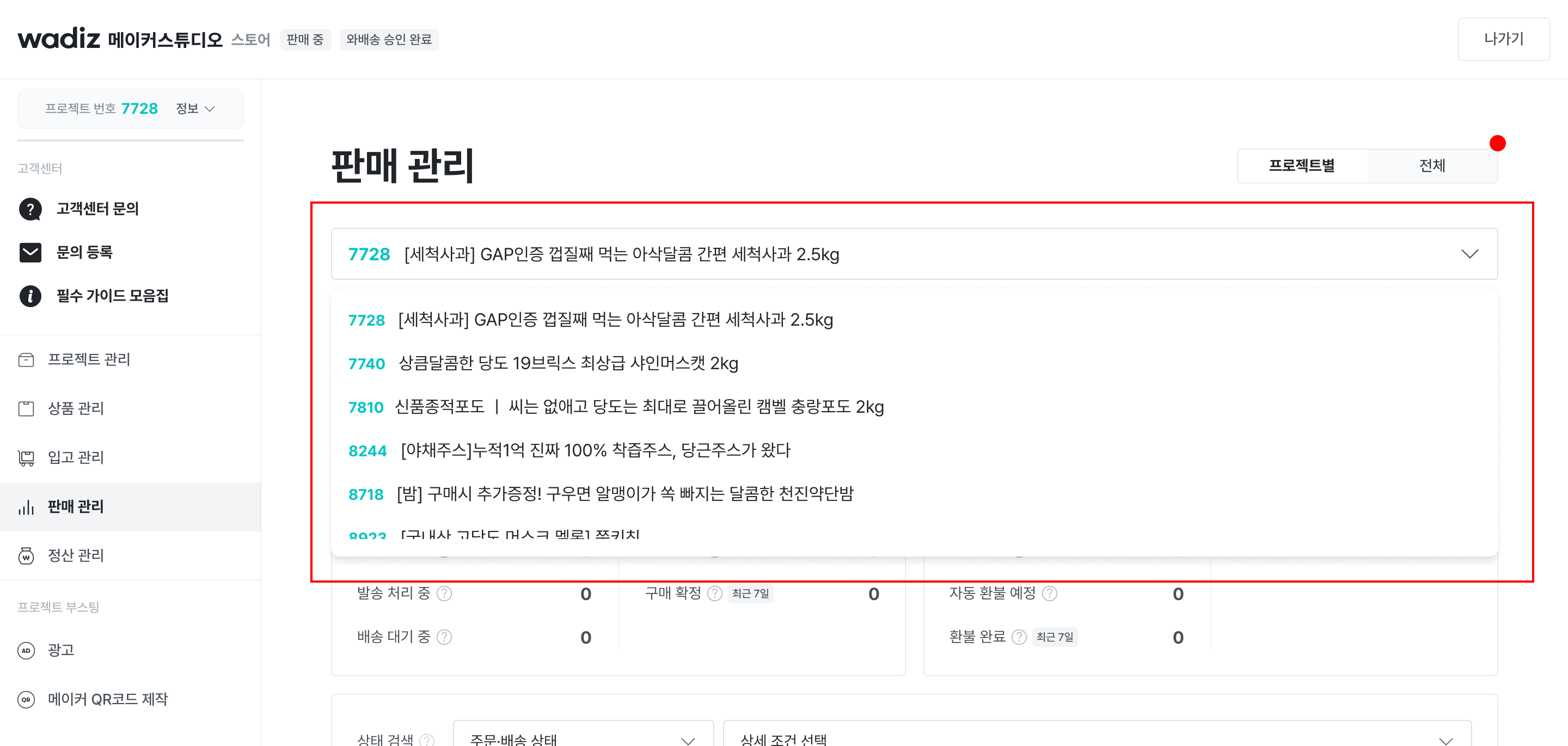
* To view orders from all projects, select [View All].
* To view orders from a specific project, select [View by Project], then select your desired project.
2. Select orders to send
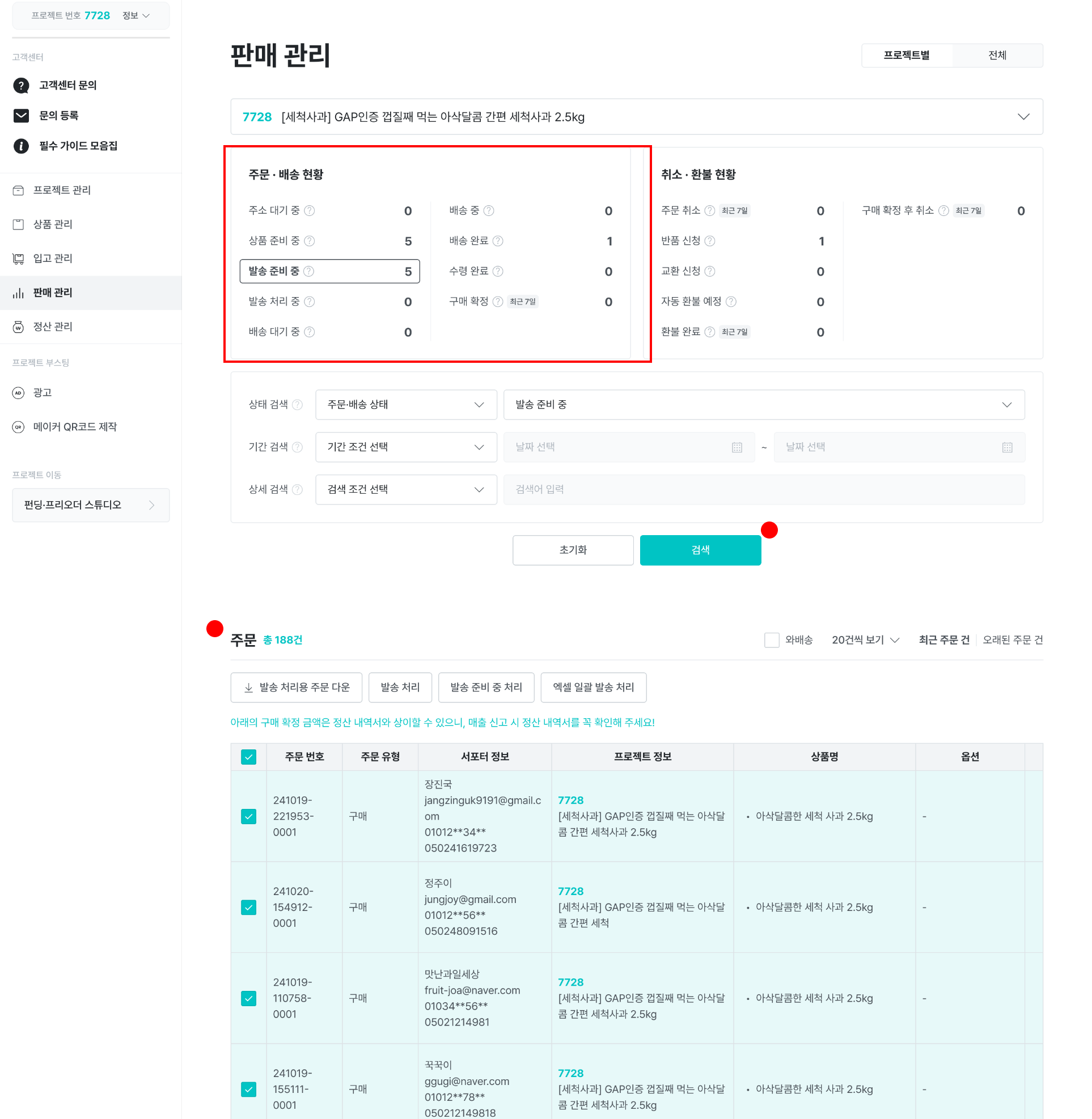
- Orders from the project you selected are automatically loaded for each project.
3. Process shipment
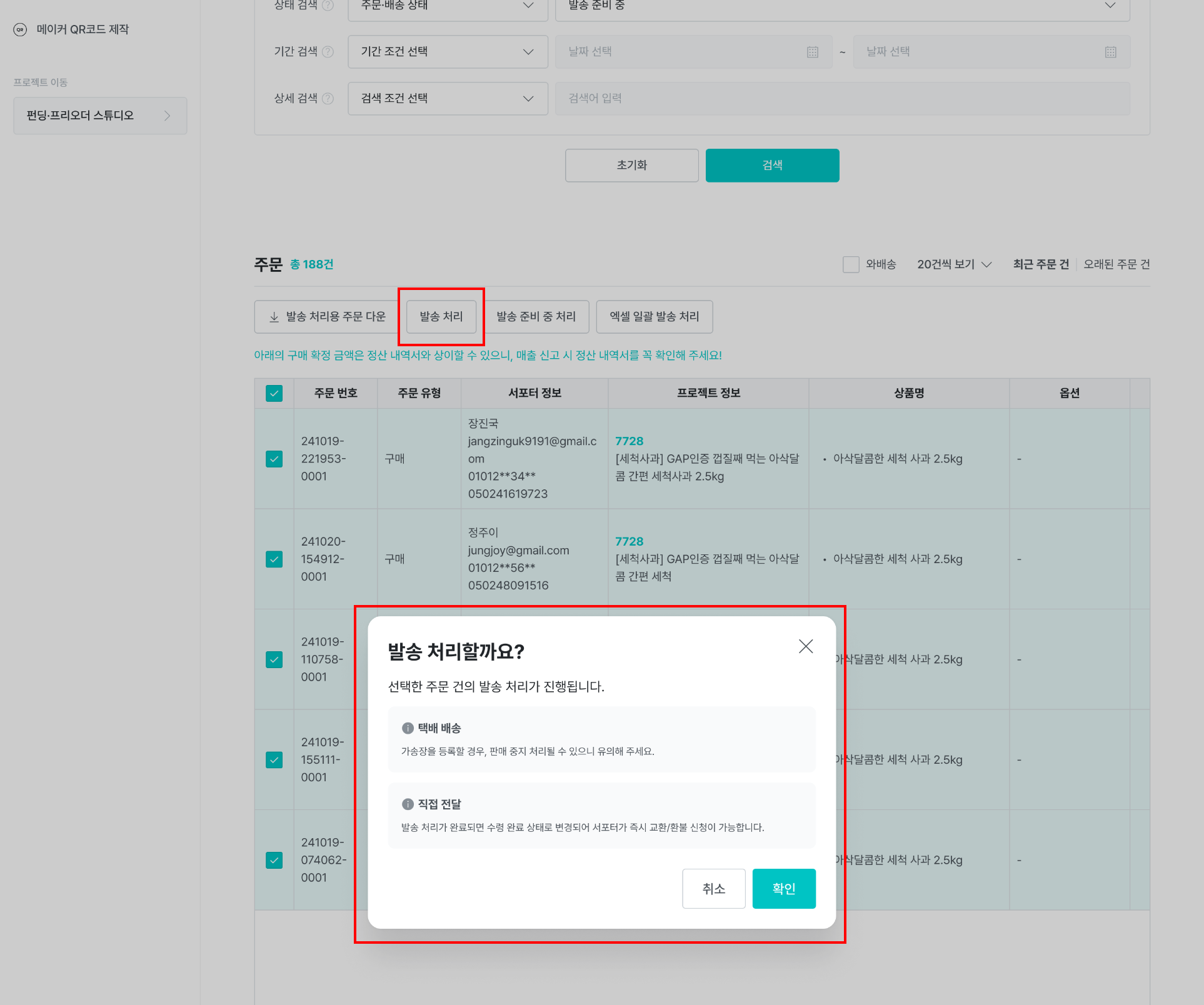
- This works the same as the existing store shipping process.
- You can send, cancel, or refund all orders retrieved at once.
* Please be careful not to process orders from other projects incorrectly!
4. Shipment complete
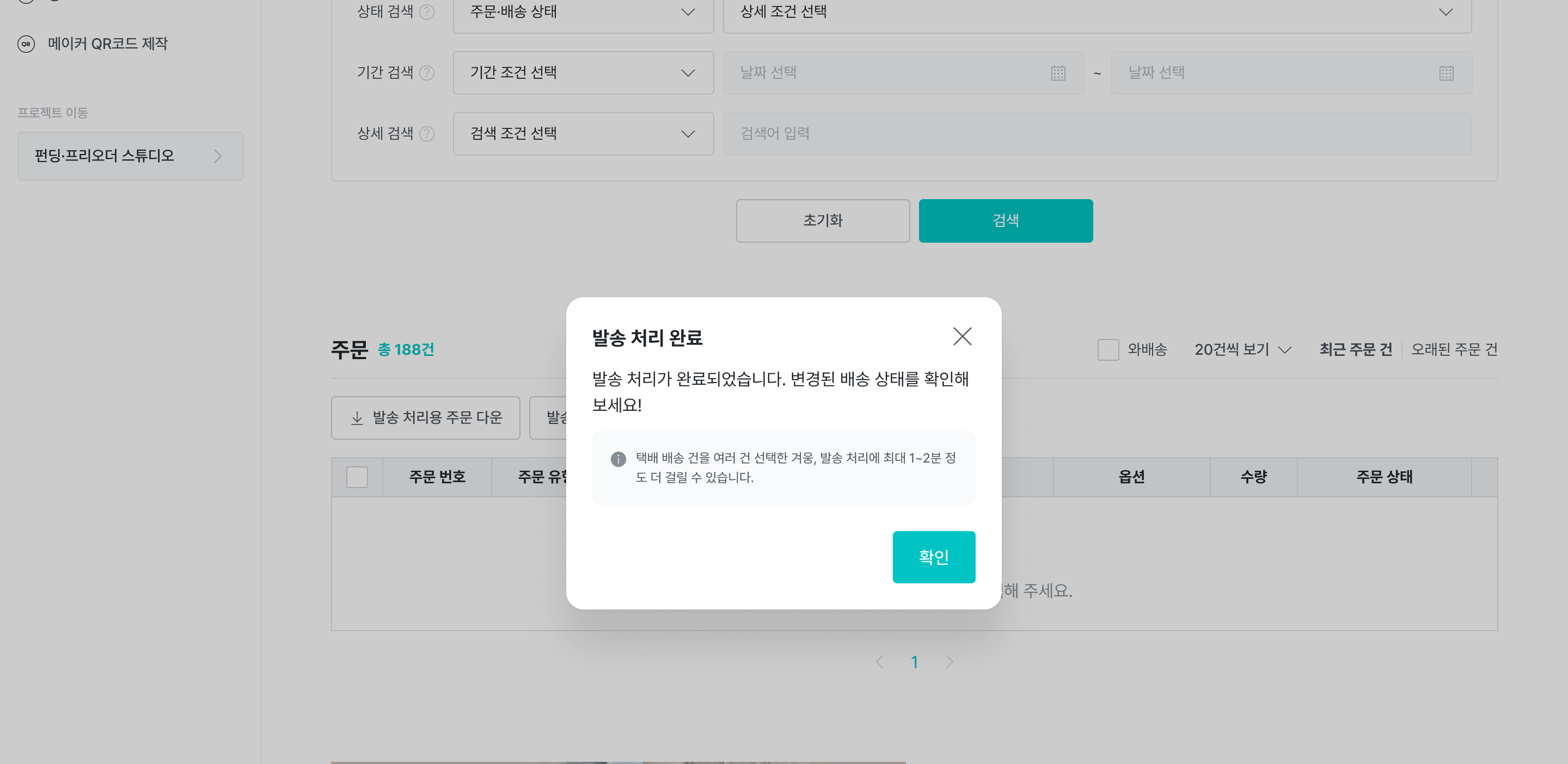
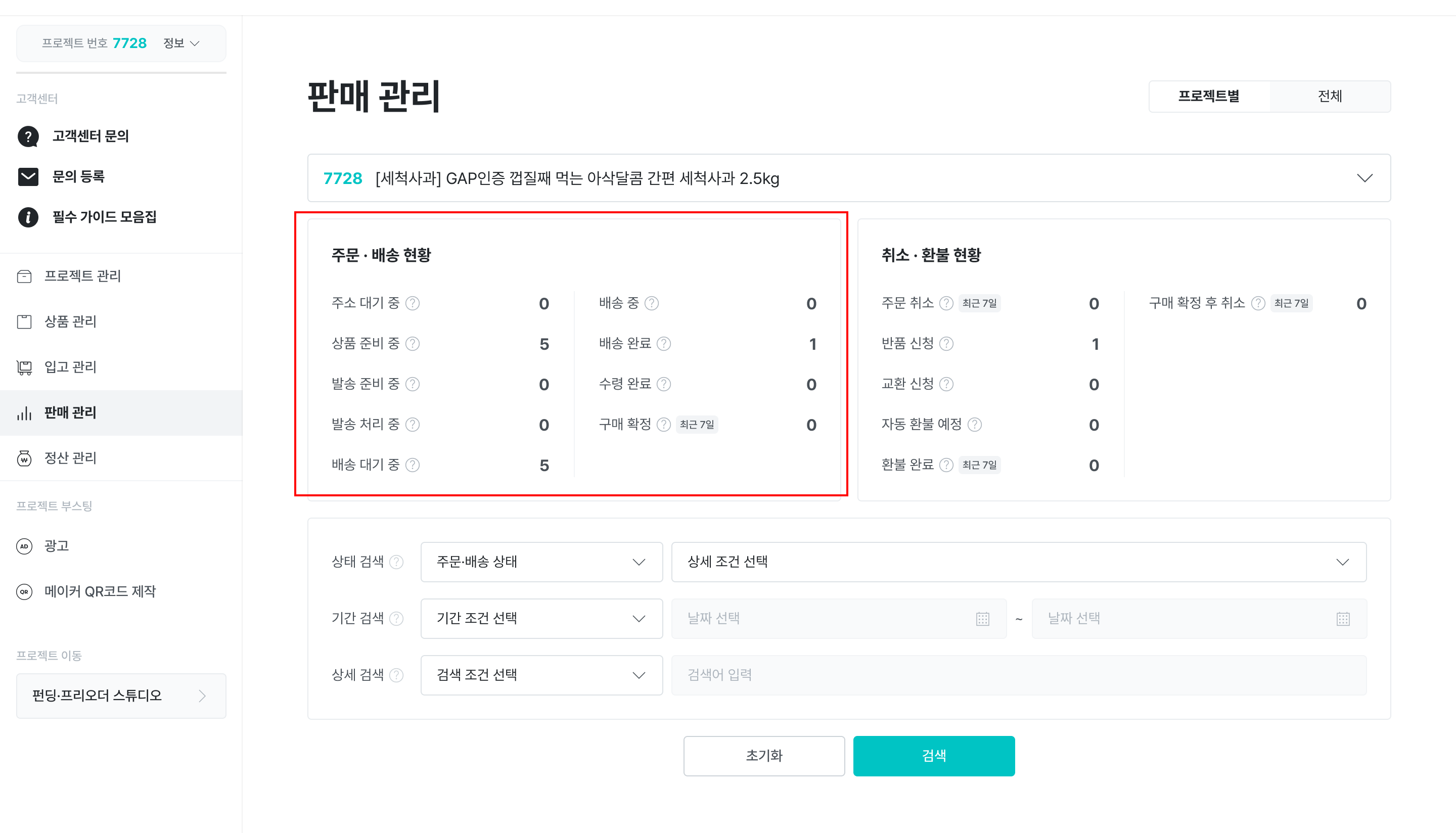
- When shipment processing is completed successfully, a shipment completion notification appears, and you can check the status of each order in the order & shipping status section.
For more information about order cancellations, refunds, and batch shipment registration features, please check the link below!
▶ A request for exchange·return (refund) has been received at the store. What should I do?
▶ How do I process shipment of store products?