Store
How do I handle individual shipments of store products?
You can do this in the [Sales Management] tab of the Store Maker Studio.
1) Please check the order information for orders with [Product In Preparation] status.
- You can check order information in table format in Studio, or click the [Download Orders for Shipment Processing] button to download them all at once.
- Please be careful not to disclose supporter personal information or use it for purposes other than intended.
2) Please enter [Shipping Method] · [Courier Company] · [Tracking Number] for each order.
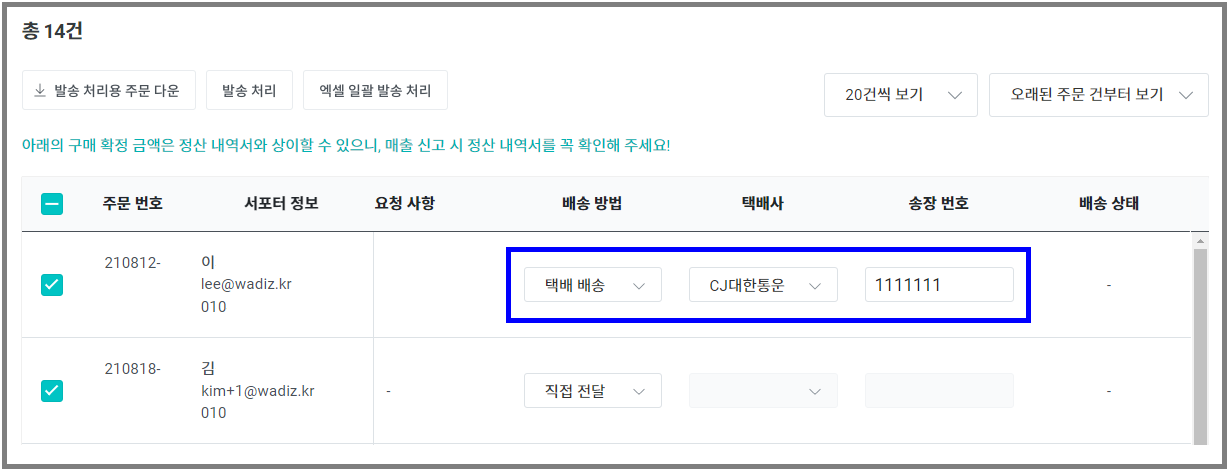
- Courier Shipping: Shipping via courier company
- Direct Delivery: Freight shipping, express, early morning delivery, in-person pickup, email delivery, no shipping, etc.
3) Check the orders you want to process for shipment and click the [Process Shipment] button.
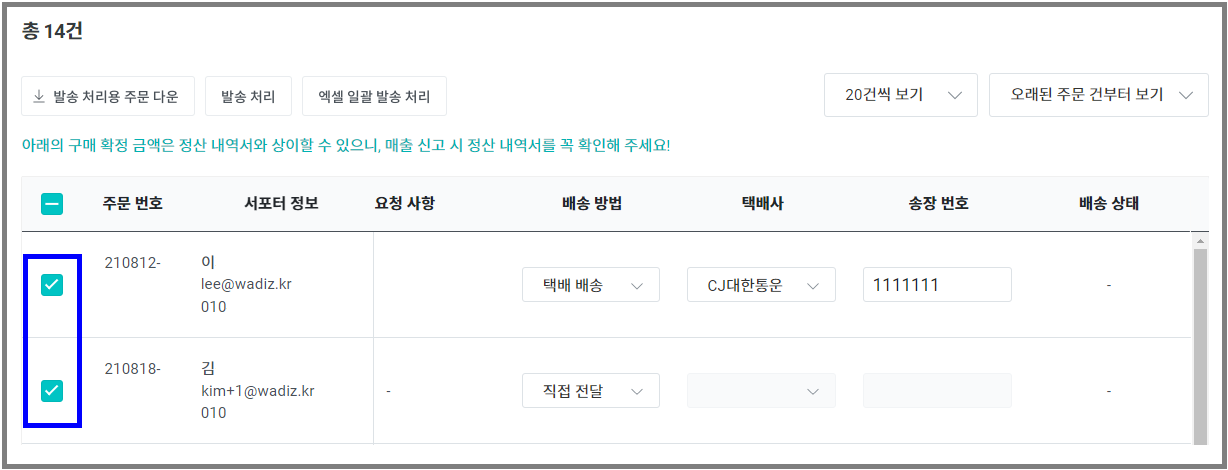
- If you register a temporary tracking number for courier shipping, you may face sanctions such as sales suspension.
- When direct delivery processing is completed, the status becomes receipt completed, allowing supporters to immediately request exchanges or refunds.
- Shipment processing can be done up to a maximum of 100 orders at a time. In this case, be sure to set it to display 100 orders at a time and enter the tracking numbers.
- If you move to the next page without clicking the [Process Shipment] button, the entered information will not be saved.
4) Please check the shipment processing results.
- If there are any failed shipments, please check the error message and process the shipment again. For more details, please refer to here.